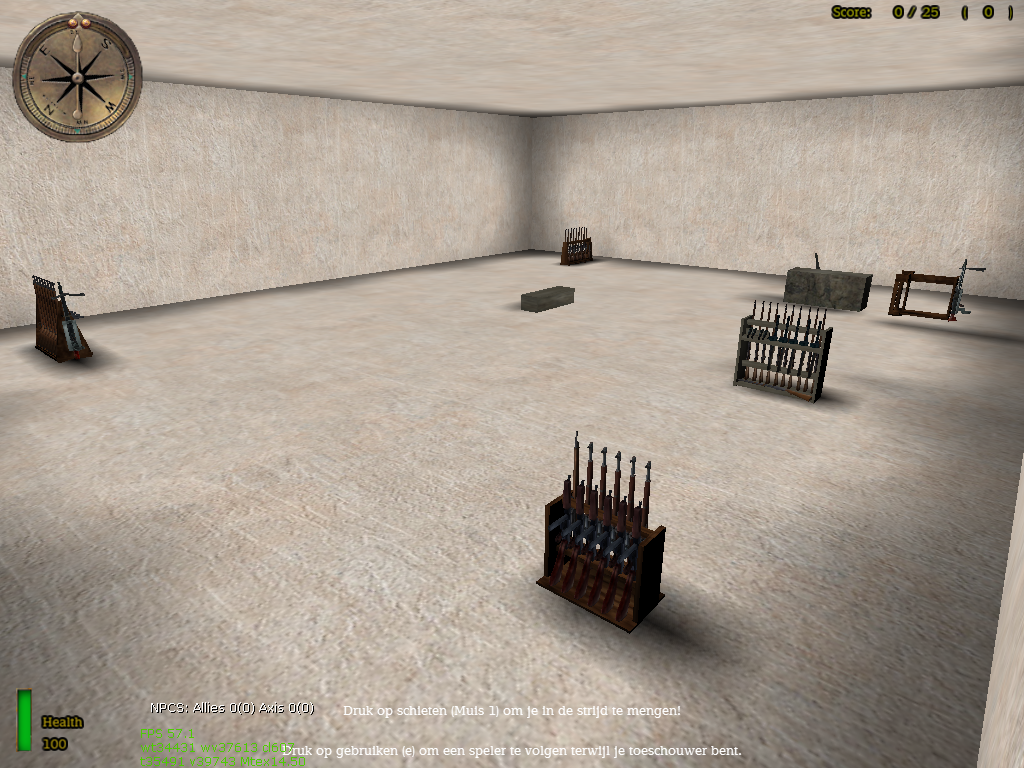
Weapon Racks
Creator
unclebob
Theme
N/A
Game Modes
All Modes
Map Size
Unknown
Description
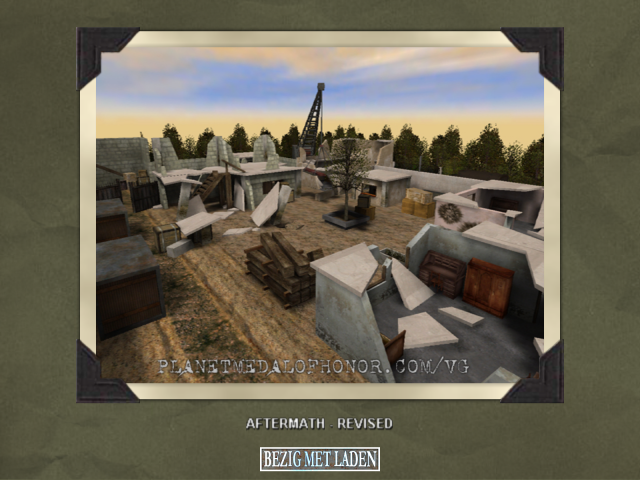
This map has been made to show off some weapon racks for Breakthrough (the map also works in Spearhead). It is accompanied by prefab files for the weapon racks.
Readme:
unclebob Milwaukee, WI sep 27 03 prefab rifle racks
I finaly made a rusian rifle rack but there was more then just a little box to look at so it was easy also made a Italian rifle rack that has a minelayer,rifles,SMGs & a portable mg42
EA seems to have not looked over there files as always before sending out the game. the entities boxes for some of the Italian weapons were set larger than the weapons (2 to 3 times larger) so i changed the entity boxes
I dont know if changing the entity boxes will effect online play if you use these prefabs so its somthing to keep in mind (rusian rack is all SH so no fears)
If you want to work with the new BT entities get parscape or another .pk3 opener & copy all the model files from pak1.pk3 in the maintt folder for BreakThrough (DONT MESS WITH THE ORIGINAL FILES YOU WILL SCREW UP THE GAME ONLY COPY WHAT YOU NEED TO ANOTHER FOLDER)then repack them in a .pk3 called BT_entities & put it in your SpearHead mainta folder the SDK will now read the new entities
If you want to change the entitie boxes so they are the same size as the older weapons (larger boxes allow players to get the weapon from far away rather then walk right up to it) just go to the bottom of the tik file for each weapon & redo the quaked part so it is like the old weapons the part there that says (0 0 0 0) (& & &) (& & &) is what defines the size of the entitie box for the weapon copy the smaller part from an old waepon like allied bazoka & paste it over the other numbers (mack sure you get all the numbers some may run to the next line I will give an example of what I mean just to give you a good idea what im saying!
this is from the bottom of the Moschetto TIK file. the numbers in ( ) are the size of the entitie box, its larger then the weapon, there for you could depending on the size of the room pick up the weapon from across the room
}
}
}
/*QUAKED addon_weapon_Moschetto (0.0 0.0 0.0) (-65 -40 0) (65 40 120) Moschetto
*/
this is from the allied bazooka TIK file. you notice the numbers are a lot lower so the entite box will be smaller if you want copy the numbers right from here (again I dont know if this will effect online play/it shouldnt i dont belive these factors are shared well online "the box is what tells the player to pick up or add an item to there inventory")
}
}
}
/*QUAKED addon_playerweapon_allied_bazooka (0.0 0.0 1.0) (-8 -8 -8) (8 8 8)
Weapon - bazooka - US bazooka.
*/
Related MOHAA Maps
Engine & Patch Compatibility
Community-tested verification on official patches & Reborn
0.00 reviews
Community Rating & Discussions
Rate this map and share feedback or installation tips with fellow players.
Your Rating:
Leave a Comment / ReviewLog in to join the discussion
Loading discussions...
Downloads
142
Total Downloads
Date Added
June 12, 2014
Download
FileBTrifleracks.zip