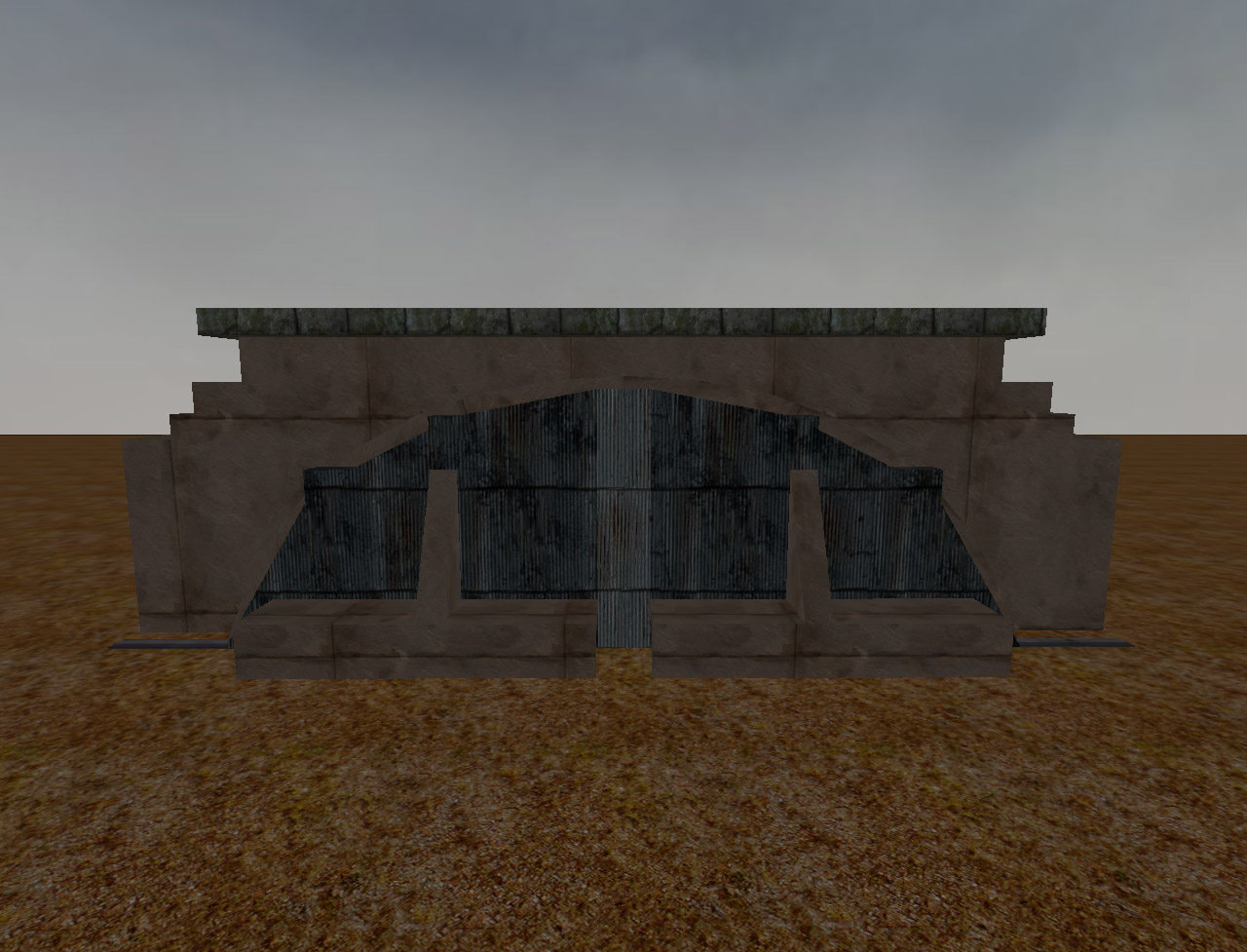
Flughanger
Creator
<TWZ>Gold {sfx}
Theme
N/A
Game Modes
All Modes
Map Size
Unknown
Description
The .map file is included within the pk3 (so is the prefab file).
Small map made to test out a prefab of an awesome airfield hanger with massive doors that can open and close at the press of a switch.
prefab by Gold {sfx}
Scripting by Cobra {sfx}
Working switch thanks to tip by bobuk
1) Load your map in radiant
2) At top in textures go to Texture Lock and check moves and rotations.This keeps the textures on switchbox locked in the right
position when moving or rotating the prefab.Otherwise if you do not use this option the textures may move around and then you have to manually
re-align the switchbox with the surface inspector
3) Next before loading prefab in the 2d view windows click on each view and use the mouse wheel so you can view your whole map.
I adjust the window size before loading prefabs so i can easily drag the prefab to the loacation i desire and also if i try to
change the size of the 2d windows after prefab is loaded it tends to crash my radiant.
4) I have done all of the above whats next? Next go to file at top and click load prefab and point it to were ever you saved the
Flughafen-Hanger-Final.pfb
5) Now you can move the prefab around to location you wish in 2-d or 3-d windows.In a small map you can move it around pretty fast.
In a larger map take your time and move it slowly as you do not want to crash radiant.
Once you get the prefab in the location you desire go to top of radiant and click selection.Then deselect.Or hit escape on keyboard for shortcut.
Related MOHAA Maps
Engine & Patch Compatibility
Community-tested verification on official patches & Reborn
0.00 reviews
Community Rating & Discussions
Rate this map and share feedback or installation tips with fellow players.
Your Rating:
Leave a Comment / ReviewLog in to join the discussion
Loading discussions...
Downloads
113
Total Downloads
Date Added
September 3, 2014
Download
FileFlughafen_Hanger_Prefab.zip