Airfield
Creator
Cobra {sfx} & Elgan {sfx}
Theme
N/A
Game Modes
All Modes
Map Size
Unknown
Description
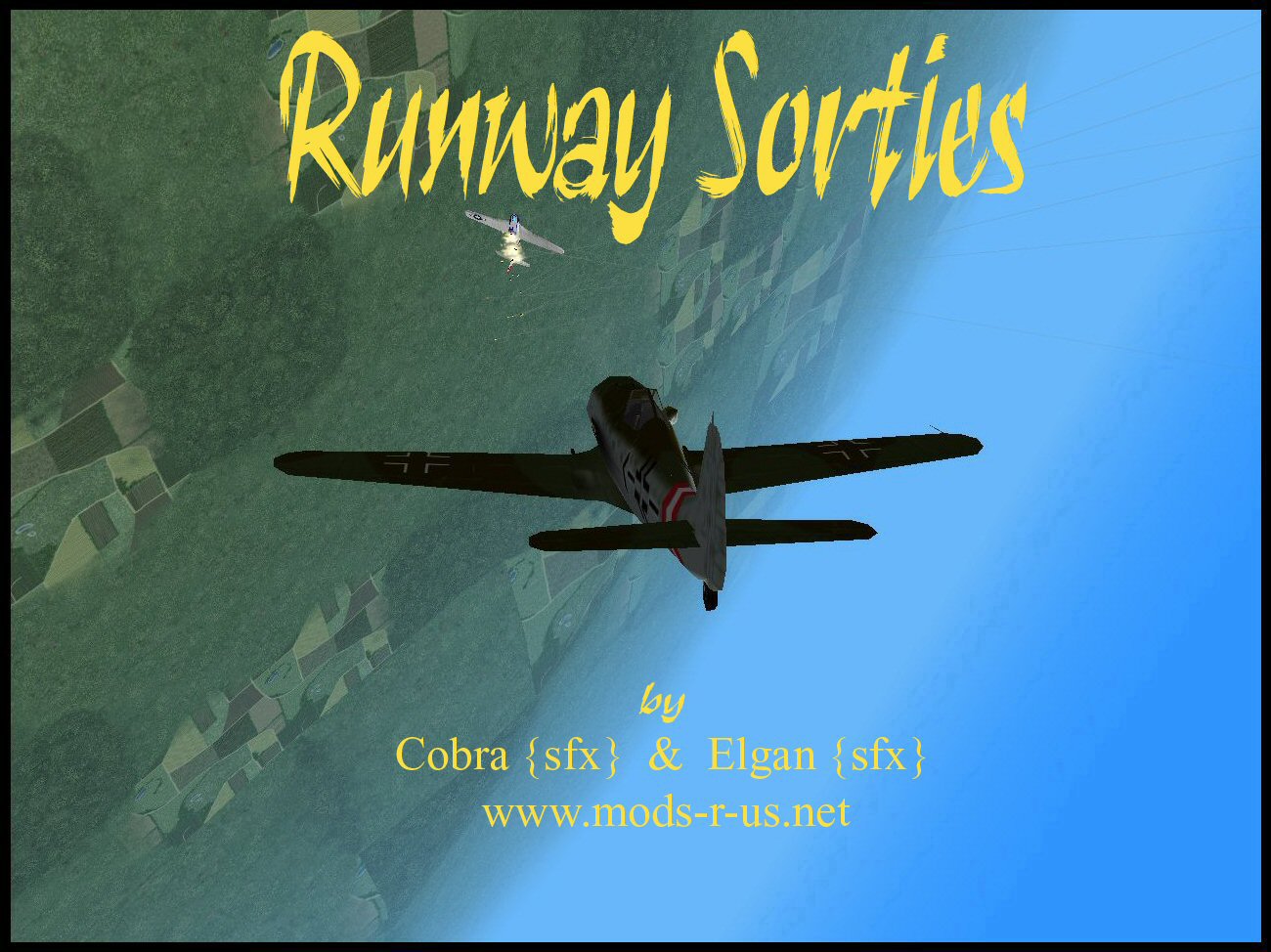
A small map made for air battles mostly.
You can enter planes and shoot with them in the air.
// FLYABLE AIRCRAFT v2.1 © 2004
// Developed by Cobra {sfx} and Elgan {sfx}
//
// 1st public release
// Tested on MOHAA
//
//
//
// If you find any bugs, let us know what they are so we can release a fixed verision.
// Elgansayer@hotmail.com / Cobra {sfx - www.Mods-R-us.net
// or elgan.sayer@gmail.com
//
// FEEL FREE TO USE THIS SCRIPT, WITH THE SUPPLIED CUSTOM MAP BUT PLEASE DO NOT REMOVE THIS HEADER!
// We reserve the right to develop this script further and request that people wishing to use
// any part of this script within their own custom map seek our permission first.
//------------------------------------------------------------------------------------------
//
// 1. Flying. (mouse /strafe)
//
// Use the mouse to Fly the Aircraft in any direction. The Aircraft will follow
// as you move your mouse.
//
// The handling of the Aircraft seems stiff or can be stiff?
//
// Sometimes "pro" mode is turned on. This means that the Banking on the
// Aircraft will be slow and harder to turn just like the real thing. However
// when turning with pro mode set on you can greatly ease the steering with the
// banking feature. For example when you want to bank left:
//
// with pro mode.
//
// left:
// hold you strafe left key and turn your mouse to look left.
//
// right:
// hold your strafe right key and turn your mouse to look right.
//
// **If you have configured your mohaa to use the handy lean function ingame, this can be used in the Aircraft to achieve a steeper angle of Bank**
//
// 2. Using Your Weapons (Mouse Buttons)
//
// There are two Fighter Aircraft, both are equipped with 4 weapons each. They
// all have limited ammo but i have only ever run out once:)
//
// To activate a Selected Weapon Press your primary fire key (usual mouse
// button1) . Bombs use mouse button 2.
//
// Note - Bombers Can only drop bombs.
//
// Allied/Axis Fighters Weapons:
//
// Primary weapon - 2x 30 cal machine guns. medium range and powerful.
//
// Secondary Weapon - Enhanced MG42 - Low range with high power.
//
// Rockets - The Aircraft have rockets . The amount and range is set through
// console. Default is 4 at a range of 3000. Rockets are deadly accurate and
// very powerful.
//
// Torpedo - Default off with 1 torpedo. The torpedo drops to the Sea and
// surfs through the water to hit its target. This deadly weapon is not
// available in any stock maps ( they dont have enough water)
//
// Bombs - use your right mouse button(secondary fire) to drop a bomb. Bomb
// amount and ammo is set via console by admin.
//
// primaryfire- fire
// Secondaryfire - bomb
//
// 3. Changing Weapon.
//
// to change weapon press your USE key (On a default keyboard - E)
//
// 4. Banking
//
// Use your strafe right and left keys to bank the Aircraft or avoid
// collisions.
//
// NOTE: In pro mode this vastly helps steering.
//
// 5. Barrel Roll.
//
// The Aircraft can roll left and right. To roll and avoid enemy fire press you
// Forwards key for left-roll or backwards key for right-roll.
//
// 6. LOOP THE LOOP!
//
// loop the loops are nearly impossible in stock maps because of the low sky
// but in custom maps they are fun and easy!.
//
// loop the loops are performed by Pressing USE+ Forwards at the same time.
//
// 7. Auto Pilot/ Free Look!
//
// You can check your tail in flight while the Aircraft flies itself!
//
// Press your crouch key and then using the mouse you can look around for your
// enemies. Press Crouch again to regain control of the Aircraft.
//
// NOTE: The plane will crash if you leave it without your control for too
// long.
// NOTE: Pressing the crouch key once activates this and then again to
// de-activate.
//
//
// 8. What to avoid
//
// Avoid crashing into or shooting down your own teams Aircraft
// Try and avoid the stock maps invisible walls. (Blame EA not us)
// Do not try to fly through things. you will explode!!!
// The minefield's located around the perimeters of any map - fly high above
// minefields or they will detect you and you will explode.
//
//
// 9. How to get inside an Aircraft:
//
// On maps with Aircraft there are triggers around the maps. On stock maps
// these triggers are in the form of red lights (Coronas). When walking into
// the trigger you will take control of an Aircraft that will start flying in
// the direction you ran into the trigger.
//
// NOTE: Many people have discovered that if you walk into the trigger while
// looking DOWN you will fly straight into the Ground - just look straight
// ahead :)
//
// 10. EJECT!
// On most maps due to people trying to jump out and run for cover under the
// map to cheat eject has been disabled. In maps with eject enabled you can
// press your jump button to bale out of the Aircraft and float safely to the
// ground.
//
//
//
// MOUSE SENSITIVITY
//
// As i explained above in steering if pro mode is on then the mouse will seem
// stiff when flying a plane. When you die it resets back to the games default
// (5). But many people have altered their mouse setting, this can be being
// annoying for them.
//
// What can i do if i use a none default setting?
//
// When you die the script can execute a file and set the sensitivity back to
// what you want. The file you will have to create beforehand though.
//
// To make the file:
//
// Open your mohaa game directory and find the main folder. Then inside the
// main folder locate your configs folder. Inside this folder is a file named
// "unnamedsoldier.cfg". Open this file with WORDPAD and scroll down ( you can
// press ctrl-f and search for seta sensitivity) about half way until you find
// where it says "seta sensitivity". It will have a number after it. Copy the
// whole line seta sensitivity and number.
//
// Now open notepad and paste that line in. (It will say something like seta
// sensitivity "7.000000".)
//
// Save that notepad file as "sensitivity.cfg", without the "" and as type ALL
// FILES. Save it to your mohaa/main folder.
//
// thats it. when you crash the Aircraft the sensitivity will return to your
// custom setting!.
//
// HUDS!
//
// The script will execute to show a hud when flying (Head Up Display). If u
// dont have one then it wont show one. If you do it will pop up when you
// obtain an Aircraft.
//
// The Hud Menu's Name is PLANE_HUD.
//
// Control keys:
//
// Forwards - barrel roll right
// back - barrel roll left
// left - bank left
// right - bank right
// USE - change weapon jump - bale out
// crouch - free look/auto pilot
// left click - fire
// right click - Drop bomb
// use+ forward - LOOP THE LOOP!
// Mouse - Steer the Aircraft
//----------------------------------------------------------------------------------------------
/*
pilot_health -sets the pilots health as they enter a plane
stuka_bombs -how many bobms the stuka/c47 can have
fighter_bombs -how many bombs the fighters can have
p47speed -sets the speed of this plane
fw190speed -sets the speed of this plane
ju87speed -sets the speed of this plane
c47speed -sets the speed of this plane
Elgans_Flyable //0 =off/ 1 = on. turns if they can fly or not
pro //0=off, 1 = on//makes steering harder
Elgan_eject //1 = can eject/ 0 cant
rockets //sets the ammount of rockets
rocketsspeed //sets the speed the rockets flky at
rocketrange //how far they can travel before they explode if they have not hit anything
torpedo /1 can use torped/ 0 cant
elgan_debug //1 or 2 or 0 for off
*/
Related MOHAA Maps
Engine & Patch Compatibility
Community-tested verification on official patches & Reborn
0.00 reviews
Community Rating & Discussions
Rate this map and share feedback or installation tips with fellow players.
Your Rating:
Leave a Comment / ReviewLog in to join the discussion
Loading discussions...
Downloads
18
Total Downloads
Date Added
September 1, 2014
Download
Filezzz-user_{sfx}_Flyable1.pk3