
Medal of Honor: Allied Assault Mods (MOHAA)
Discover and download community-created modifications to enhance your Medal of Honor: Allied Assault experience.
700 Mods Found

allied_camo_108thMGST
Camo 108thMSgt. Install: put pk3 file in mainta or main folder Uninstall: remove pk3 file from folder
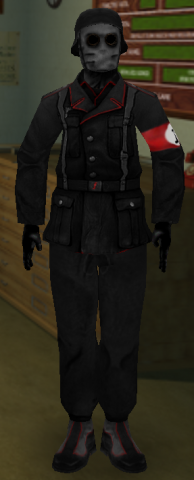
allied_russian_ƒlyASSASSIN_paranoia_fps
This skin is available in both teams: allied_russian_ƒlyASSASSIN_paranoia german_ƒlyASSASSIN_paranoia ________________________________________ /////////////////////////////////////////////////////////////////////////////// //ƒlyASSASSIN SKIN - Made by x.PaRaNoIA.x for ƒly /////////////////////////////////////////////////////////////////////////////// Skin made in Photoshop CS3 Original skins copyrighted Medal of Honor. Do not steal, claim as your own, do not sell, pollute the world, be a fat troll, etc. Do credit or link back to the source when used or uploaded. Nothing in this package may be changed whitout my authorization. Made by: x.PaRaNoIA.x Paranoia is: Sebastiaan "xseppex" Stevens Belgium 16/01/2009 http://www.xfire.com/profile/xparanoiax/ http://xseppex.deviantart.com/ http://www.last.fm/xseppex ƒly: http://www.xfire.com/profile/colonelcozza/ IMPORTANT NOTICE: Nothing in this package is a cheat or a hack!! These are normal official MOH skins that are tweaked in photoshop. Skins only work when uploaded by the server you play on and only for those who saved the skin on their computer!! Works in MOH:Allied Assault, Spearhead, Breaktrough. I made this skin to understand how it works and for the fun making it.


allied_332nd_Fighter_Pilot
On Jul. 19, 1941, the AAF began a program in Alabama to train black Americans as military pilots. Primary flight training was conducted by the Division of Aeronautics of Tuskegee Institute, the famed school of learning founded by Booker T. Washington in 1881. Once a cadet completed primary training at Tuskegee's Moton Field, he was sent to nearby Tuskegee Army Air Field for completion of flight training and for transition to combat type aircraft. The first classes of Tuskegee airmen were trained to be fighter pilots for the famous 99th Fighter Squadron, slated for combat duty in North Africa. Additional pilots were assigned to the 332d Fighter Group which flew combat along with the 99th Squadron from bases in Italy. In Sep. 1943, a twin-engine training program was begun at Tuskegee to provide bomber pilots. However, World War II ended before these men were able to get into combat. By the end of the war, 992 men had graduated from pilot training at Tuskegee, 450 of whom were sent overseas for combat assignment. During the same period, approximately 150 lost their lives while in training or on combat flights. Additional men were trained at Tuskegee for aircrew and groundcrew duties--flight engineers, gunners, mechanics, armorers, etc. Others were sent to Texas and New Mexico for training as navigators and bombardiers. This is a skin of the 332nd Fighter Group. Made by Assassn Comments? E-mail: assassn@gmail.com MSN: bkassassin@hotmail.com AIM: shortbusrida101 To Install: put the user- 332fighter.pk3 file in main,mainta, or maintt folder To Uninstall: remove the user- 332fighter.pk3 file

german_17SS2_Gestapo
Description: Gestapo skin of the 17SS, mostly historically accurate. Creator: PoolMaster E-mail: poolmaster@mohalliance.org Installation: Place the skin in your mohaa main folder, and your ready to go :) Legal Info: If you wish to edit my skin, be sure to e-mail me at poolmaster@mohalliance.org to lemem know, and be sure to give me partial credit.

german_recoil_3rd_fallschirmjager
***** R || F ***** Release Date: 11-10-02 ReCoil || Factor Axis 3rd Fallschirmajager Division Soldier Not quite like the original but it looks pretty good in game... :) ----------------------------------------------- The 3rd Fallschirmajager Division 1944 The Third Fallschirmajager Division was considered to be an elite German Paratroop Group in WWII. It did not see action until June 10th, 1944, in Normandy, entering the war as a full strength division of 15976men. The 3rd Fallschirmajager Division was probably the best armed infantry division in the world in 1944. ----------------------------------------------- Combat awards A frequent decoration was the Wound Badge, a solid oval badge worn in three classes: black, for one or two wounds; silver, for three or four wounds; and gold, for five or more wounds. The badge was pinned low on the left breast pocket. All members of the German military were eligible for this award. ------------------------------------------------ Enjoy! Place the .pk3 file into the "main" folder in Medal of Honor. To remove the skin, just delete the .pk3 file. Enjoy :) tcfool@attbi.com

34th_Infantery_Division_private
skinpack 34th Infantry Division - The Sandstorm Division - Also - The Red Bull Division The first American division to be sent to the European Theatre, trained in Ireland for Operation Torch. November 1942 they landed in Algiers, North Africa, Tunisia, Operation Vulcan, heavy fighting for the Djebel Tahent Mountain. In Italy the unit fought at Salerno, Volturno River, Mount Patano, Gustav Line, Mount Trocchio, Cassino, Anzio and on to Rome. Livorno, Mount Belmonte and fought in the Bologna area until the Germans in Italy surrendered. The 34th Infantry division fought in five campaigns, 500 days in combat experiencing some of the worst fighting of the war, at a loss of over 16,400 men killed or wounded. Install:put pk3 in main/mainta folder Delete:remove pk3 from main/mainta folder Credits:to sgt kia for radio skd!!!ThANKS

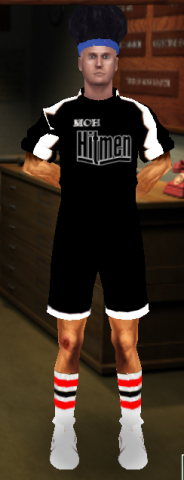
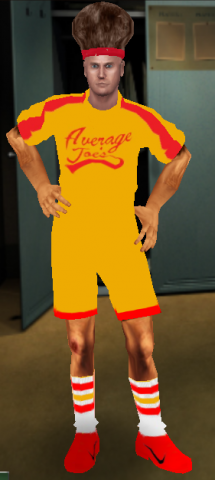
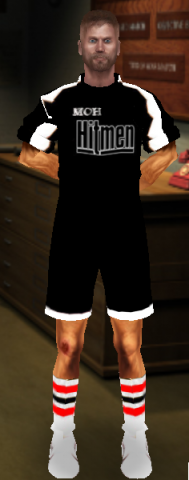
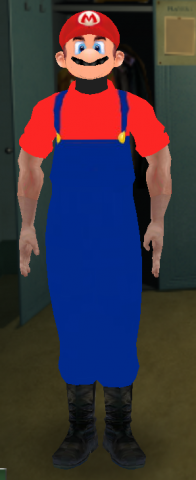
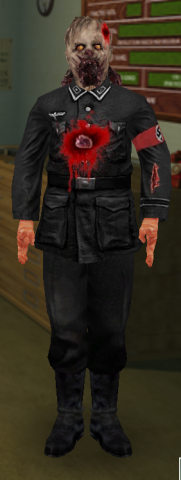
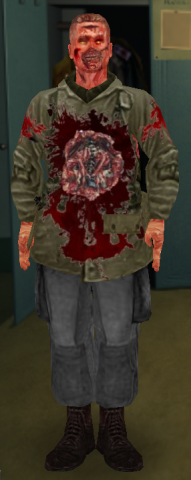
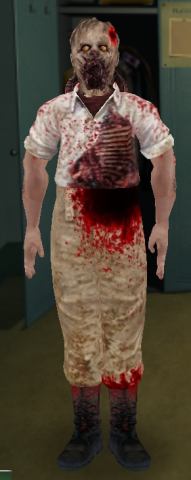

Tony_Montana
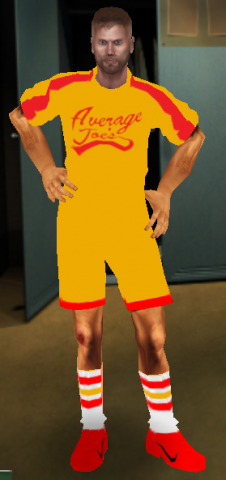
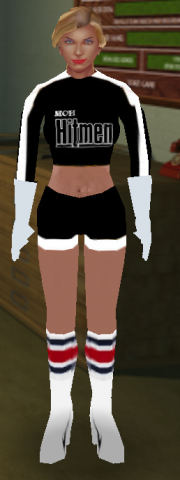
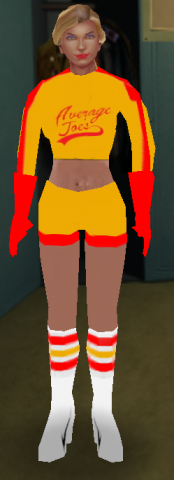
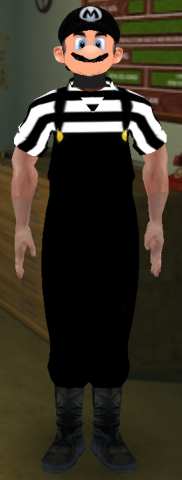
Here is is ladies and gentleman.... Tony Montana. Scarface. I made this skin for a buddy of mine, but I figure it's time to get it out there. ---------------------------------------------------------------------------------------------------------- To install the skin, just placethe .pk3 in your EA Games/MOHAA/maintenance folder. To uninstall, just delete the file from the folder. ---------------------------------------------------------------------------------------------------------- What are you waiting for? "Manolo, shoot dat piece o' chit for me" But you gotta say "Say 'ello to my little friend!" when you bust open a door and mow down a bunch of Axis. Skin made by Ficeroy Be sure to leave some kind of rating or feedback about the skin. Love it, hate it? Let me know by rating the skin.
Medal of Honor: Allied Assault Mods (MOHAA) — Complete Community Archive
Welcome to the premier repository for Medal of Honor: Allied Assault mods. Since the game's groundbreaking release in 2002 by 2015, Inc. and EA, MOHAA has inspired one of the longest-standing modding communities in first-person shooter history. MOH-DB preserves, categorizes, and serves over 1,600 verified community modifications, custom enhancements, and competitive utilities for Allied Assault, Spearhead, and Breakthrough.
Explore MOHAA Mod Categories
Player Skins & Uniforms
Over 700 historically accurate and creative player uniforms for Allied and Axis factions. Equip authentic U.S. Army Rangers, 101st and 82nd Airborne paratroopers, British Commandos, Soviet Red Army conscripts, Wehrmacht Heer infantry, Fallschirmjäger, and Waffen-SS camouflage patterns, as well as classic community clan skins.
Weapon Models & Reskins
Enhance your WWII arsenal with ultra-detailed weapon replacements and high-resolution textures. Popular downloads include authentic wood-finish Kar98k sniper rifles, realistic metallic sheen M1 Garand models with classic "ping" animation refinements, Thompson submachine guns, MP40s, BAR 1918 rifles, and custom iron-sight alignments.
Soundpacks & Realism Audio
Transform the sonic atmosphere of Allied Assault. Replace compressed 2002 Quake-engine sound effects with cinema-grade gunfire recordings, authentic distant artillery rumblings, terrifying Stuka dive-bomber sirens, supersonic bullet cracks, metal ricochets, and remastered German and American voice callouts.
HUDs, Menus & Crosshairs
Modernize the in-game interface for 1080p, 1440p, and 4K widescreen displays. Download minimalist competitive heads-up displays, custom dot and crosshair overlays, cleaner compass indicators, redesigned main menus, and unobtrusive health and ammunition counters favored by competitive league players.
Server Utilities & Admin Scripts
Run resilient, modern multiplayer game servers with essential server-side utilities. Includes automated map rotators, anti-cheat detection tools, voting scripts, custom match timers, ping balancers, and administrative rcon managers designed for dedicated servers running 24/7.
MOHAA Reborn 1.12 Community Patch
The gold standard community patch for modern MOHAA servers and clients. The Reborn 1.12 patch resolves legacy buffer overflows, fixes client query exploits, expands internal script limits for complex mods, and provides a built-in server browser to replace the defunct GameSpy master server.
How to Install MOHAA Mods: Quick Guide
Identify Your Target Directory
MOHAA stores all game assets in subfolders inside the root installation directory:
- MOHAA (Base):
.../MOHAA/main/ - Spearhead:
.../MOHAA/mainta/ - Breakthrough:
.../MOHAA/maintt/
Paste Without Extracting
Download the mod archive from MOH-DB. If it is zipped (.zip or .rar), extract the enclosed .pk3 file. Place this .pk3 directly into your game's /main/ folder.
How to Remove or Troubleshoot
To remove any mod, simply delete its .pk3 file from the /main/ folder. The game will immediately return to stock behavior without reinstalling.
Frequently Asked Questions about MOHAA Mods
To install MOHAA mods, copy the downloaded .pk3 file directly into your Medal of Honor Allied Assault installation folder under /main/ (or /mainta/ for Spearhead, and /maintt/ for Breakthrough). You do not need to unpack or extract the .pk3 archive—the game engine loads it automatically upon launch.