
Medal of Honor: Allied Assault Mods (MOHAA)
Discover and download community-created modifications to enhance your Medal of Honor: Allied Assault experience.
700 Mods Found
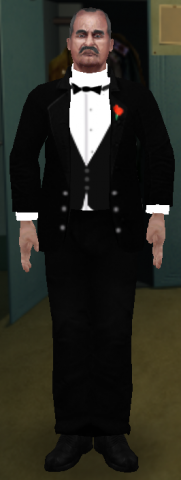
allied_american_godfather
Hey! Description: This is a skin of Don Vito Corleone from the great series of The Godfather.The skin looks great with Deletos Tommy gun as shown in the screenshot. It is also the first skin i have posted on MOH Files so some positive feedback would be great.Dont worry though i have made many other skins and i will be posting them in soon :). Made by: Me PhantoM UK :). To Install: Extract the user-DonVitoCorleone.pk3 file to mohaa main, mainta, maintt folder, it will work for any. To Uninstall: Simply remove from the folder you extracted it to. If you would like to edit this skin could you please tell me in the comments section under the file download. Thanks Hope you enjoy this great skin! PhantoM UK
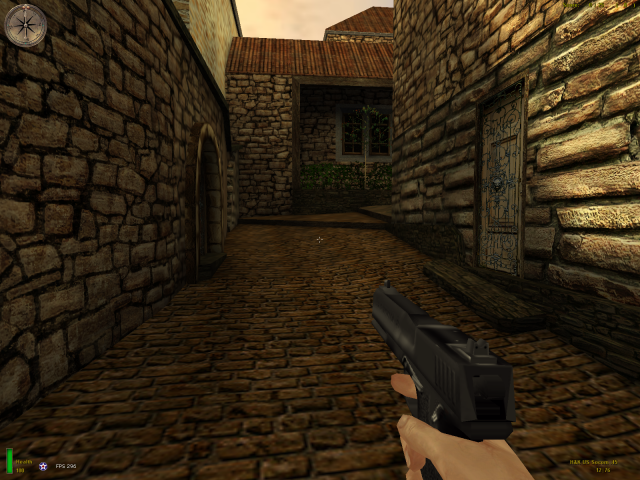
Us Socom 45
H&K US Socom .45 Readme ~~~~~~~~~~~~~~~~~~~~~~~ This mod replaces the Colt .45 with a US Socom .45 handgun. To install, put the ZZ - User - Socom45.pk3 in your mohaa/main or mohaa/mainta folder. To remove the mod, take the ZZ - User - Socom45.pk3 file out of your main or mainta folder. Model, animations and skin by Uber_Soldat email: me004e4180@blueyonder.co.uk or: iownabicycle@hotmail.com
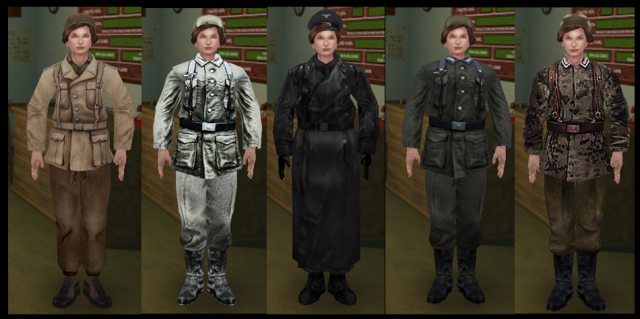
german_afrika_private_female
Several female German skins. german_afrika_private_female german_snowwehrmacht_female german_ss_shutze_female german_tankcommander_female german_wehrmacht_soldier_female

german_Nazi_Storm_Elite
Nazi Storm Elite A Medal of Honor Allied Assault Skin By Nugem About: Hitler's Elite Troops. These nazis are battle hardened, well equiped, merciless and not will die faster. This skin was make for those who enjoyed these guys in Medal of Honor Airborne, with a very cool SS black uniform and a Black Gas Mask! Install: Just take the PK3 file and drop it on your MAIN folder in Medal of Honor Allied Assault Directory. I hope you enjoy it! My E-mail : jonathanlinsnugem@hotmail.com Country : Brazil Credits: The great Quake III Engine! Medal of Honor Airborne Team! All MOHFILES.COM! And Photoshop Team!
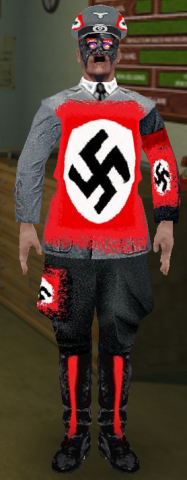
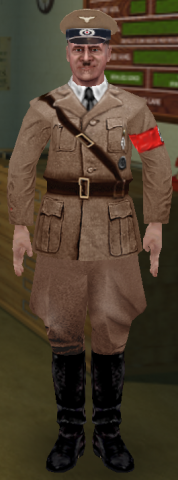
german_hitler
MOHAA Hitler Skin v1.1 by Gunndar (big_powwow@hotmail.com) Decription: ----------- Adolf Hitler skin. Uniform based on majority of portraits of Hitler during the height of WW II. For use with stock German officer model. Installation: ------------- Simply place "User - Hitler Skin.pk3" in your "MOHAA\main" directory (along with all the other pk3 files) & this naughty fella will be available for Multiplayer use under the Axis Skin selection window. PS- Shoot him alot! He deserves it!
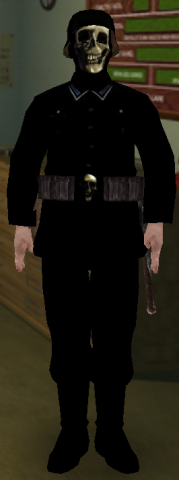

german_RTCW_Venom_Soldier_Black
-=Armdude's Venom Soldiers Readme=- ======================================== ================================= Rtcw (Return to Castle Wolfenstein) All images and textures are copyrighted to id software Description- The greatly feared Venom Soldiers from Rtcw are now in moh Spearhead multiplayer. I started with the elite gestapo (trench coat) model for the player model and used the american gasmask model from singleplayer breakthrough. After carefuly cutting the main peices from two venom textures and then applying them to the skin, resizing, brightening darkening and adjusting the resolution, the two skins are finally completed, are in game, and look outstanding! The texture mapping is perfect and all images are correctly and evenly scaled and are shown on the model clearly. The only flaw is the mask which has the extra container on the left side of the face, but ignoring that, it still looks and feels like the real deal. Installation- To install, open up and extract the zip contents to your desktop or workspace, then open the folder named "Venom Soldiers" to find the .pk3 fle. Drag and drop or copy and paste the file into your mainta folder "C:\Program Files\EA GAMES\MOHAA\mainta" without quotes. Run the game and it should appear in multiplayer options. Thankyou for downloading -armdude-

german_RTCW_Venom_Soldier_Green
-=Armdude's Venom Soldiers Readme=- ======================================== ================================= Rtcw (Return to Castle Wolfenstein) All images and textures are copyrighted to id software Description- The greatly feared Venom Soldiers from Rtcw are now in moh Spearhead multiplayer. I started with the elite gestapo (trench coat) model for the player model and used the american gasmask model from singleplayer breakthrough. After carefuly cutting the main peices from two venom textures and then applying them to the skin, resizing, brightening darkening and adjusting the resolution, the two skins are finally completed, are in game, and look outstanding! The texture mapping is perfect and all images are correctly and evenly scaled and are shown on the model clearly. The only flaw is the mask which has the extra container on the left side of the face, but ignoring that, it still looks and feels like the real deal. Installation- To install, open up and extract the zip contents to your desktop or workspace, then open the folder named "Venom Soldiers" to find the .pk3 fle. Drag and drop or copy and paste the file into your mainta folder "C:\Program Files\EA GAMES\MOHAA\mainta" without quotes. Run the game and it should appear in multiplayer options. Thankyou for downloading -armdude-
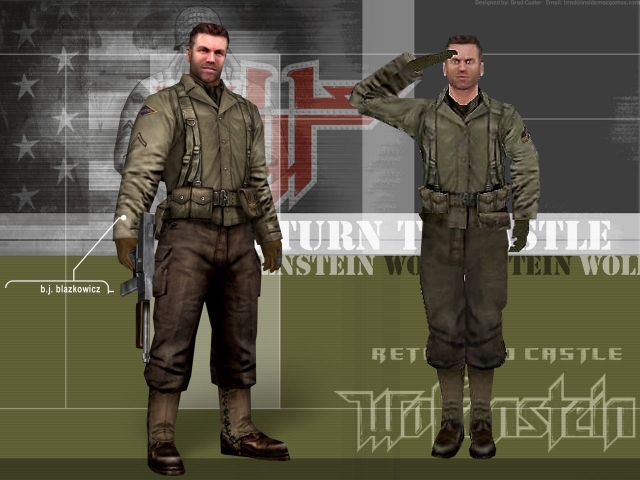
allied_Bj_blaskowitz
-=Armdudes Bj Blaskowitz Player Skin=- Description- And here is the hero from wolfenstein. Again this took a long while and a lot of effort to make, the texture mapping is still correct and quality and depth of the textures are superb. The gear is all correct, it took some time to open up the equipment folder to find the us_gear in individual parts. The backpack is part of the main us_equip gear. as well as the canteen. The ammo belt I left alone. Even the face looks just like him. This pack contains two different blaskowitz skins, one with a helmet and one without, you can find them on the allied side of multiplayer options. Installation- same as all other mods and skins, drag and drop, copy and paste or extract the .pk3 file to your main, mainta, or maintt folder and your set. Note- The screenshot above really does little justice for the two skins itself, I recommend downloading this and go on a thirdperson server to really see the true quality of the skin. Thankyou for downloading -armdude
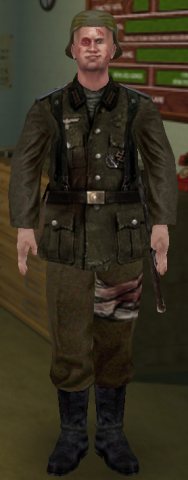
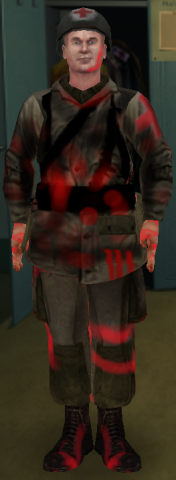
german_Wehrmacht_injured
[quote] Firstly, i should point out that as i write this, i haven't had any sleep, so bear with me. This skin portrays an Injured Wehrmact troop, as you have probably seen from the screenshot. Credit must go to ID software, or whoever make Return to Castle Wolfenstein, as i used their skins to make the front of the tunic, and the bandage around the troops leg. to install, simply put the .pk3 in your mohaa/main folder. skin works with both MOHAA and SH. later, fellas, -Cpt. Wilkins[/quote]
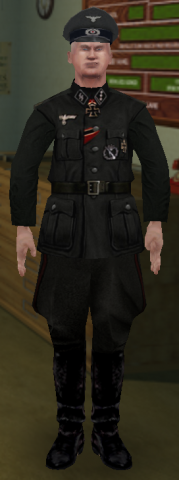
german_ss_officer
[quote]ID Software, bless their hearts, made a (IMHO) fairly crappy game in Return to Castle Wolfenstein. They did, however, do an excellent job with the skins. So, i've tried to mod a RtCW skin to be in MOHAA. This one is one of the SS Officers. To use it, put the .pk3 in your mohaa/main folder, and it should work fine. Copyright and credits should go to the people at ID and soforth. Good work on the skins, lads. If anyone has any requests for other conversions of RtCW -> MOHAA, send me a message at l008455@hotmail.com, or PM me on the AA.com forums. Enjoy! -Captain Wilkins[/quote]

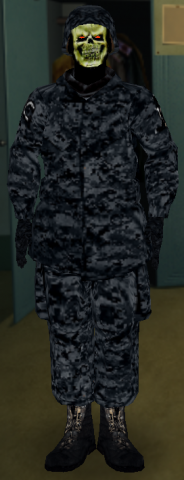
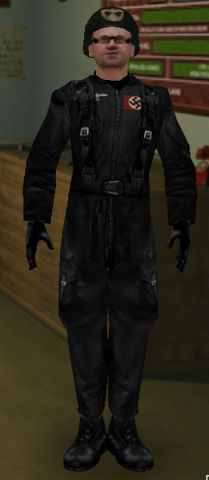
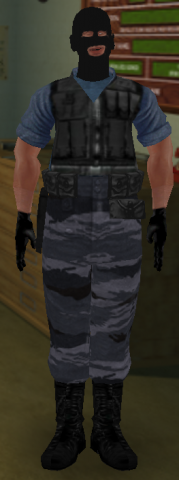
german_Phoenix_Connection
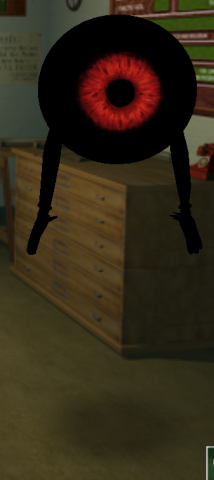
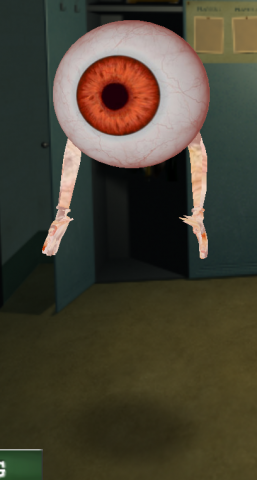
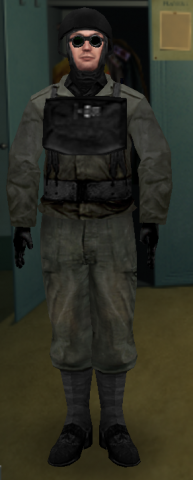
Phoenix Connection skin from CSS.
Medal of Honor: Allied Assault Mods (MOHAA) — Complete Community Archive
Welcome to the premier repository for Medal of Honor: Allied Assault mods. Since the game's groundbreaking release in 2002 by 2015, Inc. and EA, MOHAA has inspired one of the longest-standing modding communities in first-person shooter history. MOH-DB preserves, categorizes, and serves over 1,600 verified community modifications, custom enhancements, and competitive utilities for Allied Assault, Spearhead, and Breakthrough.
Explore MOHAA Mod Categories
Player Skins & Uniforms
Over 700 historically accurate and creative player uniforms for Allied and Axis factions. Equip authentic U.S. Army Rangers, 101st and 82nd Airborne paratroopers, British Commandos, Soviet Red Army conscripts, Wehrmacht Heer infantry, Fallschirmjäger, and Waffen-SS camouflage patterns, as well as classic community clan skins.
Weapon Models & Reskins
Enhance your WWII arsenal with ultra-detailed weapon replacements and high-resolution textures. Popular downloads include authentic wood-finish Kar98k sniper rifles, realistic metallic sheen M1 Garand models with classic "ping" animation refinements, Thompson submachine guns, MP40s, BAR 1918 rifles, and custom iron-sight alignments.
Soundpacks & Realism Audio
Transform the sonic atmosphere of Allied Assault. Replace compressed 2002 Quake-engine sound effects with cinema-grade gunfire recordings, authentic distant artillery rumblings, terrifying Stuka dive-bomber sirens, supersonic bullet cracks, metal ricochets, and remastered German and American voice callouts.
HUDs, Menus & Crosshairs
Modernize the in-game interface for 1080p, 1440p, and 4K widescreen displays. Download minimalist competitive heads-up displays, custom dot and crosshair overlays, cleaner compass indicators, redesigned main menus, and unobtrusive health and ammunition counters favored by competitive league players.
Server Utilities & Admin Scripts
Run resilient, modern multiplayer game servers with essential server-side utilities. Includes automated map rotators, anti-cheat detection tools, voting scripts, custom match timers, ping balancers, and administrative rcon managers designed for dedicated servers running 24/7.
MOHAA Reborn 1.12 Community Patch
The gold standard community patch for modern MOHAA servers and clients. The Reborn 1.12 patch resolves legacy buffer overflows, fixes client query exploits, expands internal script limits for complex mods, and provides a built-in server browser to replace the defunct GameSpy master server.
How to Install MOHAA Mods: Quick Guide
Identify Your Target Directory
MOHAA stores all game assets in subfolders inside the root installation directory:
- MOHAA (Base):
.../MOHAA/main/ - Spearhead:
.../MOHAA/mainta/ - Breakthrough:
.../MOHAA/maintt/
Paste Without Extracting
Download the mod archive from MOH-DB. If it is zipped (.zip or .rar), extract the enclosed .pk3 file. Place this .pk3 directly into your game's /main/ folder.
How to Remove or Troubleshoot
To remove any mod, simply delete its .pk3 file from the /main/ folder. The game will immediately return to stock behavior without reinstalling.
Frequently Asked Questions about MOHAA Mods
To install MOHAA mods, copy the downloaded .pk3 file directly into your Medal of Honor Allied Assault installation folder under /main/ (or /mainta/ for Spearhead, and /maintt/ for Breakthrough). You do not need to unpack or extract the .pk3 archive—the game engine loads it automatically upon launch.