
Medal of Honor: Allied Assault Mods (MOHAA)
Discover and download community-created modifications to enhance your Medal of Honor: Allied Assault experience.
222 Mods Found
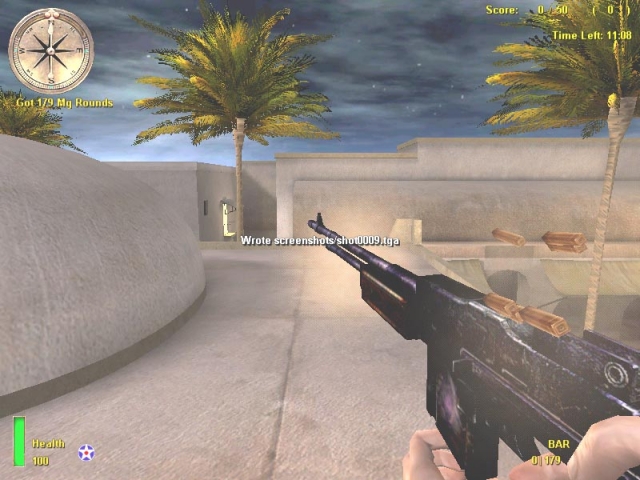
Black Old Bar
This is a Bar hwo's Black old and rusty. It is more realistic because in the origional skin there's a lot of gloss... In real looks like this... Enjoy Installation: Put The PK3 file in the main folder. Unninstal: Delete The PK3 file from the main folder. Any problems: Mail me: koensieben622@hotmail.com
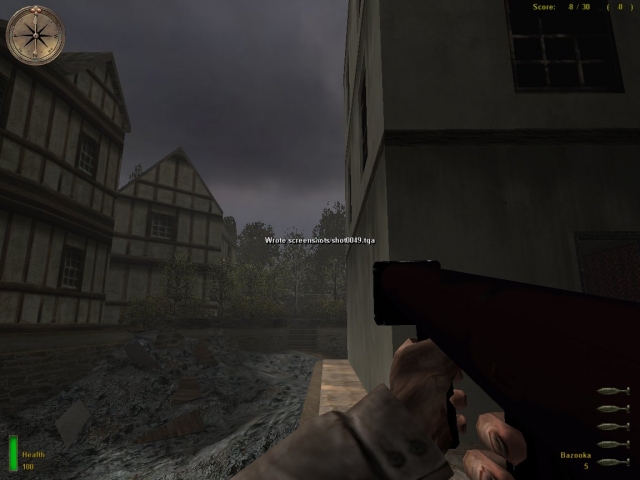
Black Bazooka
Willis' Blac Bazooka Enhances the Bazooka by changing the textures and giving it a more used and combat worn look with a black finish. Adds more realism in terms of textures.Was tested on Medal Of Honor Allied Assault. May not work on Medal Of Honor Allied Assault Demo or Medal Of Honor Allied Assault Spearhead. Install: Put the pk3 files in your main folder Contact: winterscapt@hotmail.com
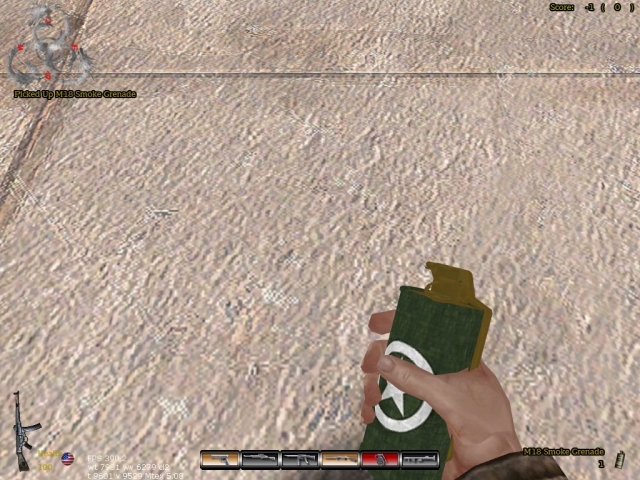
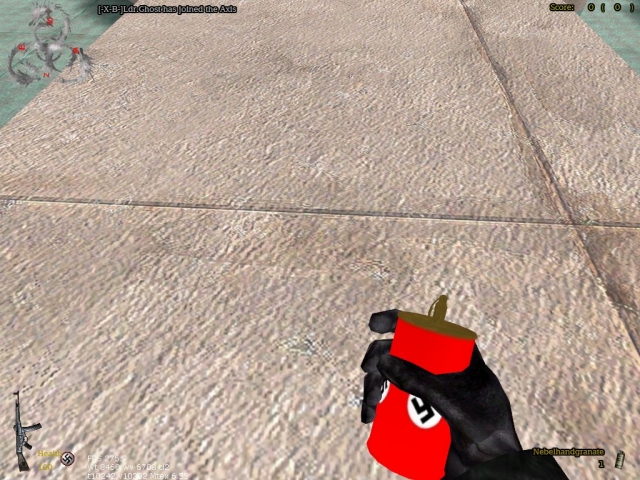
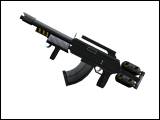
2020 Commando
moh:aa only by elite3d and dreadhead 20 year in the futures a flamer assault rifle and a future style marine
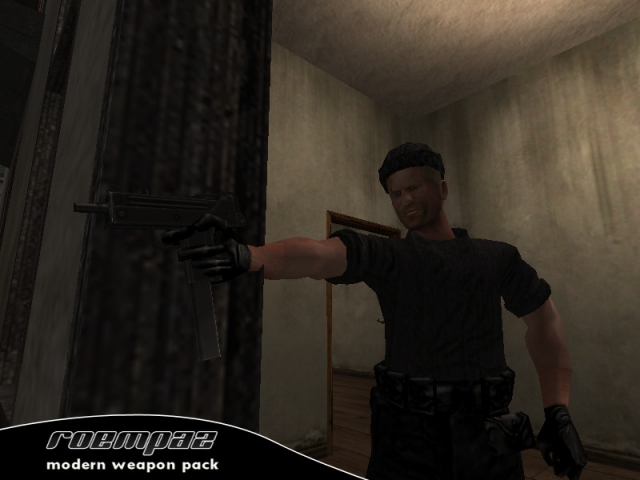
Roempaz Modern Weapon Pack
--------------------------------------------------------------- Mod by RoempaZ - info@roempaz.com www.an-studios.com --------------------------------------------------------------- =============================================================== Description =============================================================== RMWP (RoempaZ Modern Weapon Pack) is a client-side conversion. A complete list of features is listed below. This mod should be playable on any server, but watch out: this is a one-way street. People without the mod will get errors playing on a server that does run the mod. A server-side only version is also included. This will only change the amount of bullets per clip, reload functioning and zoom functions. The models, hud, animations and such will be left standard for players without the mod. I've put alot of effort in this mod and I hope you'll like it! Enjoy! RoempaZ info@roempaz.com =============================================================== Features =============================================================== Features include: - ALL weapons replaced with modern counterparts: 'Allied' * Glock 17 * M16A2 * M24 * MAC-11 * M4A1 * RPG-7 * Mossberg 590 Cruiser * Silenced Glock 17 'Axis' * Desert Eagle * Steyr Scout * Steyr Scout sniper * Uzi SMG * AK-47 * RPG-7 - a whole new HUD. - a new set of menus to give a match the new weapon set. - custom scopes for both Allied and Axis side. - custom muzzleflashes, to give a different experience. - custom made bullet impact effects, for better realism. - new sounds including: weapons, explosions and menus. - new fonts to accomadate the new HUD. - a different mouse cursor. - new ejecting shells wich are actually round. - unique animations for almost every weapon. - a M60 machine gun that replaces the MG42 - 8 modern player skins created by PKM. - new loading screens. - a crosshair damage indicator. - jv_map's jv_bot package included. - bot support, for single player with custom skins. - custom menu theme. =============================================================== Installion =============================================================== Run the installer. After installation, execute the launcher. Click *Activate mod*. The mod is now on. Then click *Play* to start the game. To deactivate the mod, execute the launcher and click *Deactivate mod*. This will NOT uninstall the mod. It will just disable the mod. =============================================================== System requirements =============================================================== The standard minimum system requirements from MOHAA apply for this mod. With these you can run the mod. Maybe not smooth, but it runs. Lowest settings are recommended here for better performance. MINIMUM SETUP * Windows XP, Windows Me, Windows 98, or Windows 95 * 450 MHz Intel Pentium II or 500 MHz AMD Athlon processor * 128 MB RAM * 16 MB OpenGL capable video card It's highly recommended that you have a computer wich exceeds these requirements: * Windows XP, Windows Me, Windows 98, or Windows 95 * 1,0 GHz AMD Athlon processor or equivelant * 256 MB RAM * 64 MB OpenGL capable video card Note that this system is only required for maximum performance. =============================================================== Credits =============================================================== RoempaZ - Model, weapon skins, animations, HUD, menus. =============================================================== Contributors =============================================================== PKM - Player skins, testing. jv_map - Bot scripts. eagleAR - TDM map bot scripts. =============================================================== Special thanks =============================================================== Chief - Testing. E3D - A few original skins. www.an-studios.com Community - For the support. www.tazcook.com Community - For the support. =============================================================== Support/Feedback =============================================================== If you have any problems running this mod, go to our forums at: www.an-studios.com If you want to give your opinion on this mod and help improving it, go to our forums at: www.an-studios.com =============================================================== Problems/Issues (FAQ) =============================================================== Problem -------- Players seem to be sharking (online). Anwser -------- It's unlikely that this is caused by this mod. There's probably another mod conflicting with this one. It's highly recommended that you install this mod on a clean MoHAA install. After hours and hours of tests with this mod, there haven't been any reports of sharking with this mod installed. --------------------------------------------------------------- Problem -------- The crosshair damage indicator doesn't work. Anwser -------- You haven't started the mod through the launcher. This may make the crosshair damage indicator dissappear. When you press the *Play* button in the launcher, a script will be executed before play. This script activates the crosshair damage indicator. Or you can open up the console and type the following command: "exec xcrosshair.cfg" --------------------------------------------------------------- Problem -------- The launcher can't find a file. Anwser -------- Make sure that it is installed in your MoHAA folder and NOT the MoHAA/main folder, try to reinstall it. Or try to enable the mod manually. --------------------------------------------------------------- Problem -------- The launcher doesn't work. Anwser -------- Try enabling the mod manually as mentioned below --------------------------------------------------------------- Question -------- Can I take something from your mod and remod it? Anwser -------- No, unless you send me an email and personally ask for my permission. It would be useless though, because most of the weapons are already available seperatly. --------------------------------------------------------------- Question -------- My framerate sucks, but only when I'm playing this mod. How can I improve them? Anwser -------- The settings you are playing with are probably good for the low quality models of the game MoHAA. This being a conversion, the models polycount has at least doubled for each model. This may slow your PC down. Setting your games visual setting lower will probably give you much better performance. --------------------------------------------------------------- Question -------- Can I enable the mod manually? Anwser -------- Yes, you can by following these steps: - Go to your MoHAA/main folder and rename *zzzzRMWP.pk2* to *zzzzRMWP.pk3* - Rename *zzzzRMWP_bots.pk2* to *zzzzRMWP_bots.pk3* if you want bot support. - Go to MoHAA/main/sound/music and rename *mus_MainTheme.rmwp* to *mus_MainTheme.mp3* --------------------------------------------------------------- Problem -------- I'm on a MAC. I can't install it. Anwser -------- A MAC version will become available shortly after release on www.an-studios.com. However, if there is alot of demand for a MAC version, it will probably be posted on MoHFiles.com due to bandwith limitations. --------------------------------------------------------------- Problem -------- The bots don't show up. Anwser -------- Try re-enabling the mod through the launcher. When the launcher asks for bot support, click yes. Play any TDM map to activate the bots. =============================================================== Copyright © 2007 AlterNation - www.an-studios.com =============================================================== All rights reserved. All contents of this compressed file belong to their respective owners. Taking anything from this modification without the respective authors permission is an infringement of copyright. ---------------------------------------------------------------
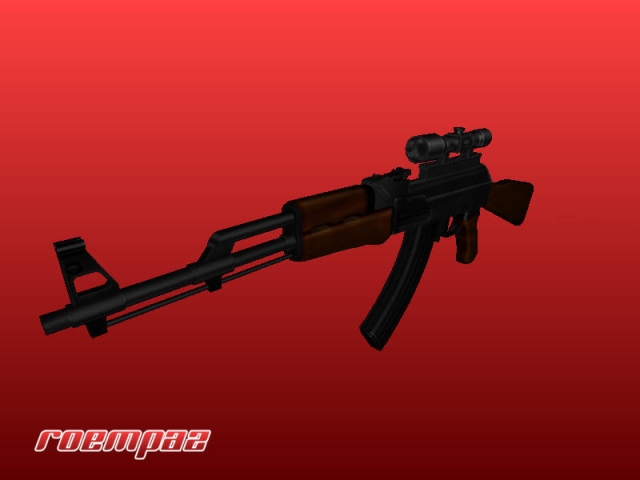
Scoped Ak 47
=============================================================== Description =============================================================== A scoped AK-47 assault rifle that replaces the StG 44. It includes new animations and sounds. The scope only works if the file is installed on both client- and server-side. IMPORTANT NOTE: This mod will not work properly when my M4A1 mod is installed. This is caused by the setting of the animations. To fix this issue, copy the file *zzzzzzroempaz-m4-ak-fix.pk3* to the directory *C:\Program Files\EA GAMES\MOHAA\main*. =============================================================== Installion =============================================================== MoH:AA - Put the file *zzzzzroempaz-ak47.pk3* in the directory *C:\Program Files\EA GAMES\MOHAA\main* If you have RoempaZ's M4A1 mod installed, copy the file *zzzzzzroempaz-m4-ak-fix.pk3* to the directory *C:\Program Files\EA GAMES\MOHAA\main*. ===============================================================
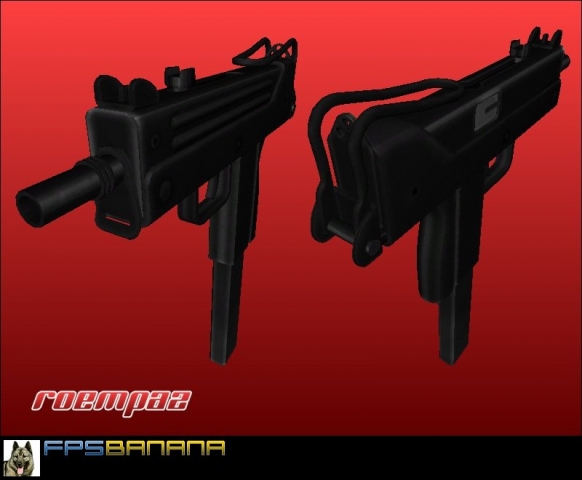
Mac 11
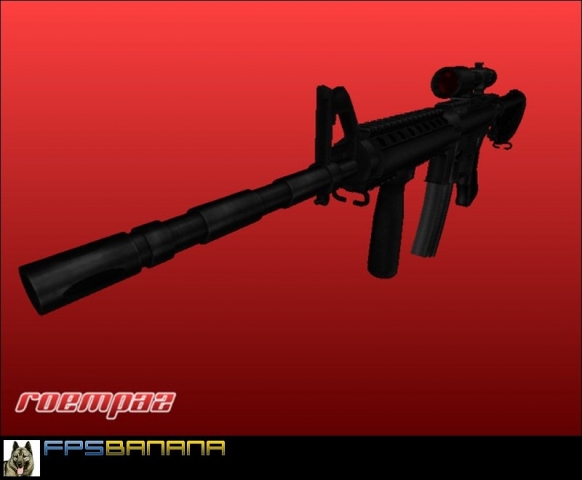
A MAC-11 sub-machine gun that replaces the Thompson. It's fully automatic and has custom animations and sounds. The NPC animations have also been tweaked. This file works best if the file is installed on both client- and server-side. Running it only client-side can make your game crash.
Imi Galil Sar Assault Rifle
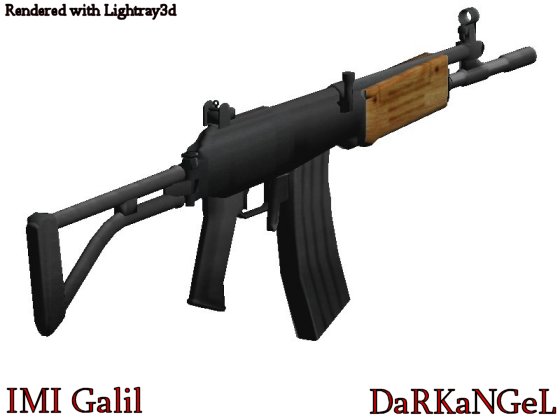
IMI Galil SAR Assault Rifle -=-=-=-=-=-=-=-==-=-=-=-=-=-=-=-=-=- NOTE: I did NOT ripped or sonverted this model, it's totally made out of scratch. This mod replaces the BAR with an IMI Galil SAR Assault Rifle. New things are: -New Model -New Skin -New Sound -New HUD Name Credits: Model by DaRKaNGeL Skin by DaRKaNGeL Please don't edit or modify whitout my permission. Enjoy, DaRKaNGeL darkmaster1207@hotmail.com
Fg 42
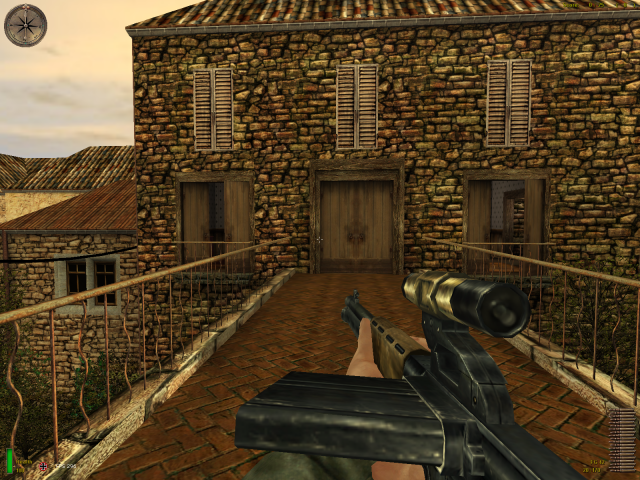
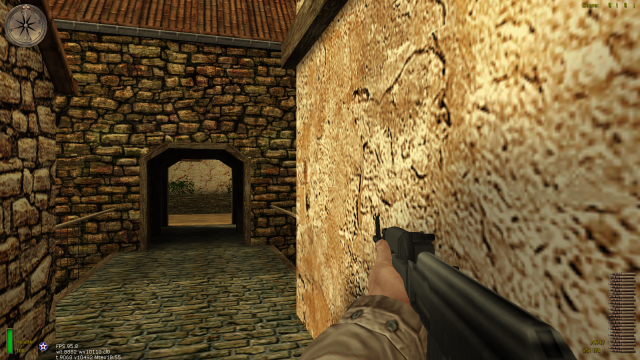
FG42 Add-On -=-=-=-=-=-=- This mod replaces your MoHAA Shotgun with the never used FG42 model from MoHAA SH. They made the model but never put it ingame. This mod has a fire sound, reload sound and animations. It also has a high recoil like the real FG42. NOTE: This mod only works with Allied Assault. You'll need to wait for the the Spearhead version and Breaktrough version. To install: -Extract the pk3 from this zip file to the main directory. To uninstall: -Remove the file Credits: Model by 2015/EA Games Skin by 2015/EA Games Animations by DaRKaNGeL Enjoy! DaRKaNGeL
Camo Bazooka
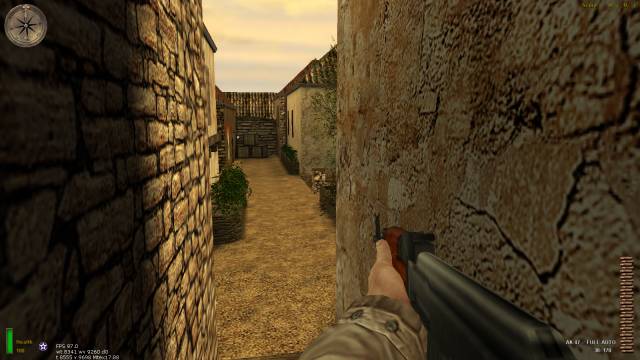
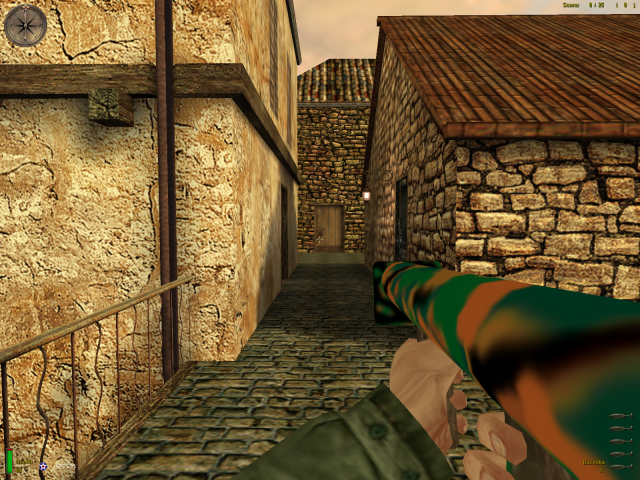
Borowski's Camo Bazooka Note: This is for the full version of Medal of Honor: Allied Assault Instructions: Just extract the .pk3 file to \MOHAA\main and the bazooka is now camoflauged. Details: The Camo Bazooka is very colorfull, as far as camo goes and really doesn't give a realist feel however some may enjoy the change. The head of the shell is also camoed. Trouble Shotting: If the regular bazooka is still appearing just switch off texture compression, an option under the options menu.
Black Colt 45
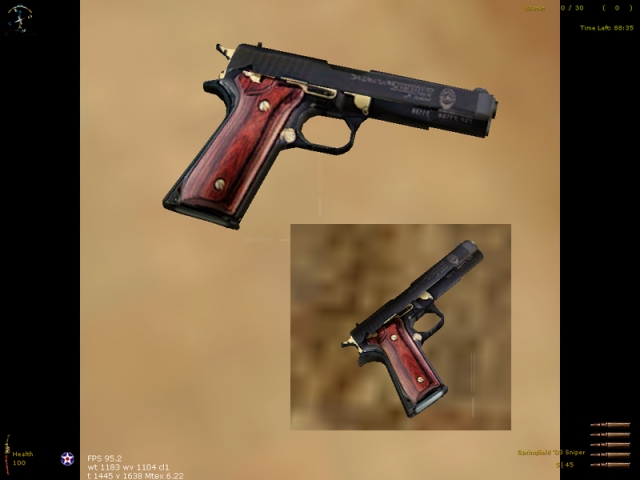
Brutal's Colt 45 skin Brutal45drk.pk3 A Standard Dark colt 45 with a shiny wood handle and gold accents. Best one I've seen ;), again. My 2st attempt at a 45 skin. Install instructions: Make sure you take out any other 45 skins in the MAIN directory and install this pk3 there. That should be it! http://47roninclan.tripod.com Ybhyper@msn.com

Silver Scoped M16
LZs Silver Scoped M-16 the skins textuers were made by LZ the model by peaople who made cn this gun replaces the bar ------------ install in main mohaas or mohaab depending on game ------------------- by LZ [|¦Cø£¦|Liger-Zero]

Platinum Shotgun
READ ME LZs Platinum shotgun this is a nicely made skin by LZ this model originated in cn install in mainta or maintt please visit my site at http://www.freewebs.com/lzwargames/

Industrial Luger
LZs Industrial Luger the skins textuers were made by LZ the model by god only knows the sounds taken from the CoD luger ------------ install in mohaas or mohaab depending on game ------------------- by LZ [|¦Cø£¦|Liger-Zero]

Mac 10
LZs custom mac 10 Textures done by LZ model From CN THIS REPLACES THE P-38 THIS WORKS WITH ALL MOHAA GAMES ------------ install in main mohaas or mohaab depending on game ------------------- by LZ [|¦Cø£¦|Liger-Zero]

Thrill Kill
9-11-02 Detail: Request textured style of springfield Enjoy Fubah lamaddog2001@yahoo.com Install to main
Medal of Honor: Allied Assault Mods (MOHAA) — Complete Community Archive
Welcome to the premier repository for Medal of Honor: Allied Assault mods. Since the game's groundbreaking release in 2002 by 2015, Inc. and EA, MOHAA has inspired one of the longest-standing modding communities in first-person shooter history. MOH-DB preserves, categorizes, and serves over 1,600 verified community modifications, custom enhancements, and competitive utilities for Allied Assault, Spearhead, and Breakthrough.
Explore MOHAA Mod Categories
Player Skins & Uniforms
Over 700 historically accurate and creative player uniforms for Allied and Axis factions. Equip authentic U.S. Army Rangers, 101st and 82nd Airborne paratroopers, British Commandos, Soviet Red Army conscripts, Wehrmacht Heer infantry, Fallschirmjäger, and Waffen-SS camouflage patterns, as well as classic community clan skins.
Weapon Models & Reskins
Enhance your WWII arsenal with ultra-detailed weapon replacements and high-resolution textures. Popular downloads include authentic wood-finish Kar98k sniper rifles, realistic metallic sheen M1 Garand models with classic "ping" animation refinements, Thompson submachine guns, MP40s, BAR 1918 rifles, and custom iron-sight alignments.
Soundpacks & Realism Audio
Transform the sonic atmosphere of Allied Assault. Replace compressed 2002 Quake-engine sound effects with cinema-grade gunfire recordings, authentic distant artillery rumblings, terrifying Stuka dive-bomber sirens, supersonic bullet cracks, metal ricochets, and remastered German and American voice callouts.
HUDs, Menus & Crosshairs
Modernize the in-game interface for 1080p, 1440p, and 4K widescreen displays. Download minimalist competitive heads-up displays, custom dot and crosshair overlays, cleaner compass indicators, redesigned main menus, and unobtrusive health and ammunition counters favored by competitive league players.
Server Utilities & Admin Scripts
Run resilient, modern multiplayer game servers with essential server-side utilities. Includes automated map rotators, anti-cheat detection tools, voting scripts, custom match timers, ping balancers, and administrative rcon managers designed for dedicated servers running 24/7.
MOHAA Reborn 1.12 Community Patch
The gold standard community patch for modern MOHAA servers and clients. The Reborn 1.12 patch resolves legacy buffer overflows, fixes client query exploits, expands internal script limits for complex mods, and provides a built-in server browser to replace the defunct GameSpy master server.
How to Install MOHAA Mods: Quick Guide
Identify Your Target Directory
MOHAA stores all game assets in subfolders inside the root installation directory:
- MOHAA (Base):
.../MOHAA/main/ - Spearhead:
.../MOHAA/mainta/ - Breakthrough:
.../MOHAA/maintt/
Paste Without Extracting
Download the mod archive from MOH-DB. If it is zipped (.zip or .rar), extract the enclosed .pk3 file. Place this .pk3 directly into your game's /main/ folder.
How to Remove or Troubleshoot
To remove any mod, simply delete its .pk3 file from the /main/ folder. The game will immediately return to stock behavior without reinstalling.
Frequently Asked Questions about MOHAA Mods
To install MOHAA mods, copy the downloaded .pk3 file directly into your Medal of Honor Allied Assault installation folder under /main/ (or /mainta/ for Spearhead, and /maintt/ for Breakthrough). You do not need to unpack or extract the .pk3 archive—the game engine loads it automatically upon launch.