
Medal of Honor: Allied Assault Mods (MOHAA)
Discover and download community-created modifications to enhance your Medal of Honor: Allied Assault experience.
222 Mods Found
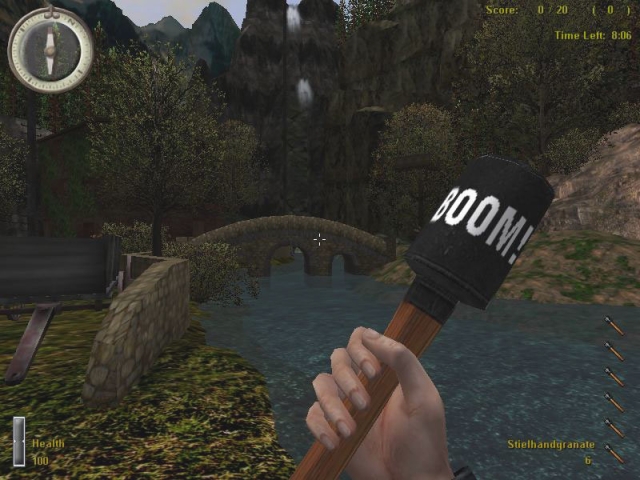
Boom Grenade
Skin by Ph4de I made this skin a while back and decided to submit it now. I changed the wood so it looks nicer and added "BOOM" to the top ;) LEGAL: Credit me if you use it and dont try to claim it as your own, do not reditribute without credit. Installing instructions: Stick "user_Ph4des_Steilhandgranate.pk3" into your C:\Program Files\EA GAMES\MOHAA\main folder and your set.
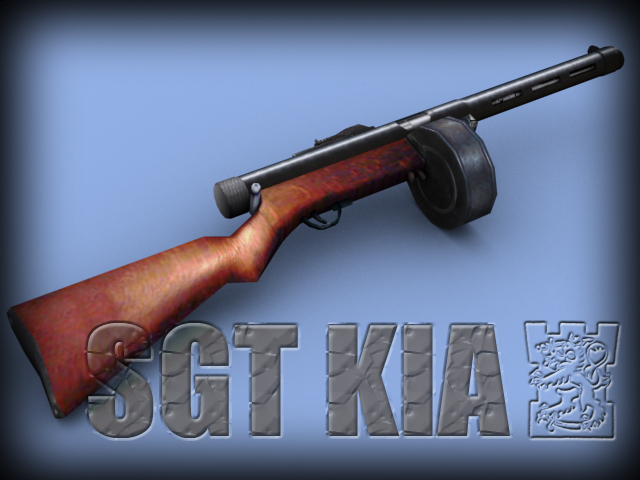
Suomi M31 Smg
README - Sgt. KIA's Suomi M31 SMG for MOHAA - 31.8.2003 ** CREDITS ** I'd like to thank Smartti and Finnish Defence Forces (FDF) Mod for Operation Flashpoint for letting me use their sound for an M31. Many thanks again. Please visit their great site at http://koti.mbnet.fi/~fdfmod/ and download their mod. Many thanks to Simo Häyhä for image resources. Last but not least: Promitheas, the author of Lightray3D. Thanks for tuts and all your help. ** FEATURES ** - This mod introduces a Suomi M31 SMG for Medal of Honor: Allied Assault. Its NOT meant for Spearhead. There are two .pk3 files in this .zip. One for each side (allies, axis). However, you should use only one at a time (see below). - The M31 replaces Thompson SMG or MP40 depending which one you're about to install. - The round clip has 70 bullets. - Firerate is set to 900 rpm. - In order to see the new animations fully working the mod must be installed on a server too. On client side there are two clip during reload animation, which may seem a bit acward. - ONLY 1ST PERSON VIEW ANIMS ARE MADE. 3rd person view anims werent done due to the so many files involved. Thus, holding position places left hand partly inside the clip in 3rd person view. ** IMPORTANT ** - For AA only - Remove other custom SMG weapon mods before you run this one. - Use only one of the files at a time. If you use both, original ALLIED animations for SMGs are used and seen on allied side. - This mod needs to be installed on serves to enable all animations, clip size and firerate. ** INSTALL ** - To install put one of the files into ...\mohaa\main -folder - TO uninstall remove the file ** ADMINS PLEASE NOTE ** If you decide to run this mod on your server, please let me know about it so that i can join in a game someday ;). ** AUTHOR ** Everything else except the sounds is made by Sgt KIA. Author: Sgt KIA Email: sgt_kia@hotmail.com Homepage: http://personal.inet.fi/peli/mohaa.col.kuolo/
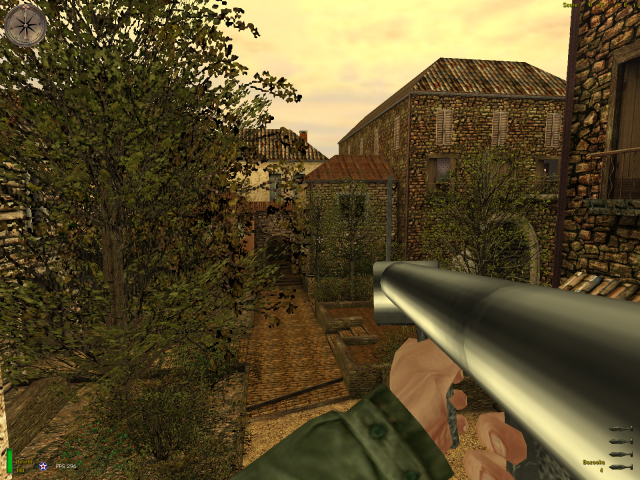
Metal Z00ka
Texture compression has to be checked OFF in your options menu, in order to show this skin. Otherwise it'll look just like a regular bazooka. A nicely done skin on a Bazooka. Feels good to blow someones head off with those chrome rockets :P. Just download it and see what you think :) Blow them up! ;) ---------------------------------------------------- {Credits to Flakrider for awesome tips, thx m8} ---------------------------------------------------- Name: Metal of Zooka Original by: WW2FreakSniper - koensieben622@hotmail.com Author's E-mail: koensieben622@hotmail.com ----------------------------------------------------
.jpg)
Heineken Smoke Nade
This file only works on Spearhead and its Axis Smoke Grenade. BOTH AXIS AND ALLIED SMOKE HAS BEEN MADE TO LOOK LIKE BEER CAN JUST PLACE IN MAINTA FOLDER AND ENJOY SHULTZ
.jpg)
Bud Light Smoke Nade
This file only works on Spearhead and its Allied Smoke Grenade. BOTH AXIS AND ALLIED SMOKE HAS BEEN MADE TO LOOK LIKE BEER CAN JUST PLACE IN MAINTA FOLDER AND ENJOY SHULTZ

Black Smoke Nade
This is for Spearhead and its Smoke Grenades only! Replaces the Smoke Grenade skin and the colour of the smoke. 2 files include, 1 for the Grenade Skin and one for the Smoke Colour, meaning you could pick only one of the two if you wanted to. created on 11-19-02 this make all the smoke black fubah said that would be coool but he didnt have time to make it so I made it for him...... the smoke nade is cool i think to install just unzip to the the new mainta folder and your in business capt.kick your ass e-mail captkickyourass@cox-internet.com
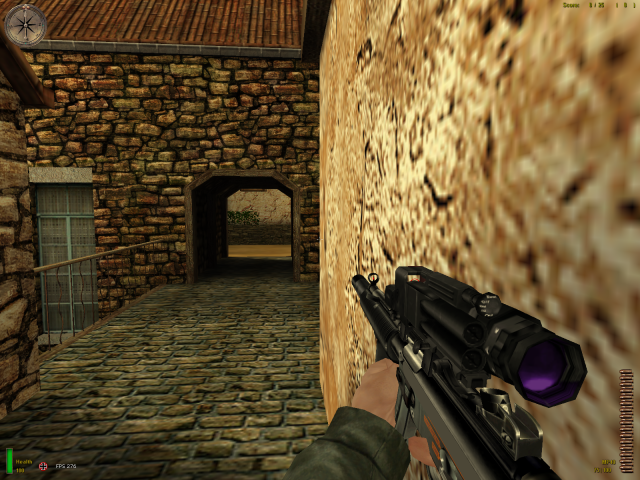
Mp40 Replacement
This weapon was taken from the City Nights Mod. It replaces the German MP40. There are two files, one for AA and one for SH. The SH file is not mine, the AA file I made compatible with AA. I take no credit in the making of this incredibly cool looking weapon. I merely made it work in AA for other people like me who want modern weapons to replace the old ones :) Give credit to the talented CN guys, They take the time to develop these weapons and share them with us!!! Place in your main or mainta folder and enjoy! Mr. Flibble
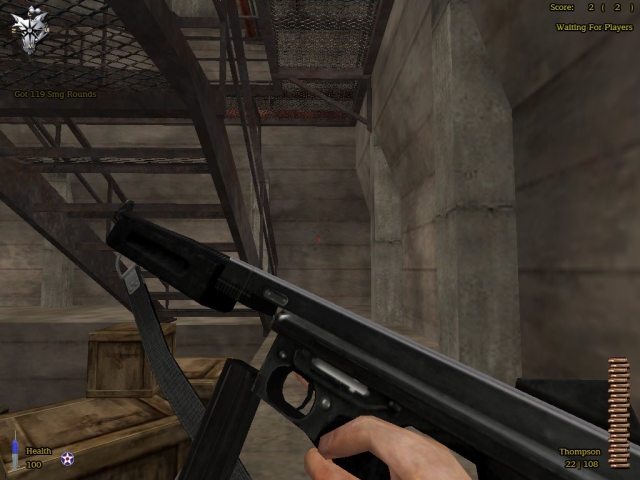
27a1 Commando Thompson
Just a custom thompson modeled after pic. Special thx To Hobbs For use of his strap. email flakrider@hotmail.com
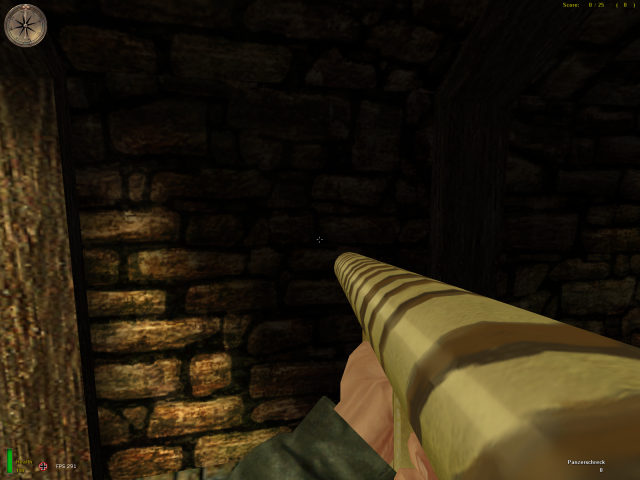
Panzerschreck No Shield
For Allied Assault, Breakthrough and Spearhead. This early panzerschreck has not a blast shield and camouflaged. The type was known as "Ofenrohr" [stovepipe] by German soldiers and historically true. I also added muzzleblast. Damage power is same. Leon leonmohpa@yahoo.com Install: for Allied Assault, copy pk3 file under Mohaa/main folder. for Spearhead, copy pk3 file under Mohaa/mainta folder. for Breakthrough, copy pk3 file under Mohaa/maintt folder. Uninstall: delete file. --------------------------------------------------------------------------------------------------------


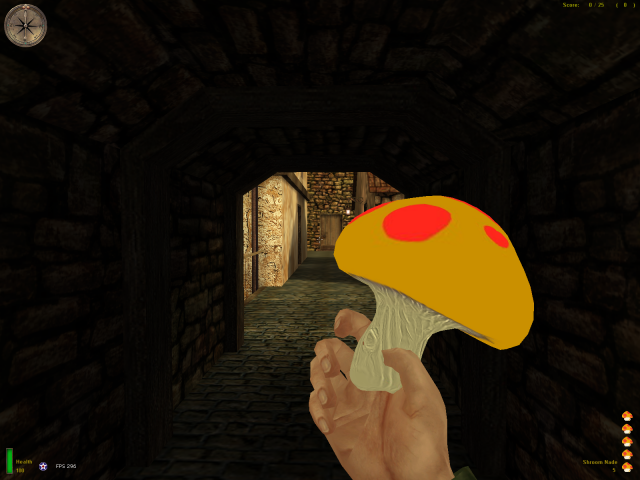
Nintendo Mushroom Nade
Grenades for both Axis & Allies (they have a different colour).
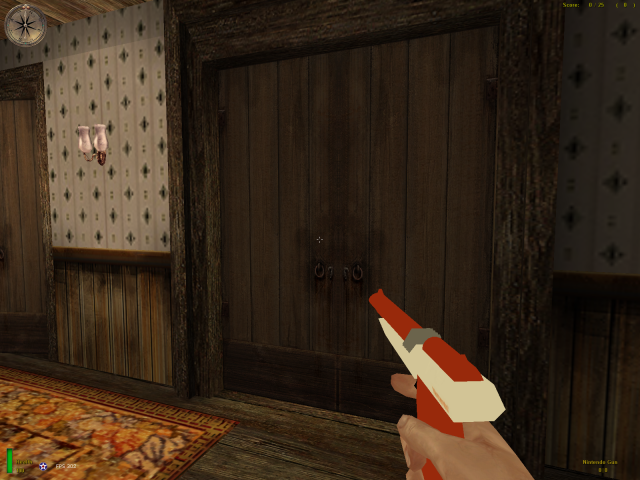
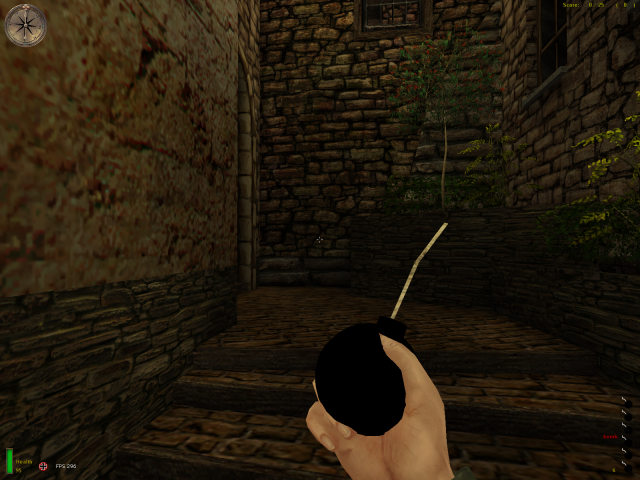
Bomb v1
name chrisredfields BomB creator chris redfield003 description -----------goa.chris's heres a BomB to throw and blow up some allied forces the fuse lights when its thrown instructions---------------------------------------------------- replacement for the german grenade i created this totaly, clientside only still needs more to add to it so any comments will be taken into consideration twoards the second version. and finally im at chrisredfield003@yahoo.com
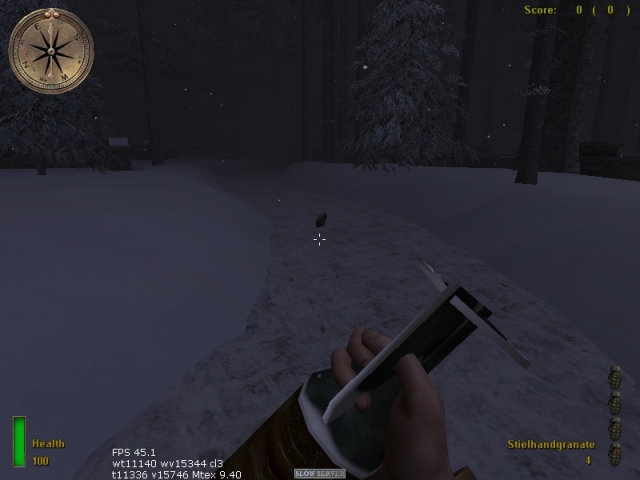
Bomb Nades
**MOHAA BOMB PACK V-1.0 README** By: Master-Of-Fungus-Foo-D DESRIPTION: Clientside mod that replaces both the M2 Fragmentation Grenade and the Stielhandgrante with a Bomb model. - Works in SP also. INSTALLATION: Just throw the Pk3 into main... KNOWN BUGS: Transparency- its annoying, and i dont know how to fix it.. itll be fixed in 1.1 Bomb in Hand w/o texture- will be fixed in 1.1 If there are any further bugs, please, Instant message (Yahoo, MSN) or e-mail me at: Byob82@yahoo.com ------------------------------------------------- Copyright (c) 2005 Carlos Alexander Vializ All rights reserved. ------------------------------------------------- Distribution is allowed provided all subsequent conditions are met: 1. Commercial use is prohibited. 2. The above copyright notice and this permission notice shall be included in all copies or substantial portions of the file. 3. If you have made modifications to the original files you must cause the modified files to carry prominent notices stating that you changed the files. COPYRIGHT HOLDERS WILL NOT BE LIABLE FOR ANY DIRECT, INDIRECT, SPECIAL OR CONSEQUENTIAL DAMAGES ARISING OUT OF ANY USE OF THE SOFTWARE OR DOCUMENTATION. ----------------------------------------------------------------
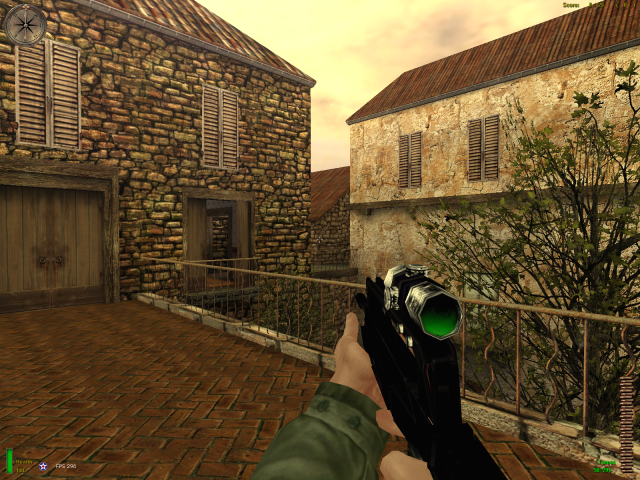
Spec Ops Famas
LZs spec ops FAMAS textures by LZ model by locc replaces thompson THIS WORKS WITH ALL MOHAA GAMES ------------ install in main mohaas or mohaab depending on game ------------------- by LZ [|¦Cø£¦|Liger-Zero]
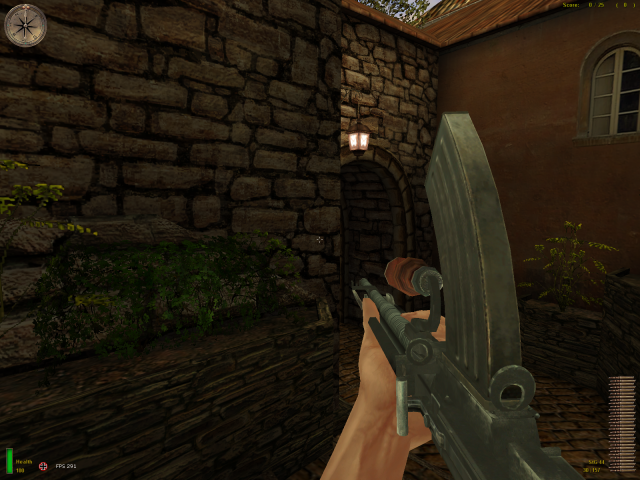
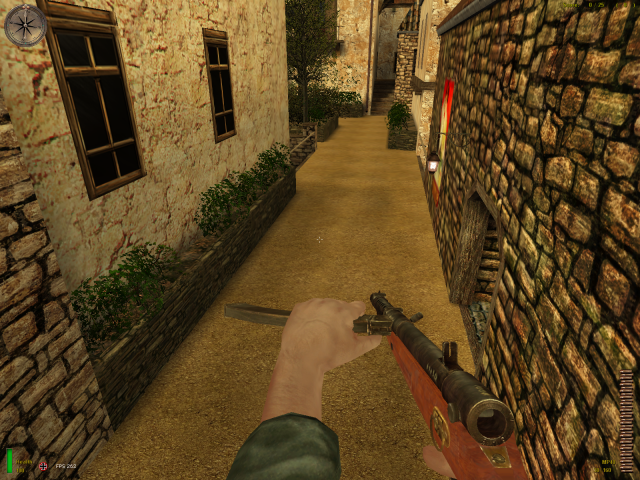
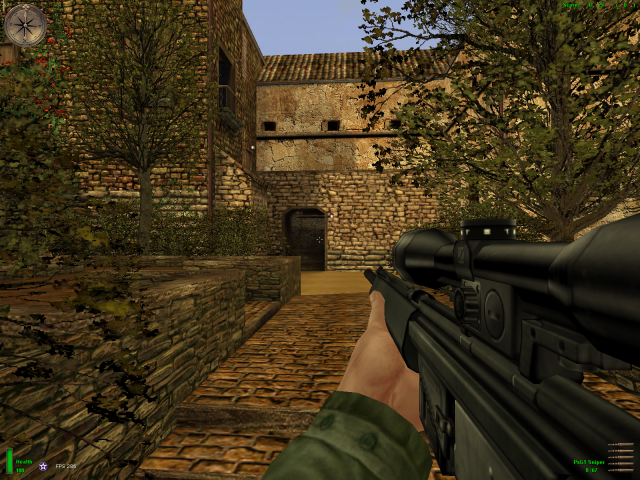
Psg 1 Sniper
PsG 1: TEXTURES: CITY NIGHTS TEAM SCRIPTS: CITY NIGHTS TEAM MODELS: CITY NIGHTS TEAM
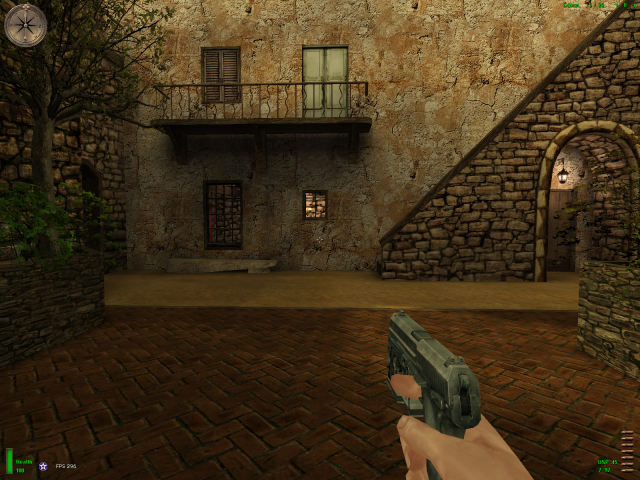
Usp 45
USP.45: Original model by: COD 4 Original skin by: COD4 MoHAA Model and skin conversion: Dmitri MoHAA Scripting: Kurell
Medal of Honor: Allied Assault Mods (MOHAA) — Complete Community Archive
Welcome to the premier repository for Medal of Honor: Allied Assault mods. Since the game's groundbreaking release in 2002 by 2015, Inc. and EA, MOHAA has inspired one of the longest-standing modding communities in first-person shooter history. MOH-DB preserves, categorizes, and serves over 1,600 verified community modifications, custom enhancements, and competitive utilities for Allied Assault, Spearhead, and Breakthrough.
Explore MOHAA Mod Categories
Player Skins & Uniforms
Over 700 historically accurate and creative player uniforms for Allied and Axis factions. Equip authentic U.S. Army Rangers, 101st and 82nd Airborne paratroopers, British Commandos, Soviet Red Army conscripts, Wehrmacht Heer infantry, Fallschirmjäger, and Waffen-SS camouflage patterns, as well as classic community clan skins.
Weapon Models & Reskins
Enhance your WWII arsenal with ultra-detailed weapon replacements and high-resolution textures. Popular downloads include authentic wood-finish Kar98k sniper rifles, realistic metallic sheen M1 Garand models with classic "ping" animation refinements, Thompson submachine guns, MP40s, BAR 1918 rifles, and custom iron-sight alignments.
Soundpacks & Realism Audio
Transform the sonic atmosphere of Allied Assault. Replace compressed 2002 Quake-engine sound effects with cinema-grade gunfire recordings, authentic distant artillery rumblings, terrifying Stuka dive-bomber sirens, supersonic bullet cracks, metal ricochets, and remastered German and American voice callouts.
HUDs, Menus & Crosshairs
Modernize the in-game interface for 1080p, 1440p, and 4K widescreen displays. Download minimalist competitive heads-up displays, custom dot and crosshair overlays, cleaner compass indicators, redesigned main menus, and unobtrusive health and ammunition counters favored by competitive league players.
Server Utilities & Admin Scripts
Run resilient, modern multiplayer game servers with essential server-side utilities. Includes automated map rotators, anti-cheat detection tools, voting scripts, custom match timers, ping balancers, and administrative rcon managers designed for dedicated servers running 24/7.
MOHAA Reborn 1.12 Community Patch
The gold standard community patch for modern MOHAA servers and clients. The Reborn 1.12 patch resolves legacy buffer overflows, fixes client query exploits, expands internal script limits for complex mods, and provides a built-in server browser to replace the defunct GameSpy master server.
How to Install MOHAA Mods: Quick Guide
Identify Your Target Directory
MOHAA stores all game assets in subfolders inside the root installation directory:
- MOHAA (Base):
.../MOHAA/main/ - Spearhead:
.../MOHAA/mainta/ - Breakthrough:
.../MOHAA/maintt/
Paste Without Extracting
Download the mod archive from MOH-DB. If it is zipped (.zip or .rar), extract the enclosed .pk3 file. Place this .pk3 directly into your game's /main/ folder.
How to Remove or Troubleshoot
To remove any mod, simply delete its .pk3 file from the /main/ folder. The game will immediately return to stock behavior without reinstalling.
Frequently Asked Questions about MOHAA Mods
To install MOHAA mods, copy the downloaded .pk3 file directly into your Medal of Honor Allied Assault installation folder under /main/ (or /mainta/ for Spearhead, and /maintt/ for Breakthrough). You do not need to unpack or extract the .pk3 archive—the game engine loads it automatically upon launch.