Admin Tools
Elgbot 30
Creator
Elgan
Version
N/A
Game Type
MOHAA
Reborn Compatible
Unknown
Description
Mostly a Player Stats tool (see Elgbot 2 & 4 for more info).
Elgbot
Version 3.0
Game; mohaa
www.mods-r-us.net , modstheater.com , mohfiles.com
elgan.sayer@gmail.com
INSTALLING:
1. Extract the Elgbot folder anywhere on your pc.
2. place zzzElgbot.pk3 pk3 in your games main folder.
3. Run Elgbot.exe
4. Run your mohaa game.
While in game elgbot should start automaticaly.
To tell if its on. View your score table (tab) or
look in the elgbot stats menu. A message "Elgbot on"
will appear in both. If the scoreboard looks normal.
Elgbot is off.
YOUR NAME:
it is important if you change your name elgbot is updated. If you use
console to change your name. Please type into console "name".
If you change your name in any other way. Please make sure elgbot
detects the change. Your name is displayed in the scoreboard
and the elgbot stats menu. Make sure it is the same as your game now.
When you turn elgbot off from within your game. it will not still count stats.
If you turn elgbot on half way through a game. It should slowly work through
the whole game thgus far counting your stats still.
Each level or round. Counts as a new map and the stats should stats fresh for the in game
menu.
5. Bind a key to elgbotmain (stats window)
A. To do this, look in the control options.
6. Send feedback.
Related MOHAA Mods
More Admin Tools →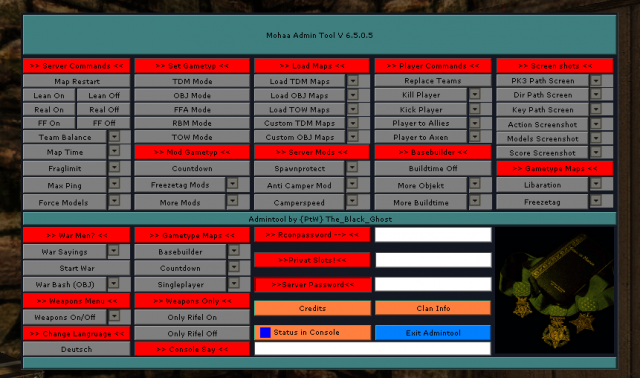


Engine & Patch Compatibility
Community-tested verification on official patches & Reborn
0.00 reviews
Community Rating & Discussions
Rate this mod and share feedback or installation tips with fellow players.
Your Rating:
Leave a Comment / ReviewLog in to join the discussion
Loading discussions...
Downloads
182
Total Downloads
Date Added
December 9, 2015
Download
Fileelgbot3.zip
Size1.69 MB