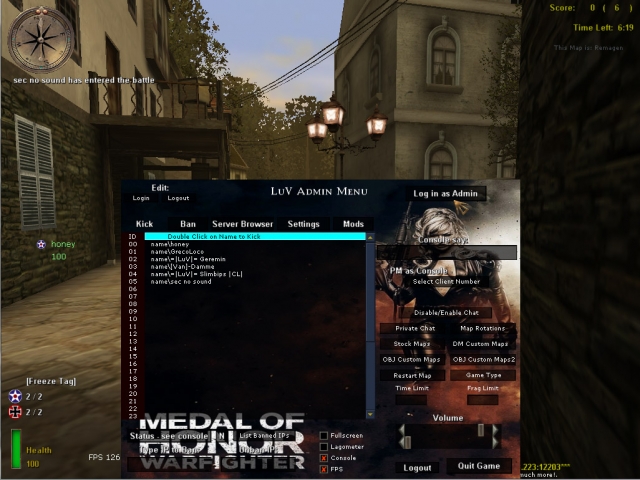
Admin Tools
zzzzzzzzz_Admin_Menu.pk3
Creator
-
Version
N/A
Game Type
MOHAA
Reborn Compatible
All
Description
1) Place the file zzzzzzzzz_Admin_Menu.pk3 in your main folder
2) open the file with winrar or 7-zip and go to the folder configs
3) open mylogin.cfg and replace the name and password as discribed there
4) go to your server files and open admins.ini (comes with reborn patch)
5) and place a line like this: login=harry password=45passw354676 rights=7167
be sure that the name and password in mylogin.cfg are the same as in the admins.ini.
after u done that (re)start your server.
go in your server and press F1 to open the admintool (if it doesn not open type in console: bind f1 togglemenu admin, and try again).
if the admintool opens click in the RIGHT UPPER CORNER, Log In As Admin.... and the tool should work.
becease we pre-added the passwords etc u dotn have to type in passwords again... just hit the button Log In As Admin everytime u join the server.
if the tool doent wokr be sure that u clicked the Log In As Admin Button.
(on the left side it will display yellow letters that u are logged in as admin), so its hard to see... but u are logged in..
now test it!!........ 1 tip.... use admin pro with this it works realy great, download here http://www.mohaaaa.co.uk/AAAAMOHAA/content/adminpro-updated-version.
problems with the tool??????... go to http://www.x-null.net/forums and make a thread and we will help you
Credits
Im not sure
Related MOHAA Mods
More Admin Tools →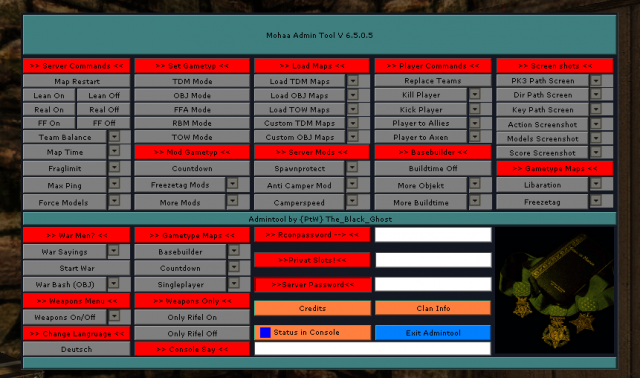


Engine & Patch Compatibility
Community-tested verification on official patches & Reborn
0.00 reviews
Community Rating & Discussions
Rate this mod and share feedback or installation tips with fellow players.
Your Rating:
Leave a Comment / ReviewLog in to join the discussion
Loading discussions...
Downloads
648
Total Downloads
Date Added
December 9, 2015
Download
Filezzzzzzzzz_Admin_Menu.pk3
Size3.71 MB
Mod Information
RebornAll