Admin Tools
Elgbot 222 Serverside Stats
Creator
Elgan
Version
N/A
Game Type
MOHAA
Reborn Compatible
Unknown
Description
Elgbot Serverside 2.2.2 [Author: Elgan] (Unofficially updated by OwN-3m-All {minor changes only})
Elgbot is awesome, and I thank you Elgan for making one of the best mods ever!
2.2.2 [April 17, 2012]
- OwN-3m-All fixed the post-round statistics HUD so that it does not display once elgbot is turned off (cvar to 0) and the map is changed.
- Fix is also more efficient... HUDS are no longer continuously drawn on clients... it gets drawn once.
- Fixed a few crashing events in Reborn RC3 caused somewhere in event handler scripts. (Added additional null checking... seems to have fixed the problem, will update the mod if it does not.)
- Fixed strings.scr file. Was not returning lower case text with previous version...
- Updated Documentation (create elgbot folder in MOHAA/MAIN directory of server and chmod 777 on the elgbot folder to save stats permanently)
2.2.1
Updated strings.scr
Updated to use new strings.scr
Will not , if a filename (user name) is invalid. will use IP instead.
Warnings are now printed using confprint command (reborn patch)
Strings.scr edited, clean_filename will not only use chars found in its safe array
2.2.0
Added intermission event from Reborn patch RC 2.5 Gamma
2.1.0
Added top players scoreboard.
Prints to game chat killing sprees
Simplified who killd who code.
Added assists to player score display stats
Fixed blank hud draw string bug on linux servers
Deprecated elgbot_continuoussave. All stats now use AP style cvar saving.
Added percentages to stats menu
Added stat "assists"
Added stat "rounds"
Added stat "Team kills"
Added stat "Time Played"
Added awards menu on next round start for last rounds players.
Added stat "kills" for each weapon,
Added stat "total kills" for each weapon,
Added new menu to show weapon kills and total kills with their percentage from your total kills
Added KDR, kill Death Ratio
Added new scoreboard information , now shows at timed events, row kills, deaths leaders, current most lethal, damaging, dangerous, accurate and deadly
Added Awards system. Editable. Showing but not limited to the fllowing stats
Added stat "Most Lethal"
Added stat "Most Deadly"
Added stat "Most Accurate"
Added stat "Most Damaging"
Added stat "headhunter"
Added stat "Bash king"
Added stat "Melt king"
Added stat "Streak King"
Added stat "Taget"
Changed look of stats menus
Optimised code for speed.
Moved all saving to cvars.
Removed Best kills in a row and most deaths in a row from the game hud. Feel they are nto used, and cuts down on in game hud.
Added system to detect intermissions.
2.0.4
Improved performace on elgbot_continuoussave. Skipped reading, to save crashes
Added abilities to see melts in more FT gametypes
Added elgbot_sounds cvar to play sounds local or global
2.0.3
Added stat axis, allies. (Which team you were)
Removed scrolling instructions to save crashing and lag
Now use event "spawn" as well.
elgbot_fnametype default is now 3.
Fixed location recording bug
2.0.2 (untested, just written)
Added cvar elgbot_fnametype. 1 or 2. This sets if the script should use IP's or player Names for the filename.
Fixed crash with gotkills not being a player
Fixed hud after a round
Added stat "melts" for FT, and code for adding stats for any Mefy game type.
Added cvar "elgbot_continuoussave", to save every stat change, to save stats over round based games for now.
Fixed gotbash / bashed typo
Changed menus to be a little nicer.
Changed font size on instructions menu to be smaller and NOT virtual res
Changed font on display stats to be the same as game font.
Rewritten some code to make adding stats easier.
Changed the player scoreboard menu for teams
2.0.1 (untested, just written)
Added scoreboard menu on key bind "keyp 3"
Added cvar "elgbot_announceend"
Added stat "endedspree". Counts how many killing spree's you have ended.
Fixed respawn debug line left behind.
Fixed instructions for global
2.0
Tracks killing sprees and stats for your server
Client event sounds for killing sprees and double kills. As well as headshots
can be downloaded.
Install
---------
1. Create a folder in your main named "elgbot"
- This is for stats
2. place zz_elgbot2.pk3 in your main folder
3. Edit the server config file.
NOTE;
When using menus. If you are using MOHAA's flood protection
sv_floodprotect
Then they may act very slow.
Cvars:
-------
elgbot
-1,0...on or off.
elgbot_sounds
- either 1 or 2. Will default to 1, if not set.
1 is play sounds local, 2 is play sounds global
elgbot_fnametype
- This must be set to 1, or 2. if left, 3 will be set by default.
1 - This will use a players IP for the stats file.
2 - This will use a players name for the stats file
3 - Use both. The players name is proceeded by the players IP.
elgbot_version (You do not need to set this in console)
- What version (for reading only)
elgbot_dbltime
- Time between double kills possible
elgbot_writestats
- Write stats or not? 1/0
elgbot_announce
- Announce events in console on or off 1/0
elgbot_announceend
- Announce the end of someoens killing spree in console on or off 1/0
An example config
-------------
set elgbot "1"
set elgbot_dbltime "20"
set elgbot_writestats "1"
set elgbot_announce "1"
set elgbot_announceend "1"
set elgbot_continuoussave "1"
Events used
-------------
disconnect
connect
keypress
killed
damage
spawn
intermission
Conflicts
-------------
This mod used strings.scr
This mod used files.scr
This mod used mike torso.st (for accuracy)
This mod uses events
Moddability
-------------
This mod is very flexible. It is scripted on events and an object oriented system.
This mod uses File objects, player classes and stat objects.
You could easily add any stats to arrays and have them saved.
THe menus are the most limiting factor, if new stats are added. They need editing.
You are free to mod it as you desire. Please post in forums for help.
Stats and websites
-------------
Stats are saved in an ini file format. This could be read easily by any programming language.
In order to store permanent statistics on the server, you must create a folder called elgbot in the MOHAA\MAIN directory on the server. This folder must then have all permissions, so chmod 777 on the elgbot folder.
Related MOHAA Mods
More Admin Tools →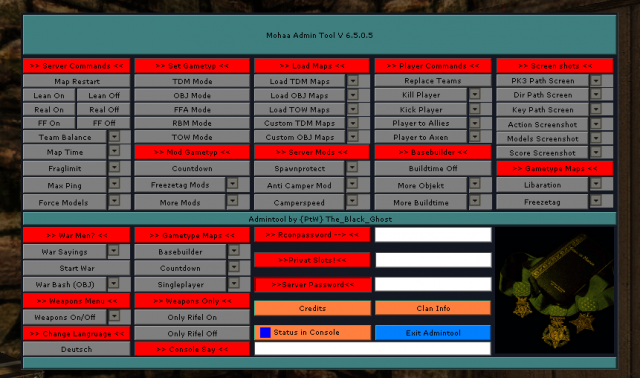



Engine & Patch Compatibility
Community-tested verification on official patches & Reborn
0.00 reviews
Community Rating & Discussions
Rate this mod and share feedback or installation tips with fellow players.
Your Rating:
Leave a Comment / ReviewLog in to join the discussion
Loading discussions...
Downloads
261
Total Downloads
Date Added
March 13, 2016
Download
FileElgbot_222_Serverside_Stats_Fixed.zip
Size54.24 KB