
Medal of Honor: Allied Assault Mods (MOHAA)
Discover and download community-created modifications to enhance your Medal of Honor: Allied Assault experience.
29 Mods Found
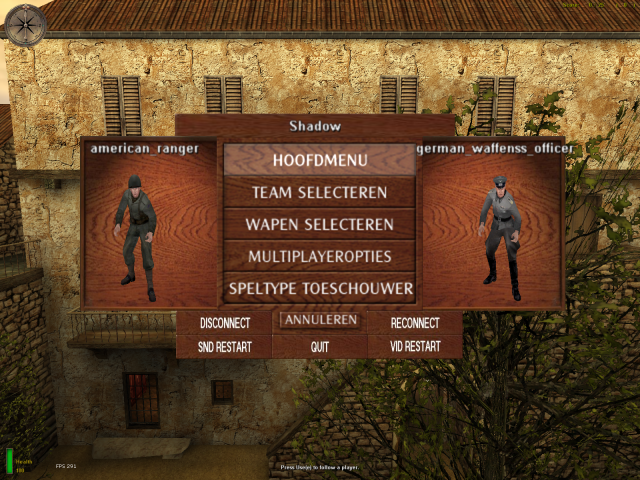
Button Addon 20
As shown on the screenshot, this mod adds some additional buttons to your in-game menu (disconnect, vid restart, reconnect, quit, playermodels).

Reconnect Button
When you join a server but it ends up being Full or you disconnect for any other reason.. there will now be a 'Reconnect' button you can click to easily reconnect to the server. Instead of having to open console and type 'reconnect' and re-do that every time.
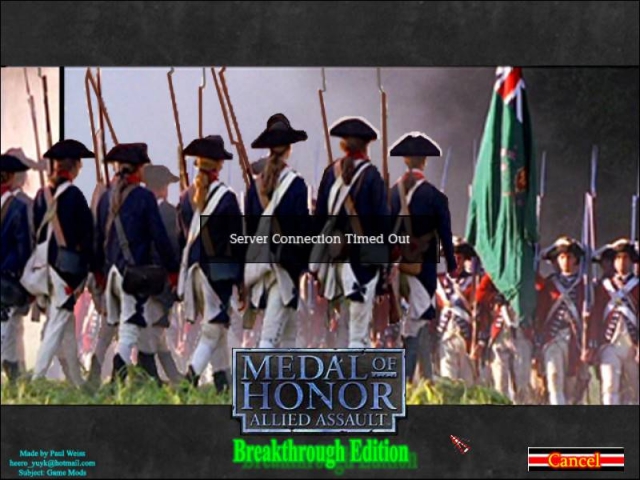
Revolutionary Loading Screen
Replaces the Loading Screen in MOH:AA and MOH:AA SPRHD AND MOH:AA Breakthrough with the Revolutionary loading screen Place the file into the MAIN folder in MOH:AA, or MAINTA for MOH:AA SPRHD, or your MAINTT folder for MOH:AA Breakthrough To remove the Loading Screen, just remove the .pk3 file from the folder If you want to see more Loading Screens and other Mods, email me at heero_yuyk@hotmail.com, with subject Game Mods, or via AIM Heero Yuyk, also look for new info on my Modern Warfare mod, Medal Of Honor: Coalition Assault, a Total Conversion of the likes you've never seen...
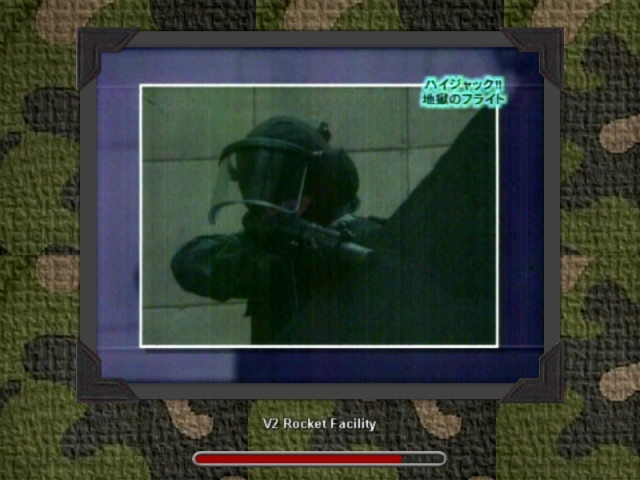
Present War Loading Screens
user-PresentWarWeaponsLoading Screens.pk3 ******************** Loading Screens ******************* Original models by: City Nights Final Team This is the Loading Screens from the Present War Weapons mod, I dont take any credit for the mod, just for makeing it a single mod. To use just Unzip and place in you main folders. Thats just one of the loading screens for V2. Its like a small movie clip for most of the levels check it out guys. ~D@nTe_H!cKs
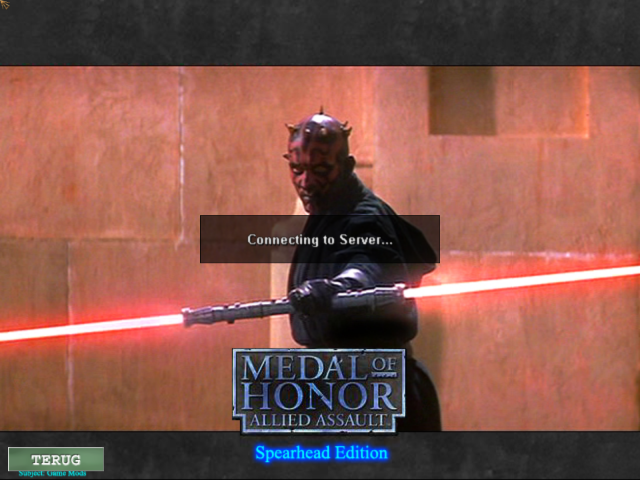
Darth Maul Loading Screen
Replaces the Loading Screen in MOH:AA and MOH:AA SPRHD AND BREAKTHROUGH with the Darth Maul Loading Screen Place the file into the MAIN folder in MOH:AA, or MAINTA for MOH:AA SPRHD or the MAINTT folder if you are using Breakthrough To remove the Loading Screen, just remove the .pk3 file If you want to see more Loading Screens and other Mods, email me at heero_yuyk@hotmail.com, with subject Game Mods or AIM with Heero Yuykk, and look for out for more info on my TC Medal Of Honor: Coalition Assault...
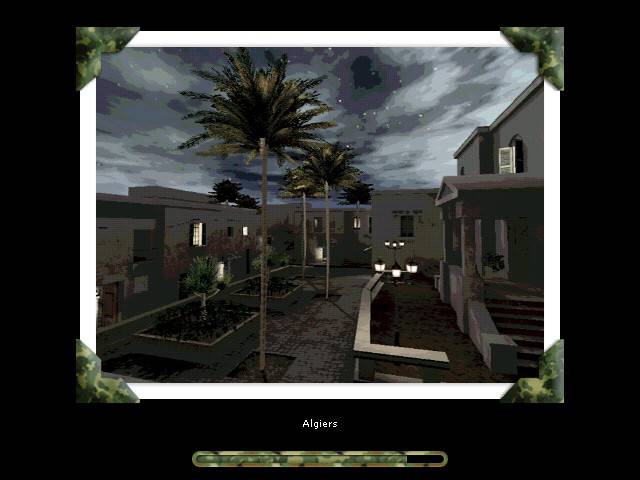
Camo Loading Screen Corners
Stick this in your Mohaa/main folder Does not work for spearhead or Breakthrough!! Works with any loading screens you already have Pleaze leave comments & Color or any Suggestions
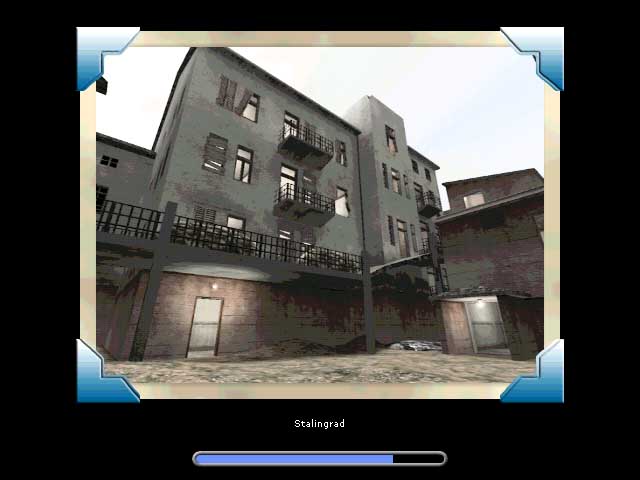
Blue Loading Screen Corners
These are some blue loading side thingys... They look pretty cool, works with any loading screens by Jehuty
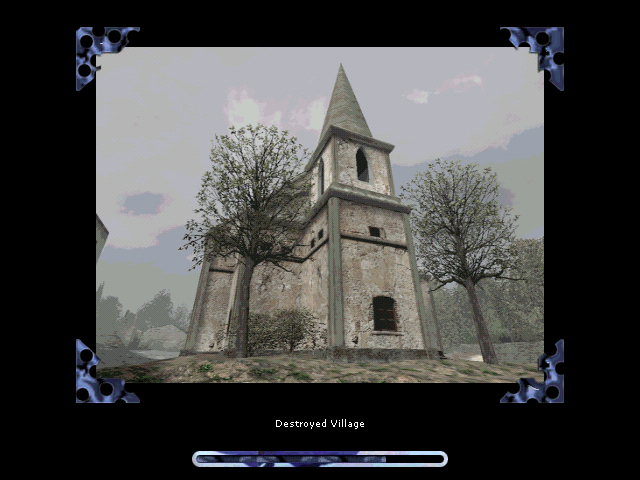
Bullet Hole Loading Screen Corners
I wanted one that was unique this time and caught your eye. Something Diffrent. Yeah i know it looks wierd....really wierd...but its facinating... guess it will keep you interested while the game loads? When i decide to make another one...ill probly make it odder and more facinating, lol Any suggestions for a new one...my AIM screename is: NiNE RoXorz -Jehuty

Ww2 Loading Screens
============================================================= =====|| Medal of honor Loading Screens for Stock Maps ||===== ============================================================= This is a replacement Mod for all stock maps loading screens.( Mohdm1 to 7, objdm1 to 4 ) The loading screens are composed of images from mohaa itself and various pictures from ww 2. Bonus: ww2 posters slideshow on each screen. Better than watching the loading bar ;) Hope you enjoy the change ! Installation: Place the "zzzz_Moh_LoadScreens_v1.0.pk3" file into the MOHAA 'Main' folder. Made by Salombo: 2007 email: Salombo79@hotmail.com site: www.specwarriors.com and www.mods-r-us.net
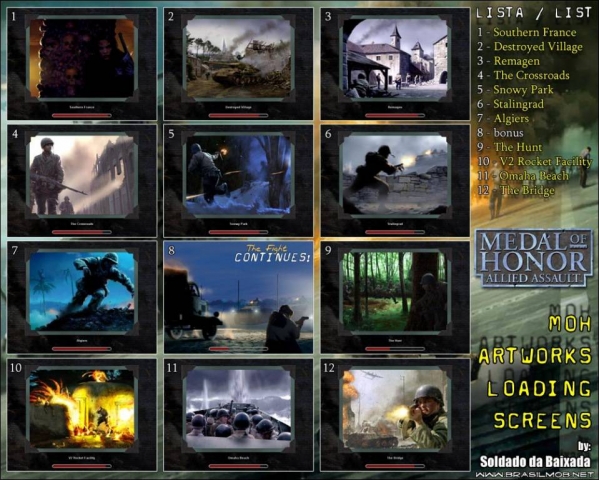
Moh Artwork Loading Screens
New loading screens for all the stock mohaa maps (dm/mohdm 1 - 7 & obj/obj_team 1 - 4). Almost all of them are nice war pictures. Might add some freshness to the game! Readme: --------------------------------------------------------- :::::::: MEDAL OF HONOR ARTWORKS LOADING SCREENS :::::::: --------------------------------------------------------- :.: Português :.: ---------------- Mod que substitui as telas de loading (carregamento) dos mapas originais do jogo. Artes de missão para os mapas objetivo e team-match. - Instalação: Coloque o arquivo "ZZZZZ-MoH-Artworks-Loading-Screens.pk3" na pasta 'Main' do MOHAA. (ex. 'C:Program FilesMOHAAMain') --------------------------------------------------------- :.: English :.: ---------------- This is a replacement for all original maps loading screens. Mission arts for objective and team-match maps. - Installation: Place the "ZZZZZ-MoH-Artworks-Loading-Screens.pk3" file into the MOHAA 'Main' folder. (ex. 'C:Program FilesMOHAAMain') --------------------------------------------------------- Feito por / Made by: Soldado da Baixada mail: soldado.da.baixada@brasilmob.net site: www.brasilmob.net
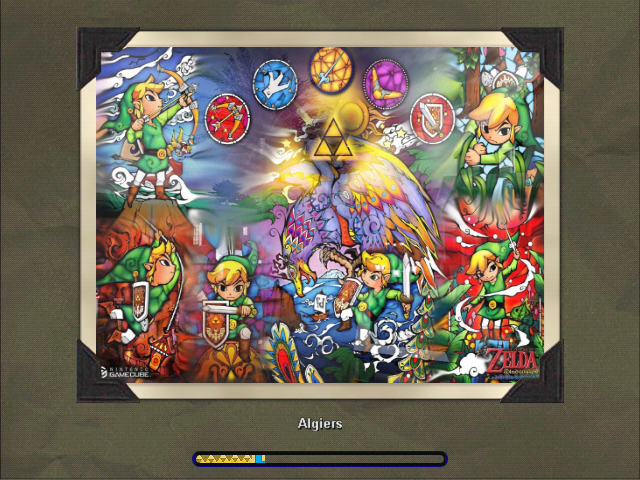

Flip Mod
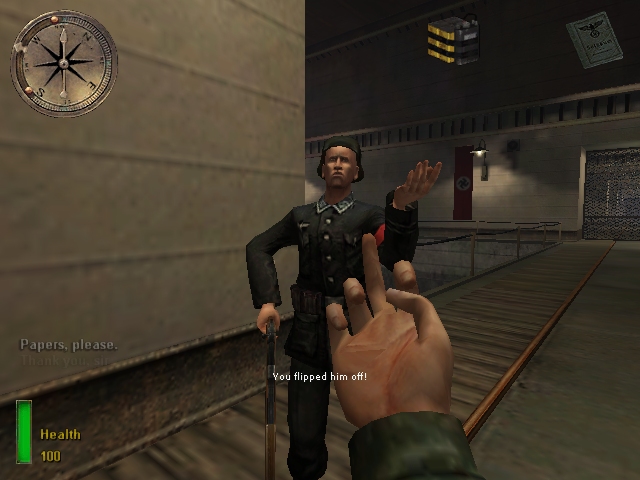
Flip-Off Mod -------------- This is a simple mod that makes the player flip people off instead of showing papers. To install: put file "user-darkangel-flip-off-mod.pk3" in your mohaa main directory. Uninstall: delete the file.
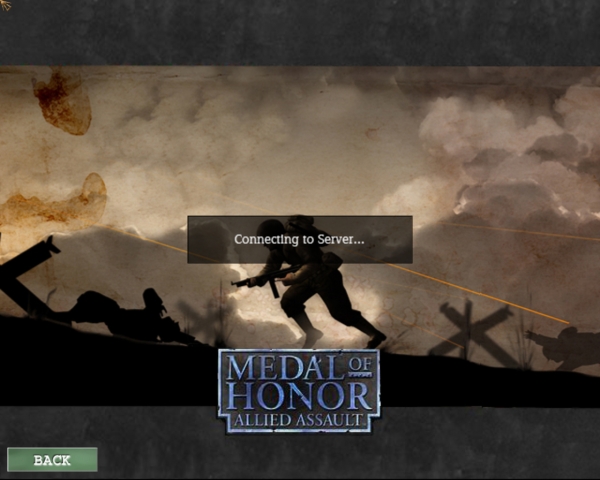
Tec222s Loading Screen
-------------{WsM}Tec222's Loading screen------------- .01 Install Put zzz-tecsloadscreen.pk3 in your main - mainta - maintt, folders so it will work with all games or you can choose which game you what it to work with. Main=AA Mainta=SH Maintt=B .02 Agreement PLEASE DO NOT EDIT THIS FILE IN ANYWAY!!! .03 Contact Contact=cotytrue@cox.net .04 THANKS TO WsM MOHAA FILES AND MY PARENTS
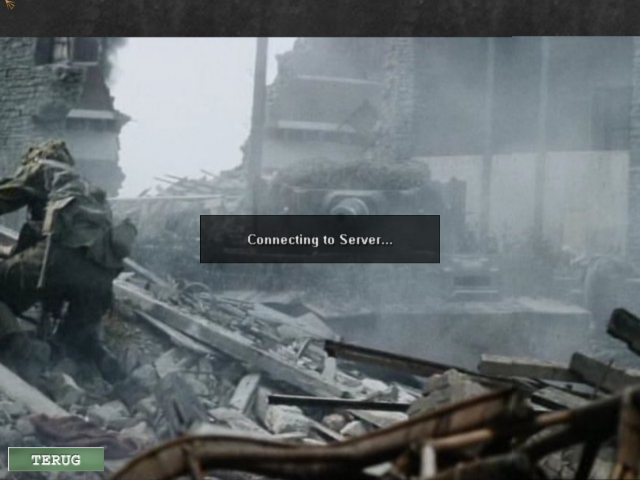
Saving Private Ryan Loading Screen
Menu convert from saving Ryan copy in main ntinosa@otenet.gr konstantin
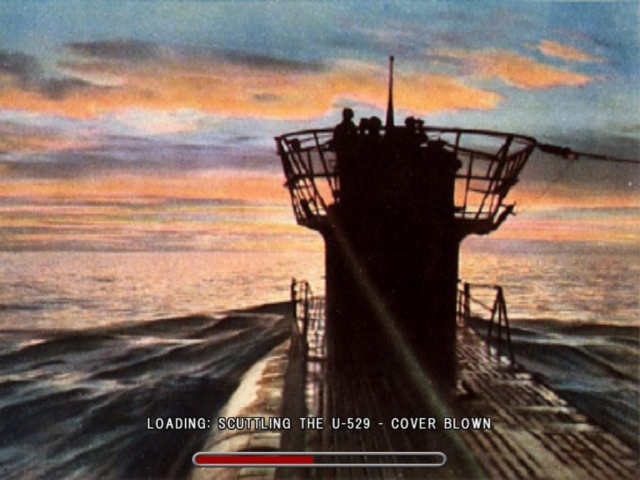
Remake Design Mod
MOHI-KAN's Remake Design MOD (RD MOD) Version : 0.21 Release Date : 11-12-2007 Made By MOHI-KAN Contact : Email: giretsu_airborne@hotmail.co.jp ----------------------------------------------- First of all, please delete the file of old version RD MOD. Place the .pk3 file into the "main" folder in Medal of Honor Allied Assault. To remove the MOD, just delete the .pk3 file. ----------------------------------------------- - Addition Point * New Singleplayer Maps Loading Background ...Special Thanks: World War 2 Pictures In Color (http://www.ww2incolor.com/) * Music in Multiplayer Maps ...Music flows by the all Multiplayer maps. * New Weapons Name Hud ...The display of Weapon name Hud of the carrying arms is changed. - Correction Point * Bugfix of Singleplayer Cheats Option ...It deletes it from the item so that the game may crash when it tries to use "Max Ammo". ----------------------------------------------- Enjoy! Tanoshindekudasai! ----------------------------------------------- * Japanese -> English Translation Website http://www.excite.co.jp/world/english/ * Medal of Honor Information @ WIKI (Only Japanese) http://www21.atwiki.jp/medalofhonor/
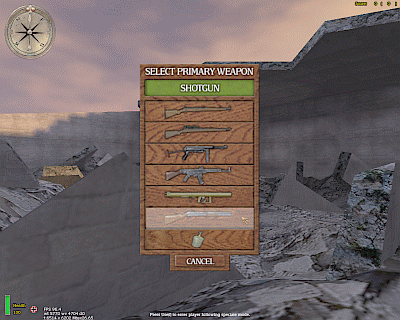
Df German Shotgun Menu Mod
============================================= MOHAA Breakthrough DF_GERMAN_SHOTGUN menu mod ============================================= by nedd This is a mod for Medal of Honor: Allied Assault Breakthrough servers that have set Axis to use a shotgun instead of the gewehrgranate (rifle grenade) via the dmflags setting. This mod changes the picture and selection text of the Gewehrgranate in the weapon selection menu to show a picture of a Shotgun and display "SHOTGUN" text when the default Gewehrgranate area is highlighted. I made this mod because it annoyed me that even if you have the dmflags set to make axis use the shotgun you still saw the gewehrgranate in the menu. // HOW TO MAKE AXIS USE A SHOTGUN INSTEAD OF THE GEWEHRGRANATE. DF_GERMAN_SHOTGUN = 1048576 therefore add 1048576 to your current dmflags setting to make axis use a shotgun instead of the gewehrgranate. // MOD INSTALLATION. Add User-df_german_shotgun_menu_mod.pk3 to your maintt folder. default location is C:\Program Files\EA GAMES\MOHAA\maintt notes: -If you use this mod and you don't set dmflags so axis have the shotgun you will still have the shotgun in the menu. This mod is only useful if the server always runs shotgun_on for axis. -This menu mod will only work if the server you are playing on has it installed (unless the server in non-pure). http://ned.theoldergamers.com
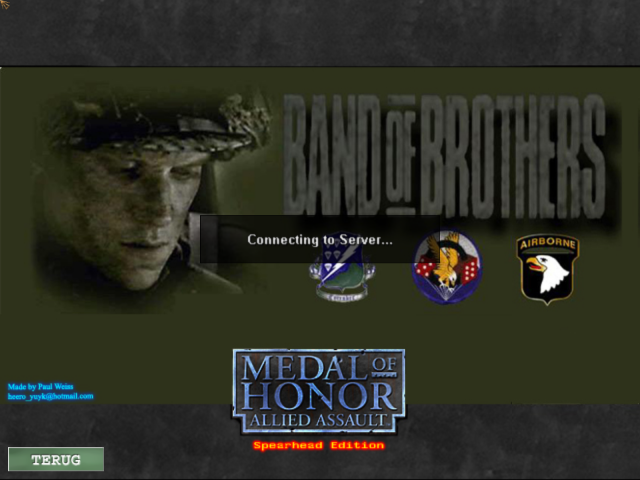

Medal of Honor: Allied Assault Mods (MOHAA) — Complete Community Archive
Welcome to the premier repository for Medal of Honor: Allied Assault mods. Since the game's groundbreaking release in 2002 by 2015, Inc. and EA, MOHAA has inspired one of the longest-standing modding communities in first-person shooter history. MOH-DB preserves, categorizes, and serves over 1,600 verified community modifications, custom enhancements, and competitive utilities for Allied Assault, Spearhead, and Breakthrough.
Explore MOHAA Mod Categories
Player Skins & Uniforms
Over 700 historically accurate and creative player uniforms for Allied and Axis factions. Equip authentic U.S. Army Rangers, 101st and 82nd Airborne paratroopers, British Commandos, Soviet Red Army conscripts, Wehrmacht Heer infantry, Fallschirmjäger, and Waffen-SS camouflage patterns, as well as classic community clan skins.
Weapon Models & Reskins
Enhance your WWII arsenal with ultra-detailed weapon replacements and high-resolution textures. Popular downloads include authentic wood-finish Kar98k sniper rifles, realistic metallic sheen M1 Garand models with classic "ping" animation refinements, Thompson submachine guns, MP40s, BAR 1918 rifles, and custom iron-sight alignments.
Soundpacks & Realism Audio
Transform the sonic atmosphere of Allied Assault. Replace compressed 2002 Quake-engine sound effects with cinema-grade gunfire recordings, authentic distant artillery rumblings, terrifying Stuka dive-bomber sirens, supersonic bullet cracks, metal ricochets, and remastered German and American voice callouts.
HUDs, Menus & Crosshairs
Modernize the in-game interface for 1080p, 1440p, and 4K widescreen displays. Download minimalist competitive heads-up displays, custom dot and crosshair overlays, cleaner compass indicators, redesigned main menus, and unobtrusive health and ammunition counters favored by competitive league players.
Server Utilities & Admin Scripts
Run resilient, modern multiplayer game servers with essential server-side utilities. Includes automated map rotators, anti-cheat detection tools, voting scripts, custom match timers, ping balancers, and administrative rcon managers designed for dedicated servers running 24/7.
MOHAA Reborn 1.12 Community Patch
The gold standard community patch for modern MOHAA servers and clients. The Reborn 1.12 patch resolves legacy buffer overflows, fixes client query exploits, expands internal script limits for complex mods, and provides a built-in server browser to replace the defunct GameSpy master server.
How to Install MOHAA Mods: Quick Guide
Identify Your Target Directory
MOHAA stores all game assets in subfolders inside the root installation directory:
- MOHAA (Base):
.../MOHAA/main/ - Spearhead:
.../MOHAA/mainta/ - Breakthrough:
.../MOHAA/maintt/
Paste Without Extracting
Download the mod archive from MOH-DB. If it is zipped (.zip or .rar), extract the enclosed .pk3 file. Place this .pk3 directly into your game's /main/ folder.
How to Remove or Troubleshoot
To remove any mod, simply delete its .pk3 file from the /main/ folder. The game will immediately return to stock behavior without reinstalling.
Frequently Asked Questions about MOHAA Mods
To install MOHAA mods, copy the downloaded .pk3 file directly into your Medal of Honor Allied Assault installation folder under /main/ (or /mainta/ for Spearhead, and /maintt/ for Breakthrough). You do not need to unpack or extract the .pk3 archive—the game engine loads it automatically upon launch.