
Medal of Honor: Allied Assault Mods (MOHAA)
Discover and download community-created modifications to enhance your Medal of Honor: Allied Assault experience.
1676 Mods Found
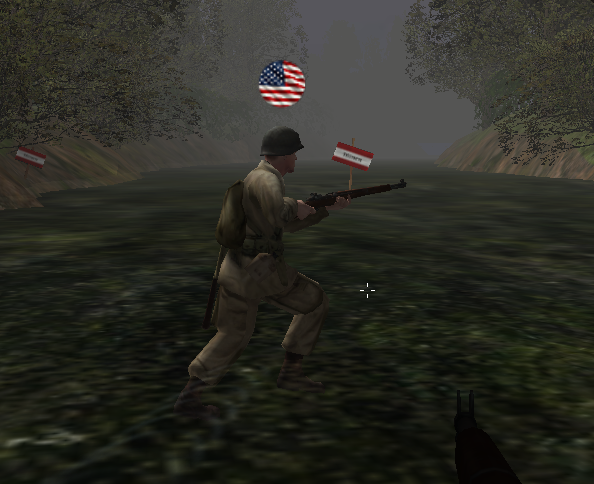
Allies American Flag Waving Avatar
This avatar replaces the stock Allies avatar to an American Flag with a waving look to it. (static) Installation: Place .pk3 file into your MOHAA Main folder. Created by: Dizzle813 © 2026
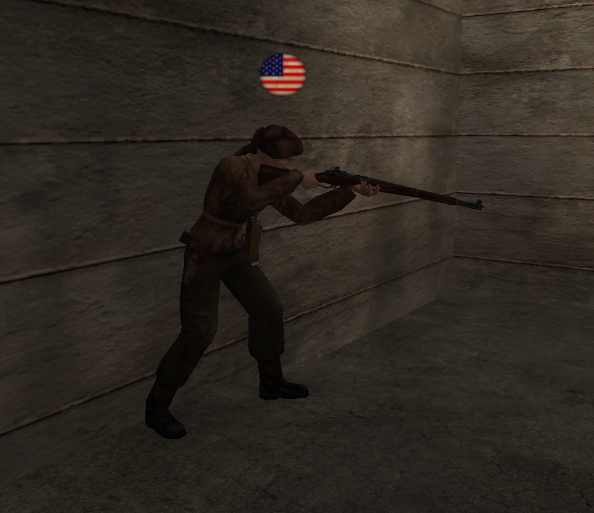
Allies Dirty American Flag Avatar
This avatar replaces the stock Allies avatar to an American Flag with a darker dirty look.
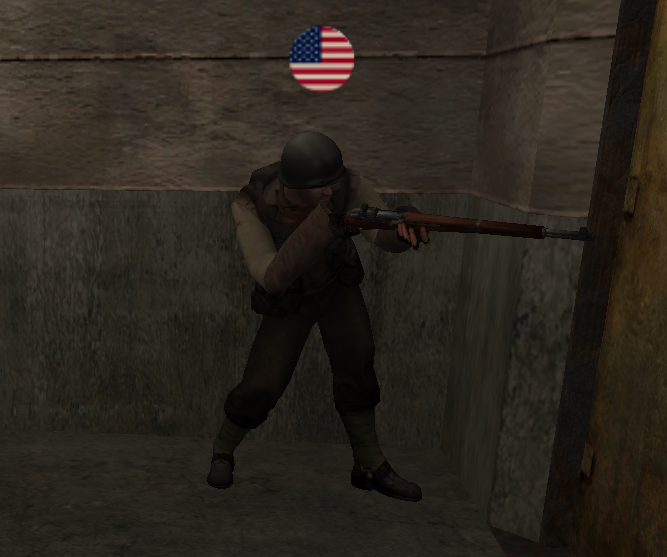
Allies American Flag Avatar
This avatar replaces the default Allies avatar to an American Flag.
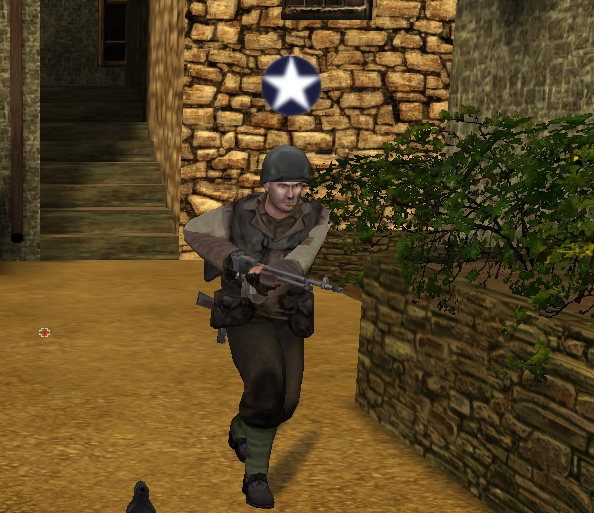
Allies 1942 Star Roundel Avatar
This avatar replaces the stock Allies avatar with the one used by the Allies starting in 1942.
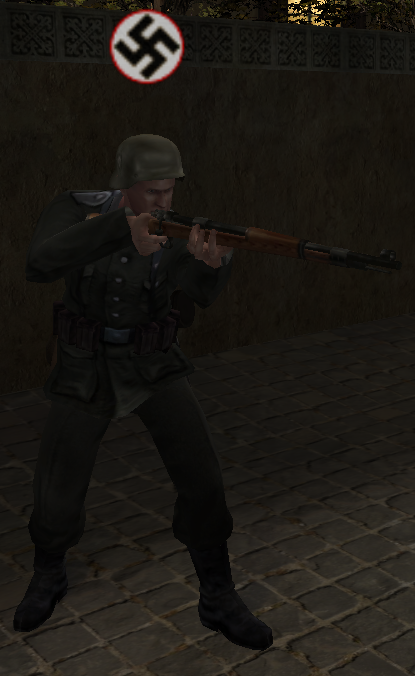
Axis Swastika Avatar
This avatar replaces the stock Iron Cross with the Swastika
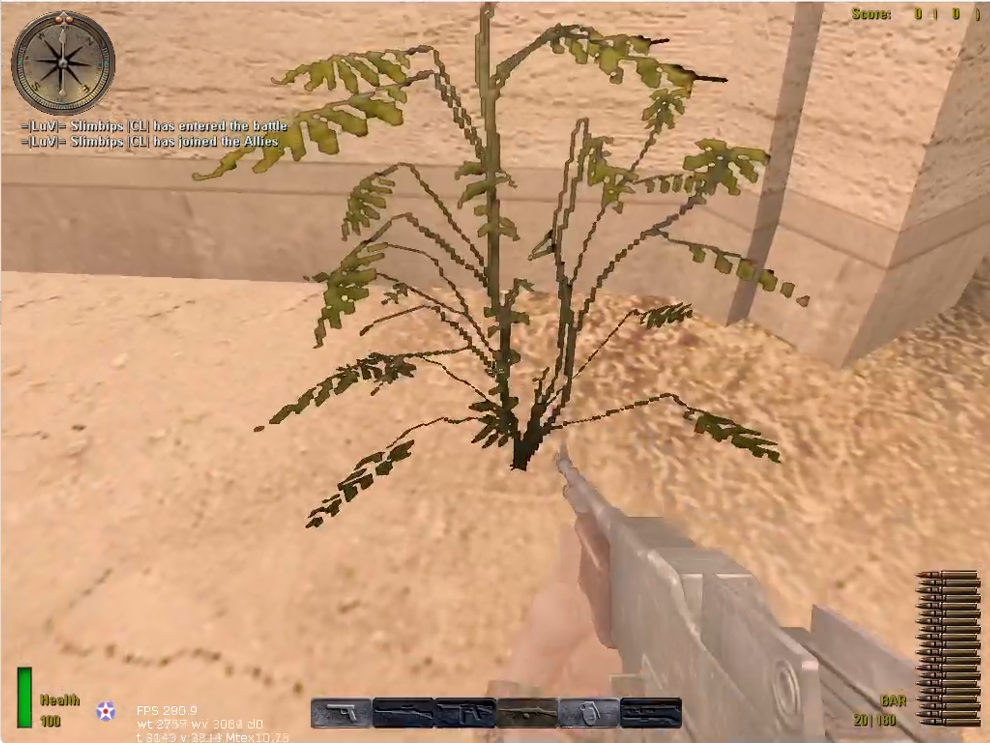
MOHAA_SpawnCreator
Create new spawns on every map. A video instruction https://youtu.be/y3_6SaAk5QA
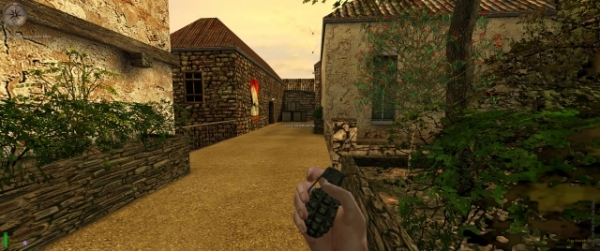
Autobird mod
flying birds for aa-sh-bt place in main for aa - mainta for speahead or maintt for breakthough...modified bt script to work in aa-sh-bt
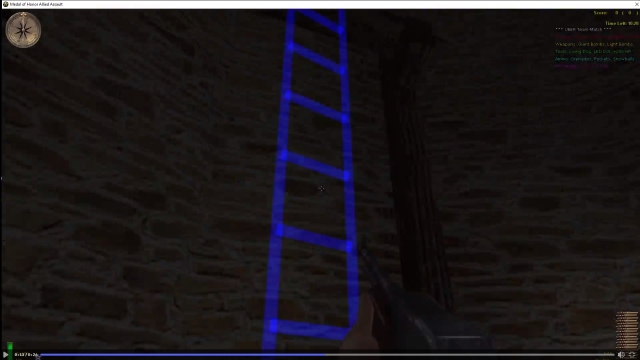
Ladder Spawning
This compact server side script Mod allows you to dynamically spawn new Ladders on any existing map. Making new places avialable, possibly changing the strategy on Multiplayer and Story maps. How To Install Copy the .pk3 for your current Medal of Honor game (AA, BT, SH) and paste in the "Medal of Honor/main" folder (same folder as Pak0.pk3, Pak1.pk3, Pak2.pk3). If using Elgan's Admin Pro mod, copy the .pk3 from the Elgan's Admin Pro folder instead (applies for all 3 Medal of Honor games). Uninstall by deleting the .pk3 mod file from the "main" folder. Adding Ladders To Maps Spawn an invisible ladder trigger_multiple (visible if using the "spawn laser" parameter). All ladders will be 20+ units away from any walls to prevent players getting stuck when climbing (20 units behind origin's coords when facing ladder's angle). ----------------------------------------------------------------------------- Parameters: origin, angle for players to attach, ladder height (minimum = 70), ladder width from center (default = 13.5), thickness of ladder (default = 1) extending into the wall when facing ladder's angle, ... ... spawn solid clip (0 = no, 1 = yes), spawn laser (0 = no, 1 = 1 laser, 2 = 2 lasers outlining ladder, 3 = ladder with visible rungs), laser color [default = ( 0 0 1 ) or blue]. Example: exec global/spawnladder.scr ( -200 300 0 ) 180 500 13.5 1 0 0 Example2: local.ladder = thread global/spawnladder.scr::main ( -200 300 0 ) 180 500 13.5 1 1 3 ( 0 0 1 ) ----------------------------------------------------------------------------- This mod will not work outside of UBER MODS unless nangla_aa_torso.st is also included, or unless another mike_torso.st file is modified. In another mod's mike_torso.st (or similar torso.st), remove all 8 CAN_CLIMB_DOWN_LADDER, CAN_CLIMB_UP_LADDER conditions from these 2 states: LADDER_IDLE_LEFT, LADDER_IDLE_RIGHT. Turn these... LADDER_UP_RIGHT : FORWARD LOOKING_UP "-30" CAN_CLIMB_UP_LADDER LADDER_UP_RIGHT : BACKWARD !LOOKING_UP "-30" CAN_CLIMB_UP_LADDER LADDER_DOWN_LEFT : FORWARD !LOOKING_UP "-30" CAN_CLIMB_DOWN_LADDER LADDER_DOWN_LEFT : BACKWARD LOOKING_UP "-30" CAN_CLIMB_DOWN_LADDER into these... LADDER_UP_RIGHT : FORWARD LOOKING_UP "-30" LADDER_UP_RIGHT : BACKWARD !LOOKING_UP "-30" LADDER_DOWN_LEFT : FORWARD !LOOKING_UP "-30" LADDER_DOWN_LEFT : BACKWARD LOOKING_UP "-30"
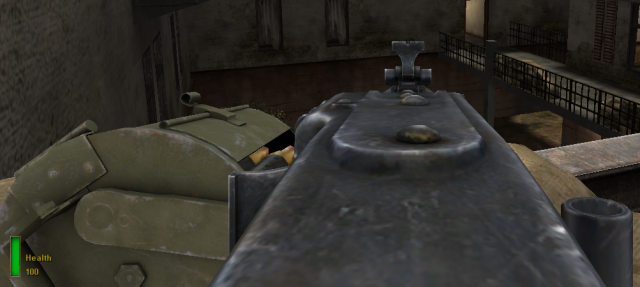
MG42_ironsights_view
Soares93's MG42 iron sights view New MG42 first person view model where it has it's sights alligned. Works better if the crossair is disabled. Animated bullet belt that feeds into the gun when you fire and reduced recoil animations so the weapon doesn't phase through your screen. This mod was uploaded so other modders can learn how to edit the MG42 and other mounted guns from the game. How to change it's rate of fire still remains a mistery. KNOWN BUGS: - The connecting point to the bypod will be different when playing in servers that are not running this mod. The rotating point will be at the center of the machine gun instead of being on the front end of the barrel. - The sights have been zeroed at the resolution 1280x768. If you play with this mod in higher resolutions the sights might not look zeroed since your game will be renderig more details. CREDITS: -The model used is from the game 'Medal of Honor: Airborne' and was ripped by the user BUTTHE4D from the website p3dm.ru (https://p3dm.ru/user/BUTTHE4D) INSTALL: -Place the zzMG42_ironsights.pk3 in the 'main' folder of your MOHAA game. UNINSTALL: -Delete/remove the zzMG42_ironsights.pk3 from the 'main' folder of your MOHAA game. Happy shooting!

Thompson Bolt
Just put on your main folder.
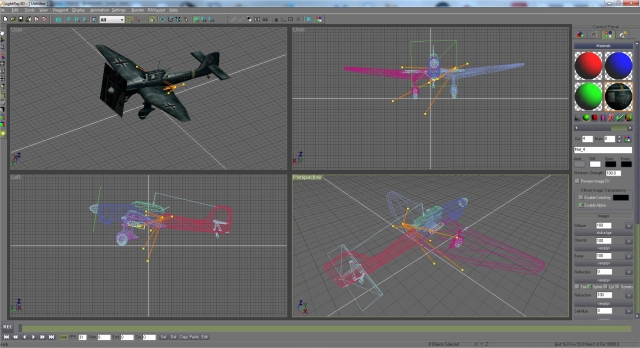
Lightray 3d V14 Registered
The registered version of Lightray 3D V1.4. Bought for the {SFX} Team by Cobs. Included in the file are: - Lightray 3D V1.4, Registered Version - LR3D V1.4 Plugins (incl. MOHAA) - LR3D V1.4 SDK - LR3D V1.4 Scripts - Text document with serial number - Tutorial documents (docx & pdf) - LR3D Windows 11 Fix (& Camera Stutter Fix) The tutorials were made by Cubus & Prometheus and converted to docx & pdf files by Shadow. The included serial will work for all versions of Lighray (You can install all versions if needed as long as theyre in seperate folders).
Lightray 3d
A NEWER and REGISTERED version can be found here: http://www.mohaaaa.co.uk/AAAAMOHAA/content/lightray-3d-v14-registered Included in this .zip file are the following files: Lightray 3D V1.3.5.exe Lightray 3D V1.3.6.exe Lightray 3D V1.4.0.exe MOH plugin V1.3.6.zip MOH plugin V1.4.0.zip LR3D Windows 11 Fix (& Camera Stutter Fix) Here's a detailed description of LightRay3D's modeling, texturing, animating and importing/exporting tools. User Interface Fully configurable viewports: sizeable,4-views,3-views,2-views,maximized 3-button mouse support, mouse scroll button support for viewport navigation Customizable keyboard shortcut keys Customizable windows and graphics Customizable toolbars All windows sizeable Easy to use Control Panel Objects Hierarchical Objects(parent,children) Meshes Deformable Skins Bones Lights: Free and targeted Light Types: Point,Spot,Directional Cameras: Free and targeted Splines: Cutmull-Rom Modeling 3D mesh primitives: Cone,Cube,Cylinder,Disc,Donut,Geosphere,Plane,Sphere,Tube 3D Text Fractal Terrain and Heightfield meshes Mesh editing tools for out-of-a-box and sketch modeling such as Divide,Weld,Extrude,Break,Attach,Detach Polygon modifiers such as Bend, Skew, Cap Holes, Noise, Spherize, Twist, Wave, Weld, Polygon Reduction and Tessalation Boolean operations on meshes Spline shapes: Corner-Curved, Lathe & Extrude to mesh tools Texturing/Materials UV mapping tool Unfold UV mapping tool Advanced UV editor Material Editor and Material List Up to 6 material channels: Diffuse,Opacity,Bump,Refraction,Reflection,Emissive Alpha channel and transparency color Animated Textures(AVI & IFL) Image file formats: PCX,BMP,JPG,TIFF,PNG,DDS,TGA,RAW Animation Standard position,rotation,scale tracks for all objects Animatable camera data Animatable light data Deformable skin objects Bones Keyframe Editor Animation toolbar for fast keyframe editing and previewing Biped bone skeleton for fast and easy character animation editing with reusable animations(own file format) Inverse Kinematics Rendering Internal Raytracer for photorealistic images Static images and video output(AVI files) POV raytracer support(static images) Video Preview using OpenGL rendered frames Scripting Scripting language based on Lua Access LightRay3D's API, to write plug-ins, tools, exporters/importers Game Engine importers/exporters Blitz3D Torque (export only) Game exporters/importers Call Of Duty 1 & 2 Half-Life 1 & 2 Doom 3 Quake 2 Quake 3 Quake 4 Return To Castle Wolfenstein Heavy Metal Fakk 2 Medal Of Honour & Spearhead 3D file importers/exporters 3D Studio Max(*.3ds) 3D Studio Max ascii(*.ASE) DirectX (*.X) Milkshape3D (*.ms3d) Milkshape3D ascii (*.txt) POV (*.pov) Lightwave (*.LWO) Wavefront (*.obj) SDK Use LightRay3D's SDK to write your own plug-ins: Modifiers Renderers Importers/Exporters Utilities Minimum System Requirements Microsoft Windows® 95/98/ME/2000/XP Intel Pentium® 166MHz processor or equivalent 32 MB of RAM 100% compliant OpenGL 3D graphics card with at least 16MB of video memory 800x600, 16 bpp display Windows® compatible Mouse and Keyboard
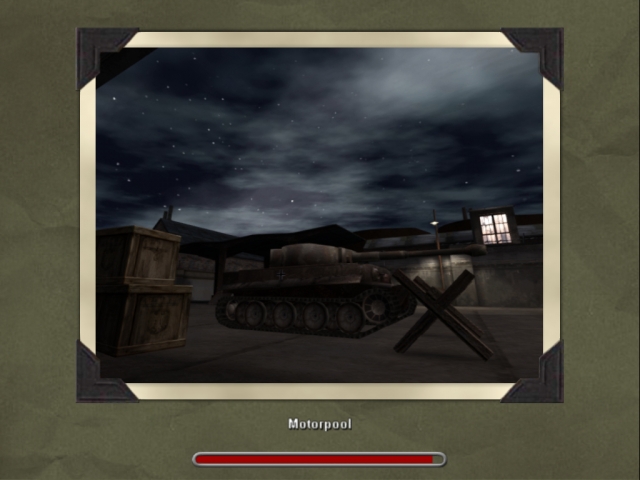
Motorpool alpha
# MOTORPOOL OBJ ALPHA ## About An unfinished atempt at making a Multiplayer Objective map based on the Singleplayer level "Sabotage the motorpool". I don't have time yet anymore to progress, but others might want to test it or do a fork. ## Included - A .bsp file to test: - only basic texturing and lightning - crude brushes - no manvis - should be playable on old hardware - testable objectives - A .map file for editing - a few custom textures/sounds, mostly made from public domain sources. ## instalation and usage Place user-motorpool-alpha.pk3 into your client main folder and also on your server main folder. For rcon enabled servers: rcon map obj/obj_motorpool_alpha ## Usage and permission Feel free to distribute, modify, and share this piece of work. ## Credits Architecture, Sounds, Textures, Scripting, are mostly from 2015 with afew new bits.
Bomb - ConterStrike
***********MODDER CREATOR******** ---------- DoubleKill ----------- ********************************* This mod is a parcial replicate of the behaviour of the Conter-Strike bomb so only one person can plant the bomb. This mod supports AA, SH and BT. ***********INSTRUCTIONS************ To run this mod you call the script on your map script or the DMprecache like this: exec global/bomb_cs.scr To enable the round to end when someone defuse the bomb set this on your server.cfg file: set cs_bomb_end_round "1" Notice: When a map dont have random locations for the bomb to spawn, the round will automatacly end. Any bugs you find on the mod, you can post on the x-null website or discord and i will help you to fix that
Snipers + Rifles Only Mod
For this script, all players can only have snipers or rifles (plus pistol & grenades), and each player is given both team's snipers or rifles. If they choose a different weapon class, the weapon is removed as soon as their hand isn't empty anymore and inventory >= 1. That should prevent most "player::Sentient::deactivateWeapon, Tried to deactivate a non-active weapon in hand 0" errors, but if you see 2+ errors after a player died, he's probably trying his hardest to drop an MG, Bazooka, etc after he spawns, before the weapon is removed (very small chance that he succeeds, if at all). Whenever a player dies with both rifles (or inventory >= 3, when players in this script start with 4), both rifles or snipers are dropped, and the extra dropped weapon can be picked up or provide ammo. Whenever a player dies with only one rifle/sniper, or with < 3 inventory items, only one other rifle/sniper drops. Two rifles should still drop if the player threw all his grenades. I didn't add the "drop the opposite team's rifle or sniper if you drop the weapon without dying". Since players already spawn with both team's rifles or snipers, it would get out of control if people keep dropping 2 rifles for each drop, then one person could drop 4 rifles when he only has 2 in his inventory
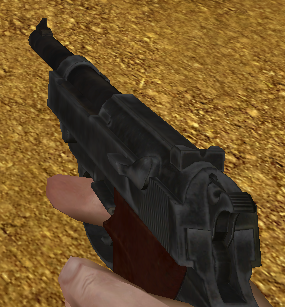
SE4-p38
Walther P38 model from 'Sniper Elite 4', taken from the website p3dm.ru INSTALL: -put the pk3 file in the 'main' folder. UNINSTALL: -remove the pk3 from the 'main' folder.
deadfall-p38
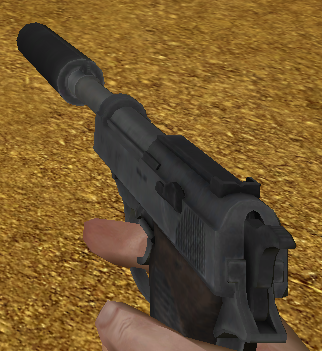
Walther P38 from the videogame 'Deadfall Adventures', model ripped by BUTTE4D from p3dm.ru INTALL; - put the pk3 file in the 'main' folder. UNINSTALL; - remove the pk3 file from the 'main' folder.
S93-springfield
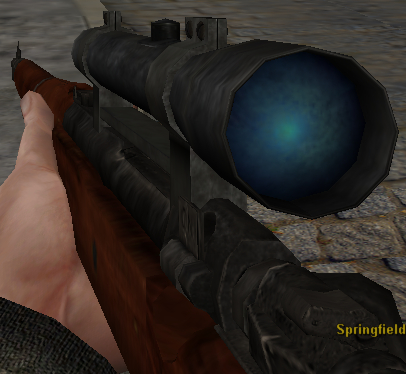
A reskined springfield from acme's Pacific Assault models. Non-scoped version included in the pk3. INSTALL: -put the pk3 file in the 'main' folder. UNINSTALL: -remove the pk3 file from the 'main' folder.
S93-m1carbine-pack
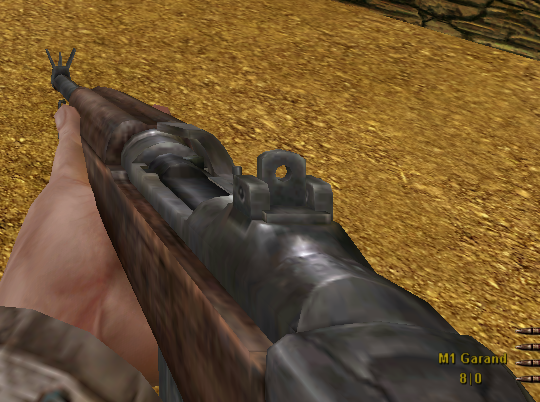
A pack of m1 carbine skins that replace the m1 garand. The skins use edited models from Dr Deletos, sounds from Hob's carbine skins, the Brothers in Arms model was ripped by BUTTHE4D from p3dm.ru and they use Darkstein's SVT40 animations. INSTALL: place one of the .pk3 files in your 'main' folder. UNINSTALL: remove the file you placed in the 'main' folder.
S93-G43
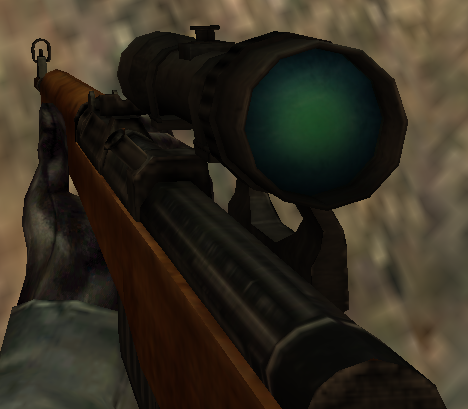
Edited model and retexture of the original G43. INTALL: place the .pk3 file in your 'mainta' or 'maintt' UNINSTALL: remove the .pke file from your 'mainta' or 'maintt' file.
Medal of Honor: Allied Assault Mods (MOHAA) — Complete Community Archive
Welcome to the premier repository for Medal of Honor: Allied Assault mods. Since the game's groundbreaking release in 2002 by 2015, Inc. and EA, MOHAA has inspired one of the longest-standing modding communities in first-person shooter history. MOH-DB preserves, categorizes, and serves over 1,600 verified community modifications, custom enhancements, and competitive utilities for Allied Assault, Spearhead, and Breakthrough.
Explore MOHAA Mod Categories
Player Skins & Uniforms
Over 700 historically accurate and creative player uniforms for Allied and Axis factions. Equip authentic U.S. Army Rangers, 101st and 82nd Airborne paratroopers, British Commandos, Soviet Red Army conscripts, Wehrmacht Heer infantry, Fallschirmjäger, and Waffen-SS camouflage patterns, as well as classic community clan skins.
Weapon Models & Reskins
Enhance your WWII arsenal with ultra-detailed weapon replacements and high-resolution textures. Popular downloads include authentic wood-finish Kar98k sniper rifles, realistic metallic sheen M1 Garand models with classic "ping" animation refinements, Thompson submachine guns, MP40s, BAR 1918 rifles, and custom iron-sight alignments.
Soundpacks & Realism Audio
Transform the sonic atmosphere of Allied Assault. Replace compressed 2002 Quake-engine sound effects with cinema-grade gunfire recordings, authentic distant artillery rumblings, terrifying Stuka dive-bomber sirens, supersonic bullet cracks, metal ricochets, and remastered German and American voice callouts.
HUDs, Menus & Crosshairs
Modernize the in-game interface for 1080p, 1440p, and 4K widescreen displays. Download minimalist competitive heads-up displays, custom dot and crosshair overlays, cleaner compass indicators, redesigned main menus, and unobtrusive health and ammunition counters favored by competitive league players.
Server Utilities & Admin Scripts
Run resilient, modern multiplayer game servers with essential server-side utilities. Includes automated map rotators, anti-cheat detection tools, voting scripts, custom match timers, ping balancers, and administrative rcon managers designed for dedicated servers running 24/7.
MOHAA Reborn 1.12 Community Patch
The gold standard community patch for modern MOHAA servers and clients. The Reborn 1.12 patch resolves legacy buffer overflows, fixes client query exploits, expands internal script limits for complex mods, and provides a built-in server browser to replace the defunct GameSpy master server.
How to Install MOHAA Mods: Quick Guide
Identify Your Target Directory
MOHAA stores all game assets in subfolders inside the root installation directory:
- MOHAA (Base):
.../MOHAA/main/ - Spearhead:
.../MOHAA/mainta/ - Breakthrough:
.../MOHAA/maintt/
Paste Without Extracting
Download the mod archive from MOH-DB. If it is zipped (.zip or .rar), extract the enclosed .pk3 file. Place this .pk3 directly into your game's /main/ folder.
How to Remove or Troubleshoot
To remove any mod, simply delete its .pk3 file from the /main/ folder. The game will immediately return to stock behavior without reinstalling.
Frequently Asked Questions about MOHAA Mods
To install MOHAA mods, copy the downloaded .pk3 file directly into your Medal of Honor Allied Assault installation folder under /main/ (or /mainta/ for Spearhead, and /maintt/ for Breakthrough). You do not need to unpack or extract the .pk3 archive—the game engine loads it automatically upon launch.