
Medal of Honor: Allied Assault Mods (MOHAA)
Discover and download community-created modifications to enhance your Medal of Honor: Allied Assault experience.
1676 Mods Found
SP MP Uber Sound Fix
A later version of the soundfix it looks like, but probably still riddled with issues [includes MP/SP maps, dmprecache, weapons, and more]. NOTE: This has been shown to fix sound issues with the weapons in SP maps (unlike some of the other soundfixes out there).
SP Sound Fix v2
sorridstroker's Single Player soundfix, for all SP maps. 2 versions are included, the original and an edited version by own3mall (where at least 1 map has been edited/fixed).
SP Dialog Sound Fix
Soundfix of Players Dialog Sound for Singleplay Maps To Install: Download the file from the link below, then place the file zzZZzz_SP_DialogSounds.pk3 into the mohaa/main folder (your medal of honor game folder inside "main" folder).
Vertex Fix
NOTE: This is not the original readme, just some info that was found about the file: Another clientside fix that improves a lot of the textures. Giffe made it and it's called 95th Vertex fix. Give it a try if you get the chance. It fixes a lot of the 'shimmering' models that mappers add in the maps. For example sandbags and bushes look a lot nicer. By: =|95th|=GenDonut [GiffE] 95thDivision.com Giff1118@gmail.com

Ww2 Loading Screens
============================================================= =====|| Medal of honor Loading Screens for Stock Maps ||===== ============================================================= This is a replacement Mod for all stock maps loading screens.( Mohdm1 to 7, objdm1 to 4 ) The loading screens are composed of images from mohaa itself and various pictures from ww 2. Bonus: ww2 posters slideshow on each screen. Better than watching the loading bar ;) Hope you enjoy the change ! Installation: Place the "zzzz_Moh_LoadScreens_v1.0.pk3" file into the MOHAA 'Main' folder. Made by Salombo: 2007 email: Salombo79@hotmail.com site: www.specwarriors.com and www.mods-r-us.net
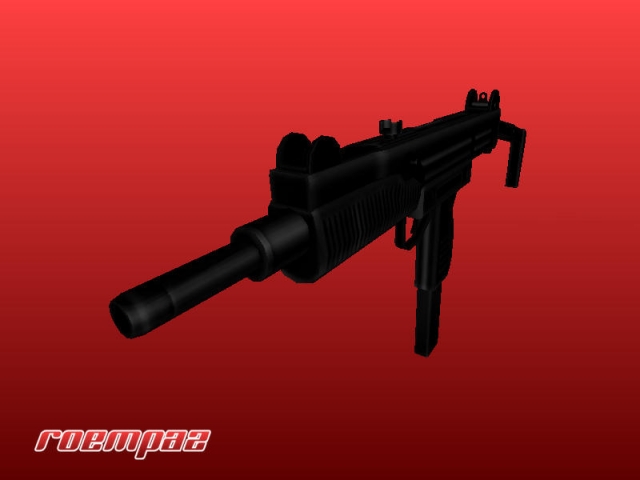
Uzi
=============================================================== Description =============================================================== An Uzi sub-machine gun that replaces the MP40. Both a standard and silenced version is included in this zip file. Features include: new animations and sounds. The NPC animations have also been tweaked. This file works best if the file is installed on both client- and server-side. Running it only client-side can make your game crash. There have not been any reports of crashing at time of release. IMPORTANT NOTE: This mod will not work properly when my MAC-11 mod (standard or silenced) is installed. This is caused by the setting of the animations. To fix this issue, copy the file *zzzzzzroempaz-mc-uzi-fix.pk3* to the directory *C:\Program Files\EA GAMES\MOHAA\main*. =============================================================== Installion =============================================================== MoH:AA - For the standard version, put the file *zzzzzroempaz-uzi.pk3* in the directory *C:\Program Files\EA GAMES\MOHAA\main* For the silenced version, put the file *zzzzzroempaz-uzi-silenced.pk3* in the directory *C:\Program Files\EA GAMES\MOHAA\main* ===============================================================
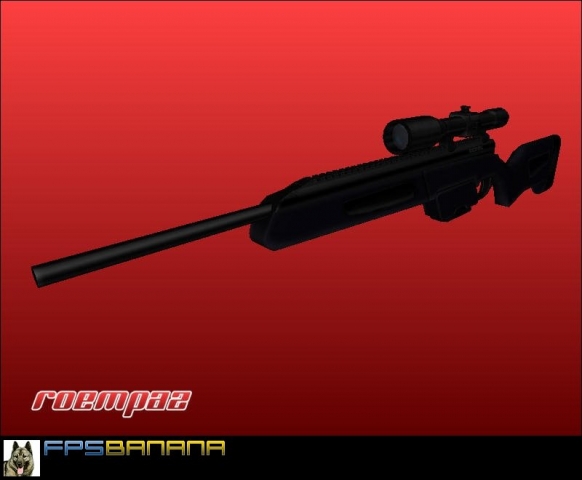
Steyr Mannlicher Scout Rifle
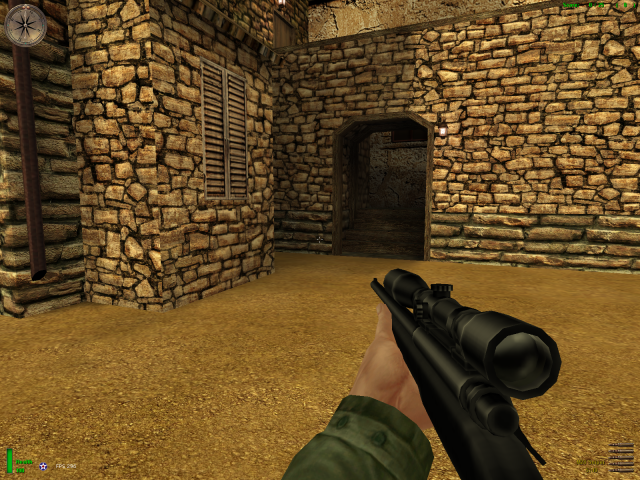
=============================================================== Description =============================================================== A Steyr Mannlicher Scout rifle that replaces both the KAR98 and the KAR98 Sniper rifle. Features include sounds and animations. This file should work 100% client-side. IMPORTANT NOTE: This mod will not work properly when my M24 sniper mod or my M16A2 is installed. This is caused by the setting of the animations. To fix this issue, copy the PK3, from the directory depending on what mods you have installed, to the directory *C:\Program Files\EA GAMES\MOHAA\main*. So for example, if you have both the M16A2 and M24 installed, copy the file from the directory 'M24 + M16A2 Fix'. If you have only the M24 installed, copy the file from the directory 'M24 Fix'. Be sure to remove previous fixes concerning the M16A2 or M24. =============================================================== Installion =============================================================== MoH:AA - Put the file *zzzzzroempaz-scout.pk3* in the directory *C:\Program Files\EA GAMES\MOHAA\main* ===============================================================
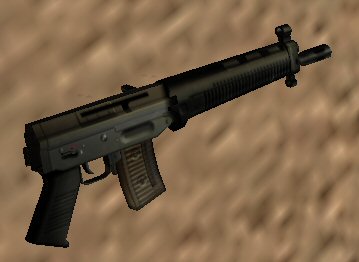
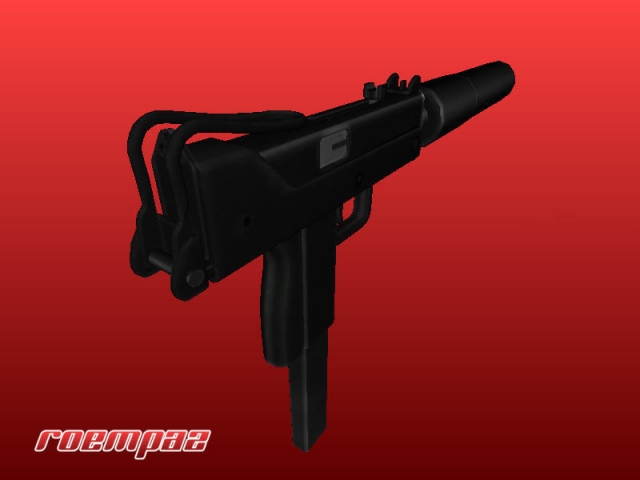
Silenced Mac 11
=============================================================== Description =============================================================== A silenced MAC-11 sub-machine gun that replaces the Thompson. It's fully automatic and has custom animations and sounds. The NPC animations have also been tweaked. This file works best if the file is installed on both client- and server-side. Running it only client-side can make your game crash. =============================================================== Installion =============================================================== MoH:AA - Put the file *zzzzzroempaz-mac11-silenced.pk3* in the directory *C:\Program Files\EA GAMES\MOHAA\main* ===============================================================
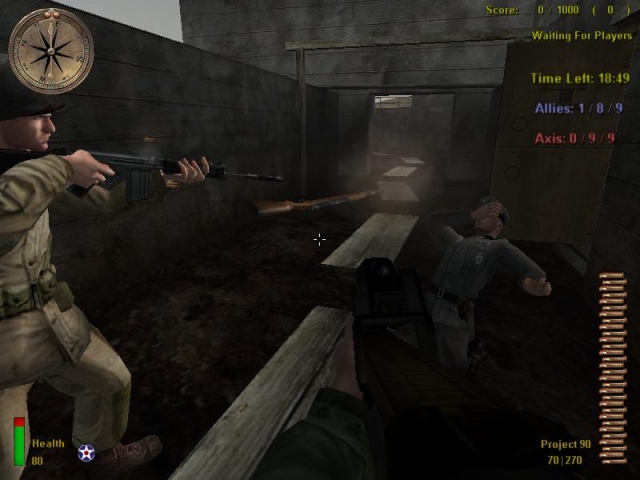
P90
Srry I hope this uploads correctly but with the spare time i gave it better accuracy and stuff like that if this doesent upload right im done with it This is the V3 my Email is Itsmedeckard@yahoo.com ok i just got new internet hope it works please lord!!!! Install in MOHHAA/Main folder this replaces thompson
Night Time Mod
Thanks for downloading my mod. Did not do much with it just thought others might enjoy all the original DM maps to be in night time mode ;) Its fun and will be a kick to play with others in a server! Feel Free to edit this mod and redistribute as you please SO LONG AS YOU KEEP MY NAME "[EOI]SuB-0" In one of the "Obj lines" in the map.scr. Thanks! Warning: This mod changes some of the Default Sky textures, this means som custom maps MAY be affected by this mod...use at your own discretion. - [EOI]SuB-0
Night Time
USAGE: exec global/NIGHT_TIME.scr before level waittill spawn. THIS WORKS WITH "ALL" MULTIPLAYER STOCK MAPS! PLEASE ALLOW 10-15 SECONDS TO CHANGE! FEEL FREE TO USE THESE SCRIPTs, BUT PLEASE DO NOT REMOVE THIS README! I "PHIL {SFX} FISHER" reserve the right to develop this script further and request that people wishing to use any part of this script within their own custom Code seek my permission first. All info regarding use/install is contained in the global script files.
Night Mod
================================================================== Medal of Honor Allied Assault Server sided all stock maps Night Mod by -D|R- PoSSe ================================================================== This mod will turn all MOHAA stock maps into night maps when typing night 1 This mod will turn all MOHAA stock maps into night maps with spotlights when typing night 2 in the console. Algiers will stay the same. It is already night. With night 2 it will have spotlights. Snowypark will turn to daylight. Yes, there are a lot of night mods out there. This mod, when turned off will put the farplane back to default settings. ================================================================== Installation Instructions ================================================================== To install the mod: 1) Unzip the pk3 file and place it in your servers main directory (This is server sided, only the server needs it to work for all on the server)) 2) To switch to night, type in console: rcon night 1 then rcon restart or wait for the next round. To switch to night with spotlights, type in console: rcon night 2 then rcon restart or wait for the next round. To switch to day, type in console: rcon night 0 then rcon restart or wait for the next round. 3) To uninstall just remove the pk3 out of your servers main directory. 4) Enjoy. -D|R- Gen. PoSSe from the Darkness Rising Clan. GlobalX@suscom.net
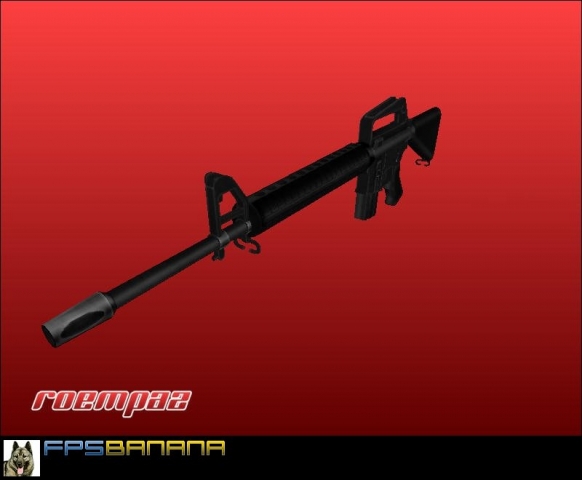
M16a2
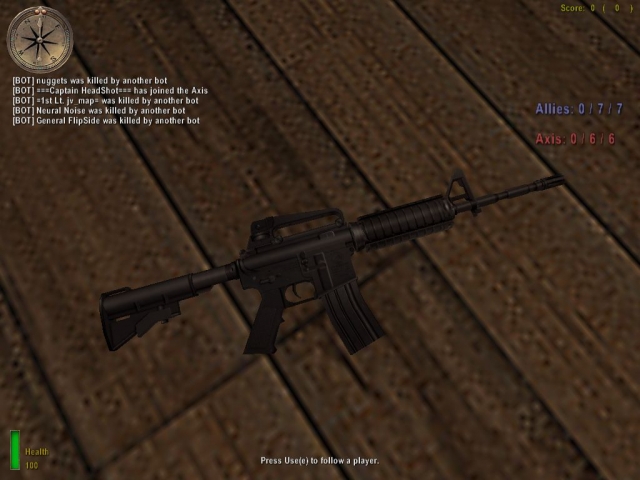
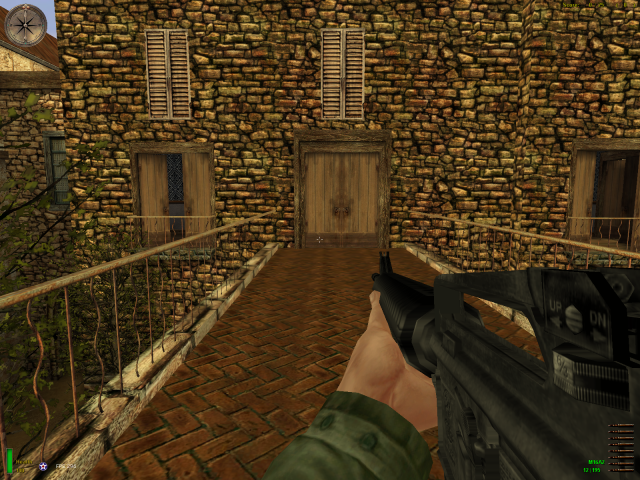
A M16A2 assault rifle that replaces the M1 Garand. It fires in semi-auto mode. Features include new sounds, animations, muzzleflash etc. This file should work 100% client-side. IMPORTANT NOTE: This mod will not work properly when my M24 sniper mod is installed. This is caused by the setting of the animations. To fix this issue, copy the file *zzzzzzroempaz-m24-m16-fix.pk3* to the directory *C:\Program Files\EA GAMES\MOHAA\main*.
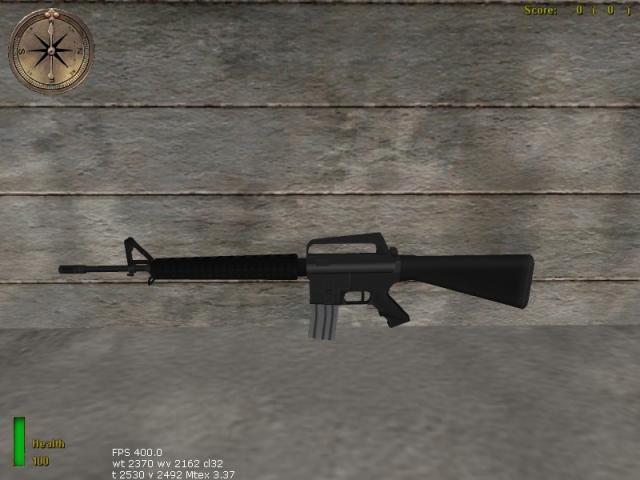
3Ds M16 Assault Rifle
3Ds M16 Assault Rifle - Readme Readme File: This is old tvw m16 i made. i didnt want it for Moh:vietnam wasnt really the quality i wanted, my old work seems a bit crappy looking back on it. replace thomspon with vietnam m16a1 for moh:aa by ElitE3D
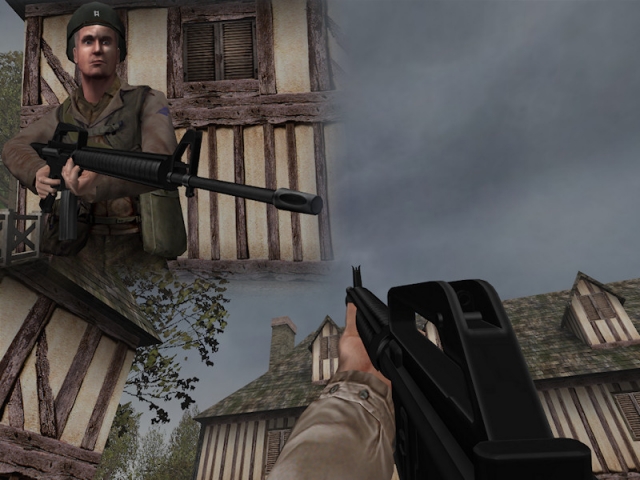
M16 1
--------------------------------------------------------------- Mod by RoempaZ - info@roempaz.com www.an-studios.com www.roempaz.com --------------------------------------------------------------- =============================================================== Description =============================================================== A M16 assault rifle which replaces the Thompson sub-machinegun. In service since 1961, the M16 is proven to be one of the most iconic weapons in the world today. This weapon can also be found in the total conversion mod "Medal of Honor Modern Conflict: Contractors" by AN Studios. =============================================================== Installion =============================================================== MoH:AA - Put the file *zuser-roempaz_m16.pk3* in the directory *C:\Program Files\EA GAMES\MOHAA\main* MoH:SH - Put the file *zuser-roempaz_m16-sh.pk3* in the directory *C:\Program Files\EA GAMES\MOHAA\mainta* =============================================================== Dev =============================================================== RoempaZ - Model, skin, animations. =============================================================== Support =============================================================== If you have any problems running this mod, go to our forums at: www.an-studios.com =============================================================== Copyright © 2008 AN Studios =============================================================== All rights reserved. All contents of this compressed file belong to RoempaZ. Taking anything from this modification without the respective authors permission is an infringement of copyright. ---------------------------------------------------------------
Medal of Honor: Allied Assault Mods (MOHAA) — Complete Community Archive
Welcome to the premier repository for Medal of Honor: Allied Assault mods. Since the game's groundbreaking release in 2002 by 2015, Inc. and EA, MOHAA has inspired one of the longest-standing modding communities in first-person shooter history. MOH-DB preserves, categorizes, and serves over 1,600 verified community modifications, custom enhancements, and competitive utilities for Allied Assault, Spearhead, and Breakthrough.
Explore MOHAA Mod Categories
Player Skins & Uniforms
Over 700 historically accurate and creative player uniforms for Allied and Axis factions. Equip authentic U.S. Army Rangers, 101st and 82nd Airborne paratroopers, British Commandos, Soviet Red Army conscripts, Wehrmacht Heer infantry, Fallschirmjäger, and Waffen-SS camouflage patterns, as well as classic community clan skins.
Weapon Models & Reskins
Enhance your WWII arsenal with ultra-detailed weapon replacements and high-resolution textures. Popular downloads include authentic wood-finish Kar98k sniper rifles, realistic metallic sheen M1 Garand models with classic "ping" animation refinements, Thompson submachine guns, MP40s, BAR 1918 rifles, and custom iron-sight alignments.
Soundpacks & Realism Audio
Transform the sonic atmosphere of Allied Assault. Replace compressed 2002 Quake-engine sound effects with cinema-grade gunfire recordings, authentic distant artillery rumblings, terrifying Stuka dive-bomber sirens, supersonic bullet cracks, metal ricochets, and remastered German and American voice callouts.
HUDs, Menus & Crosshairs
Modernize the in-game interface for 1080p, 1440p, and 4K widescreen displays. Download minimalist competitive heads-up displays, custom dot and crosshair overlays, cleaner compass indicators, redesigned main menus, and unobtrusive health and ammunition counters favored by competitive league players.
Server Utilities & Admin Scripts
Run resilient, modern multiplayer game servers with essential server-side utilities. Includes automated map rotators, anti-cheat detection tools, voting scripts, custom match timers, ping balancers, and administrative rcon managers designed for dedicated servers running 24/7.
MOHAA Reborn 1.12 Community Patch
The gold standard community patch for modern MOHAA servers and clients. The Reborn 1.12 patch resolves legacy buffer overflows, fixes client query exploits, expands internal script limits for complex mods, and provides a built-in server browser to replace the defunct GameSpy master server.
How to Install MOHAA Mods: Quick Guide
Identify Your Target Directory
MOHAA stores all game assets in subfolders inside the root installation directory:
- MOHAA (Base):
.../MOHAA/main/ - Spearhead:
.../MOHAA/mainta/ - Breakthrough:
.../MOHAA/maintt/
Paste Without Extracting
Download the mod archive from MOH-DB. If it is zipped (.zip or .rar), extract the enclosed .pk3 file. Place this .pk3 directly into your game's /main/ folder.
How to Remove or Troubleshoot
To remove any mod, simply delete its .pk3 file from the /main/ folder. The game will immediately return to stock behavior without reinstalling.
Frequently Asked Questions about MOHAA Mods
To install MOHAA mods, copy the downloaded .pk3 file directly into your Medal of Honor Allied Assault installation folder under /main/ (or /mainta/ for Spearhead, and /maintt/ for Breakthrough). You do not need to unpack or extract the .pk3 archive—the game engine loads it automatically upon launch.