
Medal of Honor: Allied Assault Mods (MOHAA)
Discover and download community-created modifications to enhance your Medal of Honor: Allied Assault experience.
1676 Mods Found
Remote Detonators
You place explosives anywhere in the map - usually somewhere you can see it from, then place the plunger in front of you, press use on it to blow up those explosives you planted - Remote Detonation Idea.
Radio Airstrike Script
Video of script executed: https://www.youtube.com/watch?v=gbhyqSHvKZ0 [u]Quote from Cobra {sfx}:[/u] [i]Right this type is a scripted Airstrike, the Radio you just get Coords on the ground where you want someone to find the Radio, Start Coord Mid Coord and End Coord are for the plane to cross the sky, so in spectate you could get coords for start say out at sea on Omaha, Mid set would be over the Beach, End set for where it goes out of the map behind Omaha and vanishes.[/i] [i]Somewhere below the Mid Coord is where it will release the Bombs (it has a timer you can adjust) so you will need the Target Coords for where you want the 2 Bombs to hit.[/i] [i]exec global/Cobra_Airstrike.scr::Radio_Airstrike [/i] [i]EG in DM2[/i] [i]exec global/Cobra_Airstrike.scr::Radio_Airstrike ( -3779 -3333 189 ) ( 0 0 -20 ) ( -4393 -8905 2166 ) ( -4223 -3419 944 ) ( -4170 4961 3274 ) ( 0 88 0 ) "7" ( -4204 -129 378 ) ( -4242 522 426 ) "6.4"[/i] [i]You would use it as an added FX script, it will just bomb the same place all the time so best used once say to drop 2 bombs on Omahas Bunkers.[/i] [b][u]What Is It?:[/u][/b] This is a Simple Walkie Talkie Called in Air-Strike, you can use as many as needed, just add more. ****************************************************************************************** features: Simple Plane Bombing Script - Plane just needs 3 coords across the map Plane will drop 2 Bombs towards your target Bomb release Timer for Fine Adjustment Plane Wait Timer (how long before it will show) Default Plane is Allied P47-ThunderBolt - can change that in this line ... $("bomber" + local.random_num) model "models/vehicles/p47fly.tik" ****************************************************************************************** Place Cobra_Airstrike.scr in your mod pk3`s global folder. Explanation: exec global/Cobra_Airstrike.scr::Radio_Airstrike (It needs the above information placed into each Map Script like in the example below) ... ******************************************************************************************* Example-(eg mohdm2.scr): main: level waitill prespawn level waittill spawn exec global/Cobra_Airstrike.scr::Radio_Airstrike ( -3779 -3333 189 ) ( 0 0 -20 ) ( -4393 -8905 2166 ) ( -4223 -3419 944 ) ( -4170 4961 3274 ) ( 0 88 0 ) "7" ( -4204 -129 378 ) ( -4242 522 426 ) "6.4" end *******************************************************************************************

Spectate Camera
_______________ Intall: _______________ Put the .pk3 into your main, mainta or maintt folder ________________ Setup: ________________ Take the map file and exec the .scr from the global file aove level waittill prespawn like so exec global/cam.scr ( origin ) x_angle y_angle_min y_angle_max z_angle so for example exec global/cam.scr ( -629 452 532 ) 38 -64 0 0 to make a still camera that does not rotate between angles simply set the y_angle_min and y_angle_max to the same value. so for example exec global/cam.scr ( 777 -425 -24 ) 25 114 114 0 also provided is a sample map file if your lost simply take a look (mohdm6) ________________ Bugs: ________________ None i am aware of so far To report any simply PM me on Mod Theater or email me i__am__canadain@hotmail.com or catch me on aol at habsey89

zzzzzzzxBobzilla_nofog_spearhead-v4.pk3
Spearhead only NO-FOG mod (server side)
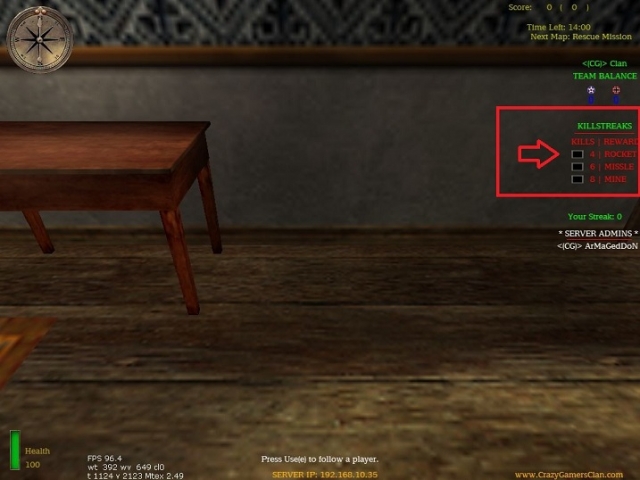
Rewards Mod
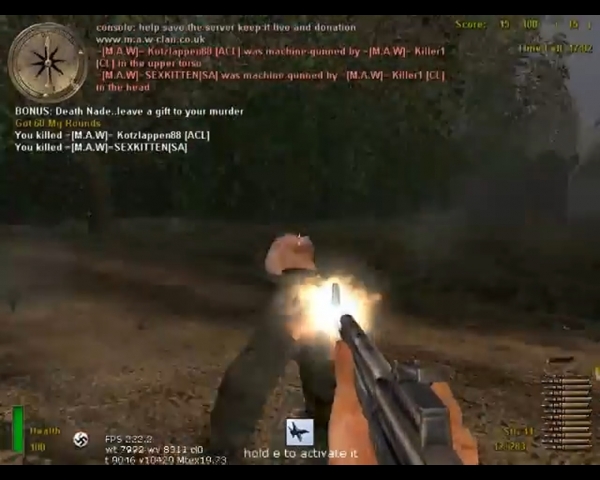
This a Rewards Mod Depending how many kills you have done in a row you get a reward like this ones: 1 - Send Air Strike to attack the enemy team ( you get the kill if you kill someone ) 2- Send Dogs to attack the other team ( you get the kill if they kill someone ) 3 - Send Helicopter Bot to attack the other team ( you get the kill if he kill someone ) Feature: When you hit someone your crosshair change. -------------- INSTAL ------------------------- Only need to put on the main folder
Bazooka Bash
A mod for SH where you can bash with your bazooka/panzerschrek (not for AA). Place in mainta in order to work.
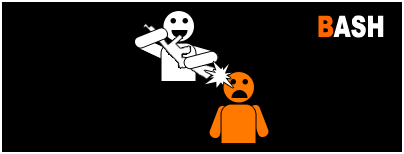
1 Bash 1 Kill SH
All weapons (that can bash) in Spearhead will now be able to kill people with just 1 bash.
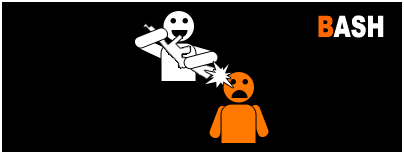
1 Bash 1 Kill AA Realism
The bashes of the pistols will now kill people with just 1 bash! The pistols in this mod are taken from the CKR (Realism) mod and thus this mod can be used without issues on any Realism server. This is NOT a pistol only mod, all weapons are available. Only the bash damage is changed.
1 Bash 1 Kill AA Default
The bashes of the pistols will now kill people with just 1 bash! The pistols in this mod are from the Default (Stock) game and thus this mod can be used without issues on any Default server. (These pistols are NOT the same ones used on Realism servers.) This is NOT a pistol only mod, all weapons are available. Only the bash damage is changed.
.jpg)
Elgbot 222 Serverside Stats
Elgbot Serverside 2.2.2 [Author: Elgan] (Unofficially updated by OwN-3m-All {minor changes only}) Elgbot is awesome, and I thank you Elgan for making one of the best mods ever! 2.2.2 [April 17, 2012] - OwN-3m-All fixed the post-round statistics HUD so that it does not display once elgbot is turned off (cvar to 0) and the map is changed. - Fix is also more efficient... HUDS are no longer continuously drawn on clients... it gets drawn once. - Fixed a few crashing events in Reborn RC3 caused somewhere in event handler scripts. (Added additional null checking... seems to have fixed the problem, will update the mod if it does not.) - Fixed strings.scr file. Was not returning lower case text with previous version... - Updated Documentation (create elgbot folder in MOHAA/MAIN directory of server and chmod 777 on the elgbot folder to save stats permanently) 2.2.1 Updated strings.scr Updated to use new strings.scr Will not , if a filename (user name) is invalid. will use IP instead. Warnings are now printed using confprint command (reborn patch) Strings.scr edited, clean_filename will not only use chars found in its safe array 2.2.0 Added intermission event from Reborn patch RC 2.5 Gamma 2.1.0 Added top players scoreboard. Prints to game chat killing sprees Simplified who killd who code. Added assists to player score display stats Fixed blank hud draw string bug on linux servers Deprecated elgbot_continuoussave. All stats now use AP style cvar saving. Added percentages to stats menu Added stat "assists" Added stat "rounds" Added stat "Team kills" Added stat "Time Played" Added awards menu on next round start for last rounds players. Added stat "kills" for each weapon, Added stat "total kills" for each weapon, Added new menu to show weapon kills and total kills with their percentage from your total kills Added KDR, kill Death Ratio Added new scoreboard information , now shows at timed events, row kills, deaths leaders, current most lethal, damaging, dangerous, accurate and deadly Added Awards system. Editable. Showing but not limited to the fllowing stats Added stat "Most Lethal" Added stat "Most Deadly" Added stat "Most Accurate" Added stat "Most Damaging" Added stat "headhunter" Added stat "Bash king" Added stat "Melt king" Added stat "Streak King" Added stat "Taget" Changed look of stats menus Optimised code for speed. Moved all saving to cvars. Removed Best kills in a row and most deaths in a row from the game hud. Feel they are nto used, and cuts down on in game hud. Added system to detect intermissions. 2.0.4 Improved performace on elgbot_continuoussave. Skipped reading, to save crashes Added abilities to see melts in more FT gametypes Added elgbot_sounds cvar to play sounds local or global 2.0.3 Added stat axis, allies. (Which team you were) Removed scrolling instructions to save crashing and lag Now use event "spawn" as well. elgbot_fnametype default is now 3. Fixed location recording bug 2.0.2 (untested, just written) Added cvar elgbot_fnametype. 1 or 2. This sets if the script should use IP's or player Names for the filename. Fixed crash with gotkills not being a player Fixed hud after a round Added stat "melts" for FT, and code for adding stats for any Mefy game type. Added cvar "elgbot_continuoussave", to save every stat change, to save stats over round based games for now. Fixed gotbash / bashed typo Changed menus to be a little nicer. Changed font size on instructions menu to be smaller and NOT virtual res Changed font on display stats to be the same as game font. Rewritten some code to make adding stats easier. Changed the player scoreboard menu for teams 2.0.1 (untested, just written) Added scoreboard menu on key bind "keyp 3" Added cvar "elgbot_announceend" Added stat "endedspree". Counts how many killing spree's you have ended. Fixed respawn debug line left behind. Fixed instructions for global 2.0 Tracks killing sprees and stats for your server Client event sounds for killing sprees and double kills. As well as headshots can be downloaded. Install --------- 1. Create a folder in your main named "elgbot" - This is for stats 2. place zz_elgbot2.pk3 in your main folder 3. Edit the server config file. NOTE; When using menus. If you are using MOHAA's flood protection sv_floodprotect Then they may act very slow. Cvars: ------- elgbot -1,0...on or off. elgbot_sounds - either 1 or 2. Will default to 1, if not set. 1 is play sounds local, 2 is play sounds global elgbot_fnametype - This must be set to 1, or 2. if left, 3 will be set by default. 1 - This will use a players IP for the stats file. 2 - This will use a players name for the stats file 3 - Use both. The players name is proceeded by the players IP. elgbot_version (You do not need to set this in console) - What version (for reading only) elgbot_dbltime - Time between double kills possible elgbot_writestats - Write stats or not? 1/0 elgbot_announce - Announce events in console on or off 1/0 elgbot_announceend - Announce the end of someoens killing spree in console on or off 1/0 An example config ------------- set elgbot "1" set elgbot_dbltime "20" set elgbot_writestats "1" set elgbot_announce "1" set elgbot_announceend "1" set elgbot_continuoussave "1" Events used ------------- disconnect connect keypress killed damage spawn intermission Conflicts ------------- This mod used strings.scr This mod used files.scr This mod used mike torso.st (for accuracy) This mod uses events Moddability ------------- This mod is very flexible. It is scripted on events and an object oriented system. This mod uses File objects, player classes and stat objects. You could easily add any stats to arrays and have them saved. THe menus are the most limiting factor, if new stats are added. They need editing. You are free to mod it as you desire. Please post in forums for help. Stats and websites ------------- Stats are saved in an ini file format. This could be read easily by any programming language. In order to store permanent statistics on the server, you must create a folder called elgbot in the MOHAA\MAIN directory on the server. This folder must then have all permissions, so chmod 777 on the elgbot folder.
Scout Mod
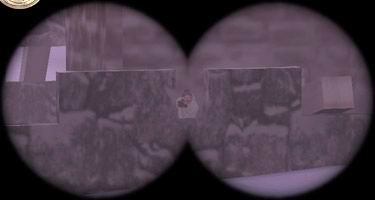
Also added within this file is: rjukanproject_scout_stock_map_modified_scripts.zip (Map scripts for all standard maps, to make them run the scout mod). MOH:AA Scout modification -------------------------------------------------------------- >>>>>>>>>>>>>>>>>>>>>>>>> ABSTRACT >>>>>>>>>>>>>>>>>>>>>>>>> INDEX >>>>>>>>>>>>>>>>>>> MODIFICATION DATA >>>>>>>>>>>>>>>>>>>>>> INSTALLATION /main folder. 2) Insert this line in your main method(before roudstart): exec global/rjukanproject_scout.scr 3) Insert this method last in your script(outside of main): clickitem_fail: exec global/rjukanproject_scout.scr::binocular_fire end 4) Done! Lets scout them out! - By default an instructional message is written on the players screens about every 15:th time the map runs(not very often). This can be changed by adding a number to the execution statement of stage 2) above. Like this: exec global/rjukanproject_scout.scr If you want the message to be more frequent, replace with a number less than 15 (Ex: The value 5 will print the message every 5:th time the map runs). The message can't be disabled completely, but using a value of, say 1000 will make the message rather infrequent. - Use the scout mod Logo in your loading screen if you want to inform the players that the mod is included. The file 'scout_mod.tga' is a 32 bit 290*160 targa image. It is rather large to allow resizing to fit your particular needs. >>>>>>>>>>>>>>>>>>>>>>>> HOW TO SCOUT >>>>>>> I FOUND AN ERROR, WHAT SHOULD I DO WITH IT? >>>>>>>>>>>>>>> KNOWN ERRORS IN VERSION 1.2 >>>>>>>>>>>>>>>>>> CHANGES IN VERSION 1.2 >>>>>>>>>>>>>>>>>> CHANGES IN VERSION 1.1 >>>>>>>>>>>>>>>>>> CHANGES IN VERSION 1.0 >>>>>>>>>>>>>>>>>> CHANGES IN VERSION BETA >>>>>>>>>>>>>>>>>>>>>>> THANX >>>>>>>>>>>>>>>>>>>>>> CONCTACT >>>>>>>>>>>>>>>>>>> NEED TO KNOW MORE? >>>>>>>>>>>>>>>>>>>>>>>>> GOODBYE
Panzerschreck No Shield
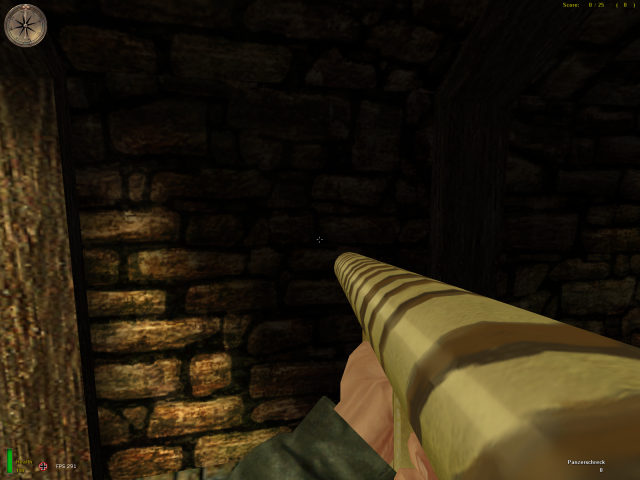
For Allied Assault, Breakthrough and Spearhead. This early panzerschreck has not a blast shield and camouflaged. The type was known as "Ofenrohr" [stovepipe] by German soldiers and historically true. I also added muzzleblast. Damage power is same. Leon leonmohpa@yahoo.com Install: for Allied Assault, copy pk3 file under Mohaa/main folder. for Spearhead, copy pk3 file under Mohaa/mainta folder. for Breakthrough, copy pk3 file under Mohaa/maintt folder. Uninstall: delete file. --------------------------------------------------------------------------------------------------------


Anti Camper Mod
mohaa Anti Camper Mod By =[TkD]= TripleSpeed955 Base Scripting by Elgan Sayer To use: just put it inside your main folder and it should wokr with all maps (maybe not some maps with edited movement)
Jims Punishments 2 Mod Menu
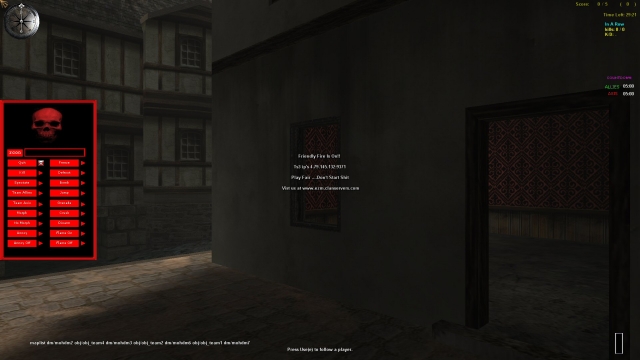
put the menu in client main folder put the jims punishment2pk3 in server main folder Here is a menu to go with Jim's Unusual Punishment 3 that I made. Not everything is in the menu Somethings don't work with the reborn patch, so I didn't added them. Inculed: 1. Jim's Unusual Punishment2.pk3 2. EZM Punishment Menu Install: 1. Put zzzzzzzzzzz_Jims_Unusual_Punishments 2.pk3 in server's mohaa/main folder 2. Put zzzzz_EZM_Punishments_Menu in client's mohaa/main folder ////////////////////////// // 18 MENU COMMANDS // //////////////////////// 1.Quit: !quit quit:quitreason ( HAS TO TYPED IN RCON ) example - !4 quit:cheating Forces a player to quit the game or forces a player to quit the game and prints a message saying he/she was forced to quit /////////////////////////////////////////////////////////////////////////////////////////////// //The following commands may be only used on active players (players that are not spectating)// ////////////////////////////////////////////////////////////////////////////////////////////// 2.Kill: !kill example - !4 kill Forces the player to kill themselves 3.Kick: !kick kick:kickreason ( HAS TO TYPED IN RCON ) example - !4 "kick:bad behavior" Kicks a player or kicks a player and prints a message saying why he/she was kicked 3.Join Team Allies: !jointeamallies Forces a player to join the team with the least players or join the team specified within the parameter 4.Join team Axis: !jointeamaXIS Forces a player to join the team with the least players or join the team specified within the parameter 5.Spectate: !spectate Forces a player to spectate 6.Take Weapons: !takeweapons Takes all weapons from a player 7.Freeze: !freeze freeze:message ( HAS TO TYPED IN RCON ) example - !4 "freeze:stop spawn killing" Stops a player from moving and makes them invincible- designed to get a players attention. Can optionally send the frozen player a message. 8.Defrost: !unfreeze Unfreezes a frozen player- makes them vunerable again and allows them to move 9.Grenade: !grenade Forces a player to pull out a grenade (even if they dont have any left in thier inventory), pull out the pin and hold the grenade until it explodes. Fustration for the target player is gaurenteed! 10.Jump: !jump Launches the player severall hundered feet into the air- gravity then takes over and consquently the player ends up very dead. The ammount a player can be launched into the air is determined by the skybox height in each map. 11.Flame on: !flameon Sets a player on fire, damaging over time until they are either extinguished or resemble a smoldering corpse. 12.Flame off: !flameoff Extinguishes a player if the flameon command has been applied to them (can also disable flames from the anticamp command momenterily) 13.Crush: !crush:10 crush:delayseconds ( HAS TO TYPED IN RCON to change time) example - !4 crush:10 Spawns a large, heavy bell over a player: it will follow them arround until the delay timer has expired- this can be set manually via the delay paramater or left at the default of 5 seconds. Once the timer expires the bell will drop- if anything gets in the way of the bell's path (such as a telephone line) the bell will not land on the player and the player will be saved. However if the bell's path is clear it will crush the player instantly, killing him/ her. 14.Bomb: !bomb:15 bomb:timeseconds ( HAS TO TYPED IN RCON to change time) example - !4 bomb:15 Attaches a bomb to a player- fuse can be set manually with the timer parameter or left at the default value of 5 seconds. On detonation bomb will kill player and no one else. 15.Annoy: !annoy Forces a player to look at random angles every 3 seconds, effectivly preventing them from moving or aiming- essentially annoying the balls off of them. 16.No annoy: !noannoy example - !4 noannoy Returns players viewing angles to normall. 17.Morph: !4 morph:DOG morph:model example - !4 morph:DOG ( HAS TO TYPED IN RCON to model) Morphs a player into a new and exciting shape- this can be controlled by the model parameter (accepted models are- tree, toilet, haystack, clock, bath and piano - toilet is selected by default). On morphing a player will loose the ability to hold or shoot a gun, will alert all players of his new shape with a dm message to all players and will essentially be nothing more than a bit of target practice until dead or until the admin reverses the morphing. 18.No morph: !nomorph example - !4 nomorph Reverses the morph command on a player and returns them to thier normal shape //////////////////////////////////////////////////////////////////////// // THESE ARE EXTRA COMMANDS NOT IN MENU BUT CAN BE USED THROUGH RCON // ////////////////////////////////////////////////////////////////////// ( NOTE: Anything with !all command I think it was.) Overview: Jim's Unusual Punishment 2 is designed to help admin a server by performing basic functions such as printing messages to players, forcing skins and weapons to advanced features such as forcing anti camping zones on players, providing spawn protection for teams, artillery strikes and then punishment commands such as bombing a player, setting a player on fire or morphing them into different objects. It provides commands for invidiual players as well as teams and all players within a server. Using the commands: Using the commands is very simple- simply log onto rcon on your server and then depending on what commands you want to send, use the following format: For invidual players: ![client number] command:commandparam examples- !4 kick !12 bomb:15 !13 "message:Please do not typekill in this server" For Teams: ![teamname] command:commandparam examples- !allies quit !axis artillery:600 !spectator "message:please join a team or be kicked for inactivity" For all players: !all command:commandparam examples- !all swapteam !all "message:This server is shutting in 10 seconds for maintaince- it will be back up in 5 minutes" Hints and tips on using the commands: The command paramaters are not normally required (see command list below for more details) but they give extra controll over certain commands Client numbers can be found by performing the status command or checking the score board - it is the number next to a player's name. It will be nessacerry to enclose any commands with spaces within thier paramaters ( " " ) to make sure they execute correctly (see the message command examples above). Remember to preceed the commands with rcon! Player commands: Lists the command name, command execution name, command execution name with parameter (if applicable), example and description. The command header !4 has been used as an example. For applying the command to particular players and teams see above- all player command may be applied globally or to any team (certain ones may not work with the team spectator, see bellow for details) but not all are recomended for team/ global execution due to the complexity of certain scripts. Name: name:playername example - !4 name:The_Trooper Forces a new name on a player. Please remember that if you want to include blank spaces in the player's new name, enclose the command and the command parameter in quotes "". Message: message:messagestring example - !4 message:hello! Prints a message to the specified player/ players. Please remember that if you want to include blank spaces in the message, enclose the command and the command parameter in quotes "". Allied skin: alliedskin alliedskin:model example - !4 alliedskin:allied_101st_captain.tik Either forces the default allied skin on a player (american_army) or forces a specified skin on a player Axis skin: axisskin axisskin:model example - !4 alliedskin:german_DDay_colonel.tik Either forces the default axis skin on a player (german_wehrmacht_soldier) or forces a specified skin on a player The following commands may be only used on active players (players that are not spectating) Drop weapon: dropweap example - !4 dropweap Forces a player to drop the weapon they are currently holding Holster: holster example - !4 holster Forces a player to holster the weapon they are currently holding Give weapon: giveweap giveweap:weaponmodel example - !4 giveweap:ger.mg Gives a player a specified weapon- accepted weaponmodel names are: us.rifle, us.sniper, us.smg, us.mg, us.rocket, us.shotgun, ger.rifle, ger.sniper, ger.smg, ger.mg, ger.rocket, ger.mortar. May be left blank - a player will be assigned a smg, depending on what team they are on. Force weapon: forceweap forceweap:weaponclass example - !4 forceweap:sniper Forces a player to use a specific weaponclass- this will affect a player when they next respawn. Either specify a weaponclass (rifle, sniper, smg, mg or heavy) or leave it blank and the player will be assigned the smg weapon class automatically. Will also print a message to the player telling him/ her what new weaponclass has been selected for them. Stuff: stuff:stufftext example - !4 "stuff:set rate 20000" Stuff's text to a player's console- ideal for forcing transfer rates, skins etc. Please note that this command allways requires a parameter and on most occasions will need to be enclosed with quotes. Type killer (SH+ only): typekiller example - !4 typekiller Designed to fight typekillers- will remove a kill from a players score, damage them by 15 and print a message from the player stating they were punished for typekilling Anti camp: anticamp anticamp:radius example - !4 anticamp:600 Places an invisible anticamp zone within the map that the player may not enter without being punished- the position of the zone is determined by the players position when the command is initially called and the size of the zone is determined by the radius parameter (can be left blank and radius will default to 400). If a player is detected within this anticamp zone, they will be set on fire until they leave the area. The anti camp zone will remain for 30 seconds. A tip on distances- they are in relation to the MOH world, not in metres etc. a rough guide for you: for a small anticamp zone use 200, medium - 400, large - 500+ Antinade: antinade example - !4 antinade This command was developed to counter player who cant/ wont use grenades as they are supposed to- ie. not constant, cooked, underarm throws. This command will force a player to use a modified grenade model that has no underarm throw and can only be cooked for 2.7 seconds with the overarm throw. No Antinade: noantinade example - !4 noantinade This will disable the antinade command for the specified player. Artillery: artillery artillery:radiusofimpact example - !4 artillery:300 Papa's got a brand new bag- artillery. This command will send 9 artillery shells randomly arround the player's origin- the radiusofimpact parameter will decide how far from the targeted player the artillery shells will hit (may be left blank, will default to 400). Shells will kill/damage the players own team. Anyone caught in the blast area will be given a few seconds warning before the artillery strikes to prepare them and allow them to seek cover (shells cannot penertate buildings etc) Special team commands: The following commands are specific to the allied or axis teams and may be executed using the !allies or !axis command headers. Bombard: bombard bombard:detectradius example - !allies artillery:300 Bombard utilises the artillery command but with a twist- it will try to calculate the biggest gathering of players (on the specified team) within the detectradius (this can be specified through the command parameter or left at the default of 450). The artillery stike will be centered arround the player that has been determined to have the largest collection of players arround him/ her. Read the artillery command above for more info. Spawn protect: spawnprotect spawnprotect:timeinseconds example - !axis spawnprotect:15 This command helps a team defend thier spawn site by making them invincible (either for the ammount of time in seconds specified by the command parameter or the default value of 10). Only players who have recently spawned (last 20 seconds) will be turned invincible, however if a player should die and respawn and the spawnprotect is still in effect, they will repsawn invincible for the remainder of the time. Players are surrounded in a yellow (ish) glow and all players are notified of the team's invinvibility. Special global commands: The following commands are applied globally, using the !all command header. Message: message:message example - !all "message:cheating is not tollerated" This will print a global message instead of forcing each player to print the same message to themselves. Swap Teams: swapteams example - !all swapteams Will swap players on the allied/ axis teams arround- usefull for clan matches etc.
Ping Function Script
/************************************************************************************ global/functions/ping.hal -=-=-=-=-=-=-=-=-=-=-=-=- by Hal / @(...:.:...)@ 06/07/06 1st.regiment@gmail.com http://www.modtheater.com/forum/member.php?u=5281 ========== Info ========== Ping script for testing. I duno what kind of numbers it will spit out. :S ========== Cvars ========== All cvars start with "sv_ping_" so if you forget a cvar, and the script is running localy you can type "sv_ping" in the console, then press tab to see the cvars starting with that. "sv_ping_start" Set to 1 to ping all players on the server once. The script stops after pinging everyone. Don't set this in the cfg, just set it through RCON when you wish to ping everyone. "sv_ping_stufftext" Makes the player say what ping he has with stufftext after the script has pinged him. Set to 0 to turn off reporting with stufftext. It will report with stufftext by default unless you set it to 0. "sv_ping_fps" This is an important cvar to set. This controlls how acurate the ping result will be. This is the number of frames / second the server will process wile pinging a player. This must be 20 or more. I recomend 80 or more which is default if you don't set it. 80 = 12.5ms acuracy 200 = 5ms acuracy You work out the acuracy by dividing 1000 by your chosen fps rate. (1000 / 80 = 12.5). Note - The server is returned to normal 20 frames/ second after pinging each player. "sv_ping_timeout" This controlls how long the script will wait for a ping response before giving up. This also acts to prevent an infinate loop, in the event of a player leaving the server, or the script losing track of the player somehow. Must be more than 0 and less than 20. I recomend 2 seconds which is default if you don't set it. ************************************************************************************ */
Medal of Honor: Allied Assault Mods (MOHAA) — Complete Community Archive
Welcome to the premier repository for Medal of Honor: Allied Assault mods. Since the game's groundbreaking release in 2002 by 2015, Inc. and EA, MOHAA has inspired one of the longest-standing modding communities in first-person shooter history. MOH-DB preserves, categorizes, and serves over 1,600 verified community modifications, custom enhancements, and competitive utilities for Allied Assault, Spearhead, and Breakthrough.
Explore MOHAA Mod Categories
Player Skins & Uniforms
Over 700 historically accurate and creative player uniforms for Allied and Axis factions. Equip authentic U.S. Army Rangers, 101st and 82nd Airborne paratroopers, British Commandos, Soviet Red Army conscripts, Wehrmacht Heer infantry, Fallschirmjäger, and Waffen-SS camouflage patterns, as well as classic community clan skins.
Weapon Models & Reskins
Enhance your WWII arsenal with ultra-detailed weapon replacements and high-resolution textures. Popular downloads include authentic wood-finish Kar98k sniper rifles, realistic metallic sheen M1 Garand models with classic "ping" animation refinements, Thompson submachine guns, MP40s, BAR 1918 rifles, and custom iron-sight alignments.
Soundpacks & Realism Audio
Transform the sonic atmosphere of Allied Assault. Replace compressed 2002 Quake-engine sound effects with cinema-grade gunfire recordings, authentic distant artillery rumblings, terrifying Stuka dive-bomber sirens, supersonic bullet cracks, metal ricochets, and remastered German and American voice callouts.
HUDs, Menus & Crosshairs
Modernize the in-game interface for 1080p, 1440p, and 4K widescreen displays. Download minimalist competitive heads-up displays, custom dot and crosshair overlays, cleaner compass indicators, redesigned main menus, and unobtrusive health and ammunition counters favored by competitive league players.
Server Utilities & Admin Scripts
Run resilient, modern multiplayer game servers with essential server-side utilities. Includes automated map rotators, anti-cheat detection tools, voting scripts, custom match timers, ping balancers, and administrative rcon managers designed for dedicated servers running 24/7.
MOHAA Reborn 1.12 Community Patch
The gold standard community patch for modern MOHAA servers and clients. The Reborn 1.12 patch resolves legacy buffer overflows, fixes client query exploits, expands internal script limits for complex mods, and provides a built-in server browser to replace the defunct GameSpy master server.
How to Install MOHAA Mods: Quick Guide
Identify Your Target Directory
MOHAA stores all game assets in subfolders inside the root installation directory:
- MOHAA (Base):
.../MOHAA/main/ - Spearhead:
.../MOHAA/mainta/ - Breakthrough:
.../MOHAA/maintt/
Paste Without Extracting
Download the mod archive from MOH-DB. If it is zipped (.zip or .rar), extract the enclosed .pk3 file. Place this .pk3 directly into your game's /main/ folder.
How to Remove or Troubleshoot
To remove any mod, simply delete its .pk3 file from the /main/ folder. The game will immediately return to stock behavior without reinstalling.
Frequently Asked Questions about MOHAA Mods
To install MOHAA mods, copy the downloaded .pk3 file directly into your Medal of Honor Allied Assault installation folder under /main/ (or /mainta/ for Spearhead, and /maintt/ for Breakthrough). You do not need to unpack or extract the .pk3 archive—the game engine loads it automatically upon launch.