
Medal of Honor: Allied Assault Mods (MOHAA)
Discover and download community-created modifications to enhance your Medal of Honor: Allied Assault experience.
1676 Mods Found
Automatic Spawn Creator
Sorridstroker wrote a little script to help with this. will work on AA,SH or BT HOW TO USE: freeforall spawns: load up your map as freeforall teamspawns: load up your map as any other gametype. ---------------------------------------------- Join axis for axis spawns and allies for allie spawns. give the script a few seconds to become active - (read on screen instructions) run to your first choice of spawn point angle yourself as you want the spawn to appear. press use for 1 second. a player model is spawned in your position and angle you will not be able to "double spawn" a model or spawn a second model within 16 units of that one. finish creating all your spawns for both teams. when you are happy just press fire for a couple of seconds. wait till the messages come up on screen telling you the log write was succesfull. quit the game - open your qconsole.log copy the info out of there and paste into your script. done! If you want team specific targetnames on your spawnpoints please change the settings.txt file You do need to have developer mode on for this mod to work (Mpowell1944 found this out) example code out of qconsole.log: Code: main: // // // level.axis = spawn info_player_axis origin ( 0.000 3728.000 -479.875 ) angle ( 325.767 ) level.axis = spawn info_player_axis origin ( 252.627 3649.608 -479.875 ) angle ( 346.630 ) level.axis = spawn info_player_axis origin ( 380.948 3974.963 -447.875 ) angle ( 98.778 ) level.axis = spawn info_player_axis origin ( 509.667 4519.838 -447.875 ) angle ( 90.379 ) level.axis = spawn info_player_axis origin ( 505.491 5010.277 -447.875 ) angle ( 102.085 ) level.axis = spawn info_player_axis origin ( 469.172 5465.022 -447.875 ) angle ( 98.778 ) // level.allied = spawn info_player_allied origin ( -3454.784 4602.881 -455.875 ) angle ( 280.767 ) level.allied = spawn info_player_allied origin ( -3377.214 4204.366 -455.875 ) angle ( 109.891 ) level.allied = spawn info_player_allied origin ( -3524.121 4442.378 -455.875 ) angle ( 330.364 ) level.allied = spawn info_player_allied origin ( -3322.896 4441.988 -455.875 ) angle ( 169.969 ) level.allied = spawn info_player_allied origin ( -3372.191 3814.368 -455.875 ) angle ( 91.802 ) level.allied = spawn info_player_allied origin ( -3470.872 4083.214 -455.875 ) angle ( 99.921 ) level.allied = spawn info_player_allied origin ( -3025.610 4503.884 -455.875 ) angle ( 346.262 ) // end Edit: got rid of a few glitches improved it slightly. you can now turn mod on or off via settings.txt you can turn help messages on or off via settings.txt you can turn targetnames on or off via settings.txt improved printout to log. the settings.txt now needs to be in your main/mainta/maintt (which ever apllies to you) this makes it easier to edit :) thanks to bdbodger and rindog whose scripts helped me make this mod.
Invader Origin Creator
This tool was created to create origin (spawn) points for the Invader Gametype, however it might be useful for other purposes as well to people. A Readme file of the gametype and how to make it work (including this tool) has been added within the pk3 (so open up the pk3 to view it), a short piece of the readme has been added below (couldn't add all due to pictures): Let’s do the switch first: Start your map of choice (Algiers) run to the place you want your switch and open your console, type in coord. You can usually add 50 or so to the z value the x and y you will have to tweak until you are happy with the location. The coord values go in the local.ent origin data field, also assign the correct angles, and leave the targetname exactly as it is (InvaderSwitch). Switch Origins (used as spawn points): I have created a mod/tool to make it easy to retrieve this data from in game (this is included with this release). Put the “zzz_origincreator.pk3” into your game folder and start your map. Run to your switch location and start pressing your use key wherever you want a spawn point to be, After you have created 20 spawn points for that switch and you are happy with the results press fire. This will print out all the data to your “qconsole.log” in your game folder, once it tells you it has “Done” simply quit your game.
Player Locator Info
Usefull for modders ! Display of current player location and facing angles, and other misc info . Developed by ScorpioMidget. Paste it in your demott and put this after 'level waittill spawn' in the main map script : // pass parameters, (player number) (message delay in seconds) exec global/player_info.scr::position_and_angle 1 0.5
Auto Team Balancer
=========================== Auto Team Balancer Version 0.3.2.1 27 July 2006 =========================== Description: -------------- The main idea of this mod is to even the teams automatically without the need of the players doing anything. You can set the script to only dead players are moved meaning you will never be moved whilst beingin a fire-fight. The config file allows you to be able to personalise the mod. Install: -------------- Place the pk3 (server-auto_team_balancer_v0321_b.pk3) into the Main folder. Place the config (urm_tb_config.txt) into the Main folder. Edit the config file to your specification. Uninstall: -------------- Remove the pk3 (server-auto_team_balancer_v0321_b.pk3) from the Main folder. Remove the config (urm_tb_config.txt) from the Main folder. Comments/Suggestions: -------------- Send all comments to "demon@unrealmod.co.uk", OR Register at The Modding Theater (TMT) "http://www.modtheater.com", THEN Reply at "http://www.modtheater.com/forum/showthread.php?t=29001". Thanks for downloading, Unreal_Demon Unrealmod.co.uk
Headshot Animations
Title: Moh:AA Server Side Headshot Animations Date: 06:05 25/12/2007 by: Elgan Sayer Youtube Example: http://uk.youtube.com/watch?v=RajMd970JX0 Forums: www.mods-r-us.net www.motheater.com http://map.planetmedalofhonor.gamespy.com/mohaa/ Modders info: ---------------------------- SH is possible, You have to first create a state for each head death animation. See mike_torso.st. Then you must set its entrycommands to exec global/headshot.scr with the animation name. Then you must edit the shared anims folder and add whatever blood effects you want to the anims client section. Then you must add all the helmet and hat surfaces to be hidden in headshot.scr. Go through all the characters with helmets. Find their surfacs. Where it says: (using hat as an example surface) surface hat blue_one hat is your surface. So, add it to the list how the others are hidden in headshot.scr Any problems just ask, im sure you can work it out if your trying tho. In order to test. I setup myself a loop when use is pressed, play a death state from above using forcetorsostate. Then it will play the anim i want. Remove the cam douse and self.origin setting in the headshot.scr so u can view yourself. ---------------------------- How it works: It works by hiding the head of a spawned actor and then thet actor plays your death. While your body is hidden below the map. A camera is spawned to replace your view. When you spawn, your body moves, so the cam releases. It is possible to make the actors never fade away by removing the commanddelay line in the global/headshot.scr About: This mod will make the head of the player, when shot in the head.Explode! It works by hiding the head of a spawned actor and then thet actor plays your death. While your body is hidden. This mod also contains state file fixes from AdminPro. * MG42 Team Swap fix * Ladder Team Swap fix * MG42 Crouching Fix * Land Shark Fix * Grenade Drop Fix * Fps crash fix Before Install: This mod will conflict with Both state files and also uses an editied anims_shared.txt file. If you have conflicts, Please visit one of the forums above. It is likely to conflict with mods such as Admin pro, Foresight, Other admin mods. Mods that edit player animations, or weapon select mods, If its foresight, just delete foresight and u will be fine :P Install: 1. Place the pk3 in your main dir. 2. Boot game. Uninstall: 1. Delete it. 2. Boot game. Thank to cobra for help test:P
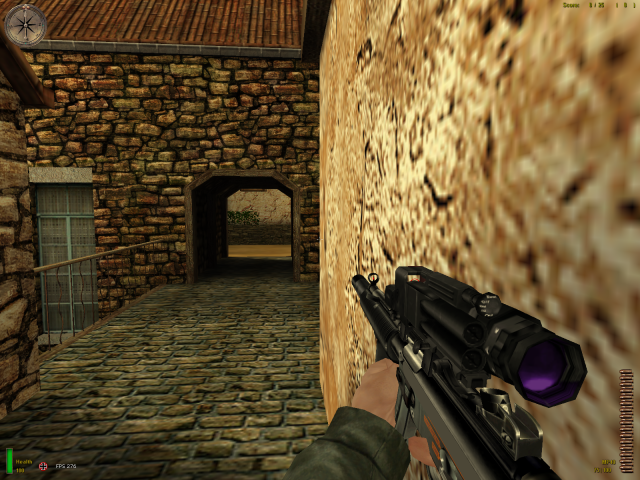
Mp40 Replacement
This weapon was taken from the City Nights Mod. It replaces the German MP40. There are two files, one for AA and one for SH. The SH file is not mine, the AA file I made compatible with AA. I take no credit in the making of this incredibly cool looking weapon. I merely made it work in AA for other people like me who want modern weapons to replace the old ones :) Give credit to the talented CN guys, They take the time to develop these weapons and share them with us!!! Place in your main or mainta folder and enjoy! Mr. Flibble
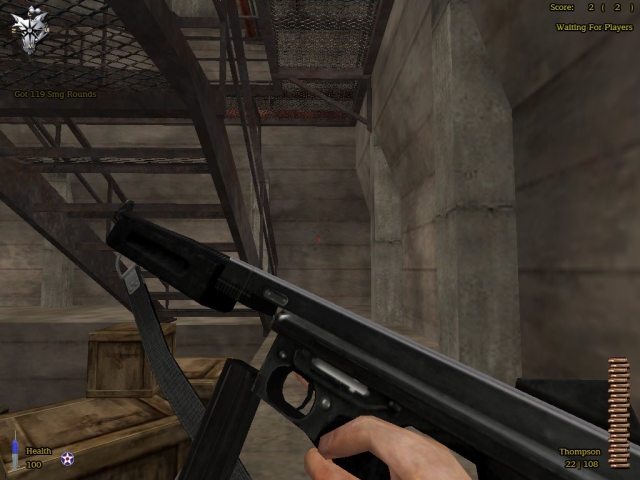
27a1 Commando Thompson
Just a custom thompson modeled after pic. Special thx To Hobbs For use of his strap. email flakrider@hotmail.com
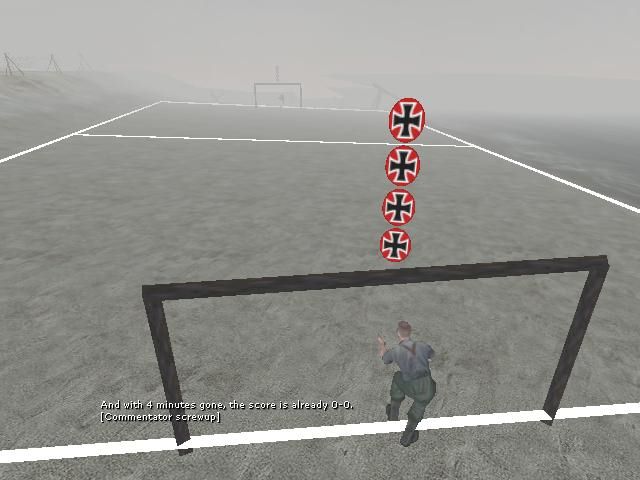
Bot Menu v2
Botmenu version 2, for jv_map bots. by Ric-hard http://www.ric-hard.tk U nead to bind it to a key, bind keyofyourchoice togglemenu bmv2
Farting Sound Health Pack
Whenever you step over / grab a health pack, you'll make/hear a farting sound.
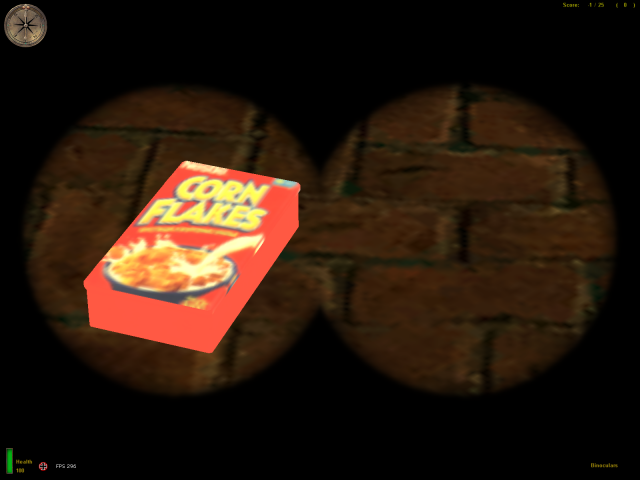
Cornflakes Health Pack
File : Rookie One's Healthpack Mod Author : Rookie One Version : 0.1 Release Date : 10.02.2003 Description : This mod changes the healthpacks. You have a box of corn flakes instead of the medkit :) (with appropriate sound! :D ) and a bottle of vodka instead a bottle of water :P (with a sound, too! :PPP )! Enjoy! :) Installation : Just put the .pk3 file into your MoHAA/main directory. Version history : 0.1 First version. Contact : Email : rookie_one@wp.pl ICQ : 146098049 YIM : rookie_one26 MSN/Windows Msg : es_rookie_one@hotmail.com -------------------------------------------------------------------- This mod may not be edited without my permission.
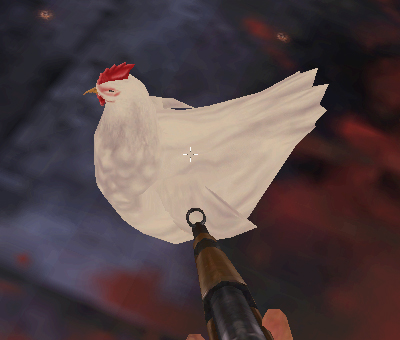
Sabotaged Rockets
//\\//\\//\\//\\//\\//\\//\\//\\//\\//\\\//\\//\\//\\//\\//\\//\\//\\//\\//\\//\\//\\//\\//\ //\\//\\//\\//\\//\\//\\//\\//\\//\\//\\\//\\//\\//\\//\\//\\//\\//\\//\\//\\//\\//\\//\\//\ Cedric's Sabotaged Rockets Mod for MOHAA //\\//\\//\\//\\//\\//\\//\\//\\//\\//\\//\\//\\//\\//\\//\\//\\//\\//\\//\\//\\//\\//\\//\\ //\\//\\//\\//\\//\\//\\//\\//\\//\\//\\//\\//\\//\\//\\//\\//\\//\\//\\//\\//\\//\\//\\//\\ Created by (who else?) Cedric! - www.geocities.com/cedricsmods This mod is an anti-rockect mod with a twist...the rocket launchers seem normal (normal runspeed, ammo, etc.) but when you try to fire one, it blows up in you face! This mod will work along with CKR 1.1, CBW1a, and Cedric's Realism. HOW TO USE: Simply place the pk3 file in your "MOHAA\MAIN" directory, and remove it from the directory if you want to disable the mod/skin. Thanks to Bits and Crow King for making a very helpful modding guide! //\\//\\//\\//\\//\\//\\//\\//\\//\\//\\\//\\//\\//\\//\\//\\//\\//\\//\\//\\//\\//\\//\\//\ //\\//\\//\\//\\//\\//\\//\\//\\//\\//\\\//\\//\\//\\//\\//\\//\\//\\//\\//\\//\\//\\//\\//\ Questions or comments - cedricsmods@yahoo.com - Don't use my stuff without permission! You may distribute these files, but you must not alter them and you must include this readme.
Potato Gun Mod
//\\//\\//\\//\\//\\//\\//\\//\\//\\//\\\//\\//\\//\\//\\//\\//\\//\\//\\//\\//\\//\\//\\//\ //\\//\\//\\//\\//\\//\\//\\//\\//\\//\\\//\\//\\//\\//\\//\\//\\//\\//\\//\\//\\//\\//\\//\ Cedric's Potato Gun Mod for MOHAA //\\//\\//\\//\\//\\//\\//\\//\\//\\//\\//\\//\\//\\//\\//\\//\\//\\//\\//\\//\\//\\//\\//\\ //\\//\\//\\//\\//\\//\\//\\//\\//\\//\\//\\//\\//\\//\\//\\//\\//\\//\\//\\//\\//\\//\\//\\ Created by (who else?) Cedric! - www.geocities.com/cedricsmods This mod changes rockects into potato guns...all rockets do 1 damage but have 99 ammo and have HUGE blowback. This mod will work along with CKR 1.1, CBW1a, and Cedric's Realism. HOW TO USE: Simply place the pk3 file in your "MOHAA\MAIN" directory, and remove it from the directory if you want to disable the mod. Thanks to Bits and Crow King for making a very helpful modding guide! //\\//\\//\\//\\//\\//\\//\\//\\//\\//\\\//\\//\\//\\//\\//\\//\\//\\//\\//\\//\\//\\//\\//\ //\\//\\//\\//\\//\\//\\//\\//\\//\\//\\\//\\//\\//\\//\\//\\//\\//\\//\\//\\//\\//\\//\\//\ Questions or comments - cedricsmods@yahoo.com - Don't use my stuff without permission! You may distribute these files, but you must not alter them and you must include this readme.
Player Speccing
2\14\12 - Updated and packaged by armageddon To make this work, you must be logged in as Admin using the Reborn admins.ini file, and using Reborn 2.5 Gamma+ Then, in the game, if you want to watch player number 7 for example. type in console : keyp 1007 if you want to watch player number 14 for example. type in console : keyp 1014 ,etc... It would be easier to put this command in an admin menu. For client 7, stuffcommand keyp 1007 or client 14 stuffcommand keyp 1014, etc... To stop watching a player, press the Use key or Mouse button. I made the keyp 1000-1031 for a 32 slot server in global/keypresshandler.scr If you are using global/dmprecache.scr for other mods, then add this line to it. Code: local.result = registerev "keypress" global/keypresshandler.scr //This will let Reborn know to execute that .scr file whenever a client sends a keyp command. 2\13\12 This is Elgan's work (Nice job Elg), with the help from the team for brainstorming... Here we go.. @Elgan, if you need me to update this post, just let me know! ----------------------------------------------------------------------- NOW THIS.... should give the admin a message when the spectated , suspected player is looking / aiming/ firing at a player...and through a wall.. "aiming at playername through wall" "firing at playername through wall" or just "aiming at playername" "firing at playername" ...now this I did through on my bros moh to quickly test..it sort is ok but a bit crude...not brilliant detection.
Boiler Room Weapon Select Mod
// ********************************************************************** // Stalingrad: Weapon Select Boiler Room // Version 1.0 (01-07-12) // By Darren Reeves (SplatterGuts) // web: www.clanbrats.org // email: dr143655@gmail.com // You are free to modify and redistribute as long as you keep these // credits. // ********************************************************************** // Read Me: // This mod adds triggers to Stalingrad (mohdm6) in MOHAA (Has not been // tested with SH or BT) that when activated switch the players weapons // to the weapon that has been set. After touching the trigger, you can // turn on a "Weapon Change Protection" that will protect the player // for two seconds to get out his/her new weapon. Should the player // exit the Boiler Room, they will walk over another trigger to restore // their original weapons. To set what weapons they will recieve after // touching the second trigger, edit the "BR-Settings.txt" file. You // can toggle on and off the "Weapon Change Protection" as well as the // option of showing the players the triggers (shown by fx/carona // models on the ground at each trigger) in the map. These settings are // either 1 for on, or 0 for off. Set them in the "BR-Settings.txt" // // To Install: Place "zzzzz_BoilerRoomWeaponSelect-SP2.pk3" and // "BR-Settings.txt" into your mohaa/main folder on the server. // // To Uninstall: Remove the files from your mohaa/main folder. // // Completed 01-07-12. SplatterGuts. // ********************************************************************** // If you have any questions or comments about this mod, please email me // at the email listed above. Thank you! // ********************************************************************** main: waitexec BR-settings.txt::cvars if (int(getcvar(Show)) == 1) thread Show_In_and_Out thread stali_boiler_triggers end stali_boiler_triggers: //IN Back door Trigger (North Side) local.trig11 = spawn trigger_multiple local.trig11.origin = ( 728 18 -151 ) local.trig11.angles = ( 0 180 0 ) local.trig11 setsize ( -40 -40 -10 ) ( 40 40 10 ) local.trig11 targetname in_trig_stali_1 local.trig11 setthread BR_loadout local.trig11 delay 0 //IN Front door Trigger (South Side) local.trig12 = spawn trigger_multiple local.trig12.origin = ( 550 112 -151 ) local.trig12.angles = ( 0 0 0 ) local.trig12 setsize ( -40 -40 -10 ) ( 40 40 10 ) local.trig12 targetname in_trig_stali_2 local.trig12 setthread BR_loadout local.trig12 delay 0 //IN Side door Trigger (East Side) local.trig13 = spawn trigger_multiple local.trig13.origin = ( 97 -546 -151 ) local.trig13.angles = ( 0 0 0 ) local.trig13 setsize ( -40 -40 -10 ) ( 40 40 10 ) local.trig13 targetname in_trig_stali_3 local.trig13 setthread BR_loadout local.trig13 delay 0 //IN Top door Trigger (Top North Side, Locker room) local.trig14 = spawn trigger_multiple local.trig14.origin = ( 539 111 32 ) local.trig14.angles = ( 0 0 0 ) local.trig14 setsize ( -40 -40 -10 ) ( 40 40 10 ) local.trig14 targetname in_trig_stali_4 local.trig14 setthread BR_loadout local.trig14 delay 0 // or make the setthread exec my weapons mod??? //OUT Back door Trigger (North Side) local.trig1 = spawn trigger_multiple local.trig1.origin = ( 828 18 -151 ) local.trig1.angles = ( 0 180 0 ) local.trig1 setsize ( -40 -40 -10 ) ( 40 40 10 ) local.trig1 targetname out_trig_stali_1 local.trig1 setthread normal_loadout local.trig1 delay 0 //OUT Front door Trigger (South Side) local.trig2 = spawn trigger_multiple local.trig2.origin = ( 450 112 -151 ) local.trig2.angles = ( 0 0 0 ) local.trig2 setsize ( -40 -40 -10 ) ( 40 40 10 ) local.trig2 targetname out_trig_stali_2 local.trig2 setthread normal_loadout local.trig2 delay 0 //OUT Side door Trigger (East Side) local.trig3 = spawn trigger_multiple local.trig3.origin = ( -7 -548 -151 ) local.trig3.angles = ( 0 0 0 ) local.trig3 setsize ( -40 -40 -10 ) ( 40 40 10 ) local.trig3 targetname out_trig_stali_3 local.trig3 setthread normal_loadout local.trig3 delay 0 //OUT Top door Trigger (Top North Side, Locker room) local.trig4 = spawn trigger_multiple local.trig4.origin = ( 439 111 32 ) local.trig4.angles = ( 0 0 0 ) local.trig4 setsize ( -40 -40 -10 ) ( 40 40 10 ) local.trig4 targetname out_trig_stali_1 local.trig4 setthread normal_loadout local.trig4 delay 0 end Show_In_and_Out: //IN-OUT Back (North Door) local.orb = spawn script_model local.orb model "fx/corona_red.tik" local.orb.origin = ( 728 18 -151 ) local.orb notsolid local.orb = spawn script_model local.orb model "static/corona_orange.tik" local.orb.origin = ( 828 18 -151 ) local.orb notsolid //IN-OUT Front (South Door) local.orb = spawn script_model local.orb model "fx/corona_red.tik" local.orb.origin = ( 550 112 -151 ) local.orb notsolid local.orb = spawn script_model local.orb model "static/corona_orange.tik" local.orb.origin = ( 450 112 -151 ) local.orb notsolid //IN-OUT Side (East Door) local.orb = spawn script_model local.orb model "fx/corona_red.tik" local.orb.origin = ( 97 -546 -151 ) local.orb notsolid local.orb = spawn script_model local.orb model "static/corona_orange.tik" local.orb.origin = ( -7 -546 -151 ) local.orb notsolid //IN-OUT Top (Top Door) local.orb = spawn script_model local.orb model "fx/corona_red.tik" local.orb.origin = ( 539 111 32 ) local.orb notsolid local.orb = spawn script_model local.orb model "static/corona_orange.tik" local.orb.origin = ( 439 111 32 ) local.orb notsolid end BR_loadout: local.player=parm.other if(local.player.sniper!=1) { local.player.sniper=1 local.player waitexec BR-settings.txt::boiler_weapons if (int(getcvar(change_protect)) == 1) thread change_protect } end normal_loadout: local.player=parm.other if(local.player.sniper==1) { local.player.sniper=0 local.player waitexec BR-settings.txt::normal_weapons if (int(getcvar(change_protect)) == 1) thread change_protect } end change_protect: local.player = parm.other local.player nodamage wait 2 local.player takedamage local.player stufftext "locationprint 500 50 Protection-Off"// end
Fire Effect Mod
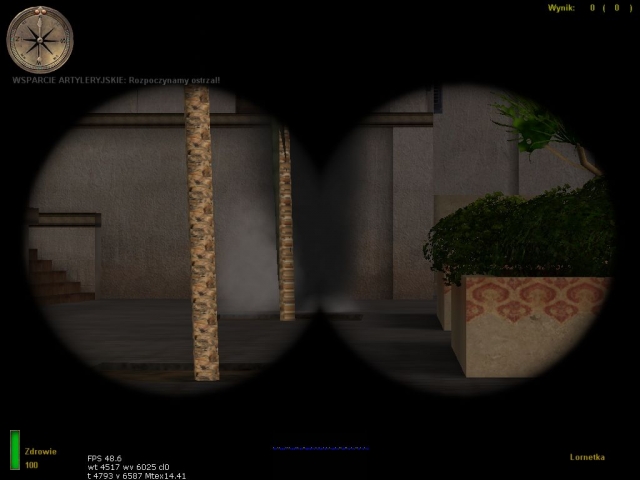
This mod adds Wolfenstein: Enemy Territory-style fire support to MoHAA! Just aim somewhere with your binoculars and click fire or throw a smoke grenade. Fire-For-Effect! support tutorial by Rookie One ================================= So you think you're tough enough to implement FFE support in some non-stock map? :) Good. Let's get going! I'm going to show you how to create a preset for a map. This is needed only the map's skybox is not a box (e.g. on V2 and Algiers stock maps) or when the skybox touches one or more buildings' roof (practically it means that you can call fire support inside buildings). In such case you need to either change the shape of the skybox or use an alternative method of height tracing. I'll show you how to fix it the second way. First of all, create a text file, name it just like the map but give it a .scr extension and place it in global/fire_for_effect/map_presets/ with the same path as the map (e.g. if the map is dm/dm_mymap, the file should be saved as MoHAA/main/global/fire_for_effect/map_presets/dm/dm_mymap.scr). Insert these lines in it: level.ffe_method = "skybox" // can be skybox, zones (bounds of zones where fire support cannot be called) or xzones (bounds of the only zones where fire support can be called) or a number for tracing the specified number of units up from the call location level.ffe_artillery = 1 // enables artillery strikes on the map level.ffe_airstrike = 1 // enables airstrikes on the map end 1 // this is to indicate that the preset ran OK The comments describe each of the lines. I implemented 4 methods of height tracing in FFE. The first, skybox, traces the highest solid surface (which is in most cases the skybox) and then traces down from that surface to the next solid one. This method works perfectly on all maps that have a regular, cubic skybox that doesn't touch any building's roof. The second method is zones. There are predefined zones in the map script and if some player tries to call fire support inside one of these zones, the call fails with a "cannot see target" message. This method is used in the Algiers map. The third one is xzones. It's very similar to zones, but it works the other way around - they are the only zones you can call fire support in. If a call occurs beyond them, it fails with a "cannot see target" message. This method is used in V2 rocket facility where there is less outdoor areas than indoors and it was much less work this way. :) The last, but not least, is a nameless method. :) Just type some number and the script will try to trace from the given number units up from the call location. It's just left in case it would suit some custom map. However, I recommend using the skybox method instead. If you've decided to use the zones or xzones method, read on. If not, you should have enough information to cope without a step-by-step tutorial. ;) Now you need to get the bounds of the zones. The bounds are just origins. There are several ways to do this - you can either decompile the map and get the origins in Radiant or get ingame and find them out with the coord command. When you get the zones bounds, you can either write a preset for a map and send it to me (:P) or just include the information in the map script. These is the preset for V2 rocket facility: level.ffe_method = "xzones" // can be skybox, zones (bounds of zones where fire support cannot be called) or xzones (bounds of the only zones where fire support can be called) or a number for tracing the specified number of units up from the call location. // zone definitions level.ffe_zones[1] = ( -943 1504 0 )::( -1135 1328 0 ) level.ffe_zones[2] = ( -3263 1328 0 )::( -975 -1528 0 ) level.ffe_zones[3] = ( 1097 -1656 0 )::( 5176 320 0 ) level.ffe_zones[4] = ( 5176 320 0 )::( 1648 2256 0 ) level.ffe_zones[5] = ( 1648 2256 0 )::( 1552 2256 0 ) level.ffe_zones[6] = ( 1552 2240 0 )::( 1656 1936 0 ) level.ffe_zones[7] = ( 1656 1936 0 )::( 1560 1240 0 ) level.ffe_zones[8] = ( 3360 2363 0 )::( 5184 2939 0 ) end 1 // this is to indicate that the preset ran OK I came up with the presets thingy for better organisation and more map-independence. You should be able to add FFE-support to your map now. See you on the battlefield, soldier, and better take cover if you see me with binoculars! ]:-> Rookie One
Binocular Aistrike
I "PHIL {SFX} FISHER" reserve the right to develop this script further and request that people wishing to use any part of this script within their own custom Code seek my permission first. USAGE: exec global/BINOCULAR_AIRSTRIKE.scr::BINOCULAR_AIRSTRIKE after level waittill spawn. IE: map dm/mohdm1: exec global/BINOCULAR_AIRSTRIKE.scr::BINOCULAR_AIRSTRIKE ( 298.64 475.75 384.13 ) ( 0 0 0 ) To use press use on static Binocular's, then anywhere in map select binoculars and hold fire on a target to call a airstrike on that target ! NOTE: if you experience any problems with bombs not hitting there targets, it is because of clipping,skybox or entities that dont react or interfere with the targeting system.
Sfx Usable Flak88 Script
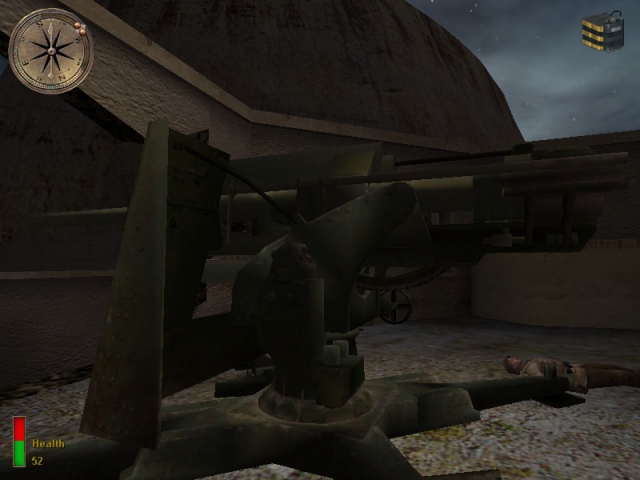
//*****************************************************************\\ // Player Usable Flak-88 A.T. Gun from the SFX Mod Menu \\ // Usable Flak88 Script by Cobra {sfx} & PacRac {sfx} \\ // www.Mods-R-us.net \\ //*************************************************************************\\ *************************************************************************** How to spawn the flak88 model: Execute the flakfire.scr from any map .scr file after level waittill spawn exec global/SFX_Flak88.scr ( ORIGIN ) ( ANGLE ) ------------------------------------------------------------- **EXAMPLE:** level waittill spawn exec global/SFX_Flak88.scr ( -1270 -2950 0 ) ( 0 180 0 ) ------------------------------------------------------------- *************************************************************************** {SFX} Team www.Mods-R-us.net
Medal of Honor: Allied Assault Mods (MOHAA) — Complete Community Archive
Welcome to the premier repository for Medal of Honor: Allied Assault mods. Since the game's groundbreaking release in 2002 by 2015, Inc. and EA, MOHAA has inspired one of the longest-standing modding communities in first-person shooter history. MOH-DB preserves, categorizes, and serves over 1,600 verified community modifications, custom enhancements, and competitive utilities for Allied Assault, Spearhead, and Breakthrough.
Explore MOHAA Mod Categories
Player Skins & Uniforms
Over 700 historically accurate and creative player uniforms for Allied and Axis factions. Equip authentic U.S. Army Rangers, 101st and 82nd Airborne paratroopers, British Commandos, Soviet Red Army conscripts, Wehrmacht Heer infantry, Fallschirmjäger, and Waffen-SS camouflage patterns, as well as classic community clan skins.
Weapon Models & Reskins
Enhance your WWII arsenal with ultra-detailed weapon replacements and high-resolution textures. Popular downloads include authentic wood-finish Kar98k sniper rifles, realistic metallic sheen M1 Garand models with classic "ping" animation refinements, Thompson submachine guns, MP40s, BAR 1918 rifles, and custom iron-sight alignments.
Soundpacks & Realism Audio
Transform the sonic atmosphere of Allied Assault. Replace compressed 2002 Quake-engine sound effects with cinema-grade gunfire recordings, authentic distant artillery rumblings, terrifying Stuka dive-bomber sirens, supersonic bullet cracks, metal ricochets, and remastered German and American voice callouts.
HUDs, Menus & Crosshairs
Modernize the in-game interface for 1080p, 1440p, and 4K widescreen displays. Download minimalist competitive heads-up displays, custom dot and crosshair overlays, cleaner compass indicators, redesigned main menus, and unobtrusive health and ammunition counters favored by competitive league players.
Server Utilities & Admin Scripts
Run resilient, modern multiplayer game servers with essential server-side utilities. Includes automated map rotators, anti-cheat detection tools, voting scripts, custom match timers, ping balancers, and administrative rcon managers designed for dedicated servers running 24/7.
MOHAA Reborn 1.12 Community Patch
The gold standard community patch for modern MOHAA servers and clients. The Reborn 1.12 patch resolves legacy buffer overflows, fixes client query exploits, expands internal script limits for complex mods, and provides a built-in server browser to replace the defunct GameSpy master server.
How to Install MOHAA Mods: Quick Guide
Identify Your Target Directory
MOHAA stores all game assets in subfolders inside the root installation directory:
- MOHAA (Base):
.../MOHAA/main/ - Spearhead:
.../MOHAA/mainta/ - Breakthrough:
.../MOHAA/maintt/
Paste Without Extracting
Download the mod archive from MOH-DB. If it is zipped (.zip or .rar), extract the enclosed .pk3 file. Place this .pk3 directly into your game's /main/ folder.
How to Remove or Troubleshoot
To remove any mod, simply delete its .pk3 file from the /main/ folder. The game will immediately return to stock behavior without reinstalling.
Frequently Asked Questions about MOHAA Mods
To install MOHAA mods, copy the downloaded .pk3 file directly into your Medal of Honor Allied Assault installation folder under /main/ (or /mainta/ for Spearhead, and /maintt/ for Breakthrough). You do not need to unpack or extract the .pk3 archive—the game engine loads it automatically upon launch.