
Medal of Honor: Allied Assault Mods (MOHAA)
Discover and download community-created modifications to enhance your Medal of Honor: Allied Assault experience.
1676 Mods Found
Krunch Pain Death Sounds
Hey all, wazaaaaaaaaaa! Krunch here with another Hot off the Presses Krunch Mod! Tired of the boring Roc-in-Pain mod? No offense, but it is getting rather old isnt it? Well here for your listening pleasure is my All New One of a Kind Krunch-in-Pain sound mod! This has been tried before by other people, trying to make a new Roc-in-Pain sound mod, but most people have had no luck. Most of these types of mods will crash your server because of poor coding. Well, i've beat the system! I've found out how to make this mod work with ZERO crashing! That's rite! I've been running this sound mod now for about 4 weeks straight on my Dedicated High Speed clan server with absolutely NO problems whatsoever! This mod works like a dream and adds new life to Spearhead! ALL NEW DEATH VOICES ADDED. Nearly 90% of all the original Roc-in-Pain death sounds have been replaced with totally new and cool sounds! Hear your player say things like "I think I wet myslef" when they die, or hear someone laughing in the background, or even "I got all the time in the world pal" or how about "Your parents would be proud!" when you die LMAO!!! here's another funny one "Now that's the way to win a war!" lol. I've got nothing but high reviews for this mod so far, satisfaction guaranteed! Obviously, this mod cannot have a screenshot... BUT feel free to test out this mod before you use it on my High Speed clan server !!! IP : 208.185.247.32 Server name ={ToXic-Army}= Dedicated - HIGH SPEED! Look for it in Gamespy. This mod is guaranteed to Rock your Server! Regards, Mod Master Krunch INSTALLATION: ================================================================================== NOTE: If you are using the "Roc-in-Pain" sound mod currently, you must remove it as well as any other type of death voices mod from your main and mainta folders for this mod to work correctly. If you experience problems running this mod, check your main and mainta folders for other sound mods that may be referencing the "ubersound.scr" file and remove them. Extract the zzzzzzzzzzzzzzzzzzzzzzzz_Krunch-in-Pain-Mod_SH.pk3 file and place it in your c:\Program Files\EA Games\MOHAA\mainta folder. This mod MUST go in the "mainta" folder. Uninstall : Simply remove this file from your mainta folder. Enjoy!
Death Voices 20
this is the Death Voices 2.0!! THIS IS A SERVER-SIDE MOD!!!!! ///////upgrades//////// -THESE SOUNDS DONNOT CRASH THE SERVER!!!!!! -NEW SOUNDS ADDED ///////installation///////// just put the .pk3 file in your main/mainta/maintt folder ------------------------------------------------------------------------------ MaDe bY Rogelio.
Cod 2 German Death Sounds
ReadMe: ========================================= CoD2 German Death Sounds for Medal of Honor Allied Assault. Sounds edited by: CHalkPit ========================================= DESCRIPTION: This mod replaces the German death sounds with the ones from CoD2. Also included are ehnaced Allied death sounds. the original German death sounds. and the original Allied death sounds. ========================================= FILES INCLUDED: CoD2 German Death Sounds (.exe) Enhanced Allied Death Sounds (.exe) Original German Death Sounds (.exe) Original Allied Death Sounds (.exe) ========================================= INSTALLATION INSTRUCTIONS: To install: ---------------- Double click the icon of your choice and the installer will guide you through the installation process. To uninstall: ---------------- Run the installer for the the files labeled Original and the old ones will be restored.
Where You Menu Music
*** READ ME*** this is 2 files to replace your menu music put in your mohaa/main/sounds/music folder and overwrite files song is "where you at" mobb deep- murda muzik - - - \\Hossdogg// Hi its me again but this time with some menu music and a quick tut to show u how to add your own!! navigate to your mohaa/main/sound/music folder. find 2 files called mus_MainTheme and mus_MainTheme_01d now get any mp3 you want and make a copy of it on your desktop and rename your mp3 from the song to mus_MainTheme, paste another copy of your song and rename this to the mus_MainTheme_01d so now you have your two mp3s named mus_MainTheme and mus_MainTheme_01d move these to the mohaa/main/sound/music folder and overwrite the files there and thats it enjoy!!!!! ** this was wrote for the noobies!!!!lmao
Godfather Menu Music
Description: This file will change the menu music to music from The Godfather Installation: Put the mp3 file in your main->sound->music folder Created By: zohar
Black Hawk Down Menu Music
Simply it is the music No one is left behind feom BHD Movie to your menu music put in the MOHAA\Main\Sound\Music credits goes to hans zimmer by music and EA by the game Kurell
Moh European Assault Menu Music
ReadMe: ========================================= MoH: European Assault Menu Music for Medal of Honor Allied Assault. ========================================= 1. INTRODUCTION ========================================= This mod changes the AA menu music to the one from European Assault. To install: ---------------- Unzip .exe installation file and double click the icon and the installer will guide you through the installation process. To uninstall: ---------------- Run the unsinstaller just like you would to uninstall any other program. 5. CONTACT INFORMATION ========================================= Questions, comments, suggestions send to: Chalkpit@gmail.com
Battlefield Vietnam Menu Music
Description: This file will change the menu music to BF Vietnam theme Installation: Put the mp3 file in your main->sound->music folder Created By: zohar
No More Voice Spam Anti Taunt
No More Voice Spam __________________ by Brandon R. How to use __________ place in main, mainta or maintt folder What is does? _____________ this removes the audio from multiplayer voice commands & taunts so you don't go deaf from obsessive voice spamming, all the other sounds are still there from weapons and environment... this works client side so it works when you go to other people's servers..i think it works server side too by totally removing audio and the command all together but on client side you still see the words of the voice but you don't hear anything but on server side you don't see or hear anything at all
Counter Strike 16 Weapon Sounds
PK3 placed in the main folder of mohaa This mod changes the sound of shots from mohaa by the Counter Strike 1.6 ATENCION. If you're playing with sniper LOW VOLUME BY STRONG ring AXIS OF THE SHOOTING. ---------- 0 | | | / \ / | | | | / \ / | | | | / \ / |________| | | / \ / |\ | |/ \/ | \ | |\ / | \ | | \ / | \ | | \ / | \ | | \ / | \ | | \ / NO me saquelos derechos de autor xq fue un bardo armar estas letras puta que te pario. www.diablosclan.ya.st www.diablosclan.forosgratis.org rikikapo2006@hotmail.com rikyteayuda@gmail.com
Bot mapper
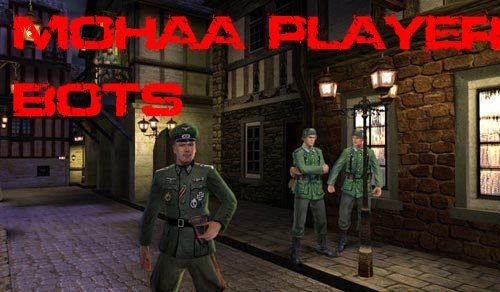
/////////////////////////////////////////////////////////////////////////////////////////////////////////// Botmap maker system created by bdbodger ( bdbodger@hotmail.com ) ©2004 You are free to use this script for noncommercial use as long as you do not remove this message and if you edit the script you indicate in the script the changes you have made . This script is offered as is and author is not responsible for improper use . ////////////////////////////////////////////////////////////////////////////////////////////////////////////// setup: Put the user_Bdbodger_botmapper.pk3 in the main directory When running the Botsmapper.scr you will need to use the botspawnmenu I suggest you type: bind b pushmenu botspawnmenu into the console to make mapping easier , you can use any free key for this . I have included a test or sample script for obj_team1 it contains the following maps/obj/obj_team1_bot.scr maps/obj/obj_team1_save.scr maps/obj/obj_team1.scr The some of the lines in the original maps/obj/obj_team1.scr have been changed and these lines added ////////////////////////////////////////////////////////////////////////////////////////////////////////////// // This will run the bots scripts but only the first round // to make the final script paste into the top of the maps/obj/obj_team1.scr ////////////////////////////////////////////////////////////////////////////////////////////////////////////// waitexec maps/obj/obj_team1_bot.scr ////////////////////////////////////////////////////////////////////////////////////////////////////////////// // to reedit the script comment out the waitexec maps/obj/obj_team1_bot.scr and uncomment these lines ////////////////////////////////////////////////////////////////////////////////////////////////////////////// //waitexec maps/obj/obj_team1_save.scr //exec global/Botsmapper.scr ////////////////////////////////////////////////////////////////////////////////////////////////////////////// There are two buttons on the menus 1 is to write the final script and 1 writes a save script the difference is simple the save script does not spawn the pathnodes or pathnodes for things like the bombnodes it spawns the temp models. I suggest that you do both and while makeing your map you save then as I have in obj_team1_bot.scr and obj_team1_save.scr that will make makeing changes a lot easier . ////////////////////////////////////////////////////////////////////////////////////////////////////////////// These lines have been commented out //$flak88_weapon1_trigger thread flak88_random_setup $flak88_weapon1_explosive //$flak88_weapon1 $flak88_target1 $flak88_base1 4 //$flak88_weapon1_explosive thread global/obj_dm.scr::bomb_thinker The botmapper script will add these lines to the script writeout but not the save script. Examine the maps/obj/obj_team1_bot.scr for more details , as you see I have added a second objective $flak88_weapon1_explosive thread global/jv_obj_dm.scr::bomb_thinker $bomb2 thread global/jv_obj_dm.scr::bomb_thinker waitthread global/jv_bots/jv_mp_ai.scr::enable ////////////////////////////////////////////////////////////////////////////////////////////////////////////// On the botspawnmenu I have added a special model "bsp_bomb" this is for bombs that are created in the bsp to use it set the targetname to the targetname of the model that is in the map , this is to add keys to the model for the bots. ////////////////////////////////////////////////////////////////////////////////////////////////////////////// When setting the auto pathnodes on the menu you will not be able at this time to edit or move them later there is however pathnode on the nodes menu that you can use to add anymore pathnodes you think are needed , when added this way you will be able to move them later. In wide areas it is better to make the auto nodes by running up 1 side then the other. You can adjust the spaceing of the nodes from the menu . While in auto nodes mode you will not be able to spawn anything else from the menu so be sure to turn auto nodes off before doing anything else . ////////////////////////////////////////////////////////////////////////////////////////////////////////////// When the objective models are spawned in the final script I did not use spawnflags 1 to make them not solid I don't know if it is that or not but I found with the second objective that I had to make the trigger_use and bomb some distance from the model I assume because of the bounding box of the model . ////////////////////////////////////////////////////////////////////////////////////////////////////////////// The menu will add the .destroyed_model key to the model if that modes has a destroyed model . I also have the destroyed models on the menu but they are not really needed to be on there .The same applies to the pulse models the non pulse models have been added to the menu but are not needed the pulse models when spawned will add the .explosivemodel key to the bomb for use in the global/jv_obj_dm.scr::bomb_thinker thread . ////////////////////////////////////////////////////////////////////////////////////////////////////////////// Most things that have keys that are always used for that type of thing like the targetname of a bombnode are added by the botmapper.scr to the menu these things can be changed but it is usually not nessesary for a test I added a trigger_use to the bsp_model on the flak88 to replace the 1 that was being used by the flak88 seems to work as well as the original like I said before it may be better to set spawnflags 1 on the objective models . ////////////////////////////////////////////////////////////////////////////////////////////////////////////// At this time the setsize on the triggers is predefined println "level.obj_model[" local.i "] setsize ( -25 -25 0 )( 25 25 50 )" This seems to work ok ////////////////////////////////////////////////////////////////////////////////////////////////////////////// For the test map I set on the botmapsetup menu that you can get to from the botspawnmenu level.alliesbots = 7 level.axisbots = 1 ////////////////////////////////////////////////////////////////////////////////////////////////////////////// Tips: You can not move when any of the menus are open but if you click outside the menu you can point yourself in a different direction to get the mouse back quickly open and close the console . Do not use esc to exit the menus if you do the cvars will not be set use the exit menu buttons .The last item edited or created will be on the menu when you reopen the menu at this time you have to use the + or - buttons to go through the entities but if you create and delete a entity then the menu will be at the last entity .Either delete button will delete the current entity as seen in the position area . ////////////////////////////////////////////////////////////////////////////////////////////////////////////// Routelists: If you set the routelist key on an entity then a routelist will be created automatically . I have allowed 4 routes per routelist . You only need to set the routes on 1 routelist if that routelist is used on another entity it will have the same routes on it's list . I am sorry I forgot to use an example of that on the test map but the output will look something like this . // level.routelist[route1][1] = "b" level.routelist[route1][2] = "bb" level.routelist[route1][3] = "bbb" level.routelist[route1][4] = "bbbb" ////////////////////////////////////////////////////////////////////////////////////////////////////////////// To select a node or model in front of you use the use key and it will be automatically selected and the menu updated Also the show beam and arrow will then point to it . //////////////////////////////////////////////////////////////////////////////////////////////////////////////

Opel Truck Windows Fix
This file fixes non-transparent windows of Opel trucks in single player maps and multiplayer maps in Spearhead. Install: copy pk3 file under Mohaa/mainta folder. / Uninstall: delete file. Leon / leonmohaa@hotmail.com My other MOH files are: [Copy files under Mohaa/mainta folder for Spearhead, copy files under Mohaa/main for Allied Assault. All files works with MOH Allied Assault except SH noted ones. My all files works with texture compression and works with all versions of patches.] Heavily Modified Weapons: -Biathlon 98 K Burst Fire -AK 47 Kalashnikov -Sten P MG42 [SH] -12 Shooter Webley [SH] -Colt Raging Bull -Sten Mk II SAS [SH] -Springfield Custom BB Gun -FAMAS Thompson 1946 -3 in 1 BB Guns Pack -Spearhead Riot Mk II -USA Riot Shotgun & Combat Gloves -Verbesserte HS 9mm -MP 70 -XtG 50 NSDAP -Soviet SMG -Ubersoldat Kar98 Sniper Mk II -MP 75 Ausf C -XMP 70 Mk II -Ubersoldat Kar98 Sniper -West Point Garand -Thompson Para 9mm -Spec Ops Springfield II -Tokarev -Colt ACP 14 -Karabiner 98 Biathlon -Spetznatz PPSH MG42 [SH] Weapon Skins Pack: -WW2 Rifle Collection Scope Mods: -ZNV Light Amplification Scopes -ZNV Zombie Light Amplification Scopes -ZNV Nazi Ghosts Light Amplification Scopes Others: -Blood Patch for Spearhead [SH] -Stalin vs Hitler [SH] -Hitler's DNA -Tracer Smoke for Bazookas -Black Smoke for Grenades [SH] -Menu Shooting Sounds -Wolfen Compass Pack -Weapons In Color -Verbesserte HS 9mm for Allies -Vehicle Add-Ons for Multiplayer maps -Spearhead Vehicle Add-On Pak [SH] -Spearhead Vehicle Add-On Pak II [SH] [Do not distribute my files without written permission.] --------------------------------------------------------------------------------------------------------------------------------------------

Spearhead Patches Install Fix
.::MOHAA Spearhead Patches Installation Reg Fix::. This file fixes the error: "Setup could not find a copy of Medal of Honor Allied Assault(tm) Spearhead on your computer. Please reinstall and try again.", when you try to install MOHAA Spearhead Patches 2.0 to 2.11 and 2.11 to 2.15. You have to edit the reg file with Notepad, before applying it, to insert your correct "Game Path" and "CD Drive letter". Example: "Path"="C:\\Games\\MOHAA" "CDDrive"="F:\\" When you apply the reg file, it adds the missing information needed for the patch installation. By Ricardo Sin

Breakthrough Sound Fix
This is the sound file from real war mod i believe, should fix most of your sound issues,download on to your desktop and exe the file, this will self extract into the default location your c:Program Files\EA Games\Mohaa\maintt folder, if you have you Breakthrough sound fix
MOHAA Patch Install Fix
if you have just installed mohaa and your now trying to update to version 1.11 but its saying mohaa cannot be found, you need to install this reg editor then it will allow you to carry on as normal installing the 1.11 patch , just double click on the reg editor then when ask add to registry say yes of coarse, there you go enjoy the game, dangerousdougy
Telenade Fix
A telenade happens when a player decides to throw a grenade at a teammate and quickly joins the other team or goes to spectator mode. The result is that the game no longer considers the grenade to be ‘friendly’ and kills everyone (including former teammates) around it. A fix has been created (by Veers) to solve this bug altogether. Use the grenade_fix.pk3. Place it in your server’s mohaa\main folder and restart the server in order for the fix to activate. There is a small chance this pk3 might conflict with other mods running on the server; if any mod uses the projectiles.scr (found in models\projectiles folder) it might be overwritten. If this is the case, try and combine both files or ask for help in order to do so.
Pegasus Script V33
=#============================================#= ThePegasus Scripts v.3.3 for ALL MOHAA servers (Linux, Windows, Mac, v1.00, v1.10, v1.11) By ThePegasus with Input from Ph1l NOTE: PLEASE LEAVE ALL CREDITS IN GAME ALONE, THIS IS SO THAT PEOPLE KNOW WHO MADE IT AND THAT IT IS NOT SOME COPY WHO CLAIMS THE WORK FOR IT =D ThePegasus Scripts are a basic form of anti- cheat for the Medal of Honor Series. Currently, the scripts are only available for Allied Assault. The Scripts held in this zip file work with all maps so long as they use the file DMprecache. Basically, whenever a player tries to enter a cheat command, probably the most famous would be wambot, it will instead display on the screen... "I Tried To Cheat!" Also included is an anti-sharking fix which doesn't disable the use of the USE (E) key on ladders. ####INSTALL INSTRUCTIONS#### Place in the MOHAA/MAIN folder on your server, there is no need for a clientside to this as all commands are forced, this may be why you will receive some slight lag, if any. To uninstall, simply delete! If you have any problems or queries, or have any suggestions relating to ThePegasus Scripts, please contact us via any method below: =#=============================================#= thepegasus AT gmail DOT com
Malta No Landsharking
// MOHAA Script: Malta No-LandSharking // Written by: A.I. // Info: ice@terraplanet.ch
Spawnpoint Changer
in this mod are all the spawnpoint-coords for all stockmaps i made an example how to use it on the map dm/mohdm2 i hope u can figure it out for the other maps to. good luck!
Weapon Manager v20
==================================================================== ::::: [BR_MOB] Weapon Manager by NHACOMAPAMAFU V2.0::::: ==================================================================== .:English:. Description: This mod replace the weapons any time in-game, only need a rcon command to activate and alternate his modes. To add new weapon modes in future updates or report bugs get contact by email. Thanks to the mod theather for the mike_torso ideia. Changes: - New and better script no lag - New and complete weapons configurations - Add Silenced Pistol Features: - 100% Server Side - Works any time in-game (no need to change pk3 or load maps) - Different Weapons configurations with only a rcon command Instalation: - Extract the "zzzzz[BR_MOB]WeaponManagerV2.0.pk3" file to the MOHAA´s "main" folder. (ex: 'C:\Program Files\EA Games\MOHAA\main') Uso: Call by rcon command under console os add to your .cfg favorite file wmode 0 (mod disabled)(wpistol and wnade disabled) wmode 1 (mod enabled)(wpistol and wnade enabled) wmode 2 (no weapon allowed)(wpistol 1, wnade 1) wmode 3 (Only Sniper, Rifle, SMG and MG)(no bazooka, no shotgun) wmode 10 (Only Sniper)(choice another weapon give you Sniper) wmode 11 (Only Rifle)(choice another weapon give you Rifle) wmode 12 (Only SMG)(choice another weapon give you SMG) wmode 13 (Only MG)(choice another weapon give you MG) wmode 14 (Only Bazooka)(choice another weapon give you Bazooka) wmode 15 (Only 12)(choice another weapon give you 12) wmode 16 (Only Sniper e Mauser)(choice another weapon give you Mauser) wmode 17 (Only SMG and MG)(choice another weapon give you SMG) wmode 18 (Only Sniper, Mauser, SMG and MG)(choice another weapon give you Mauser) wmode 19 (Only Sniper, Rifle, SMG and MG)(choice another weapon give you Mauser) wmode 20 (Only Springfield)(choice another weapon give you Springfield) wmode 21 (Only KAR98sniper)(choice another weapon give you KAR98sniper) wmode 22 (Only M1 Garand)(choice another weapon give you M1 Garand) wmode 23 (Only Mauser)(choice another weapon give you Mauser) wmode 24 (Only Thompson)(choice another weapon give you Thompson) wmode 25 (Only MP40)(choice another weapon give you MP40) wmode 26 (Only BAR)(choice another weapon give you BAR) wmode 27 (Only STG44)(choice another weapon give you STG44) wmode 28 (Only Allied Bazooka)(choice another weapon give you Allied Bazooka) wmode 29 (Only Panzerschreck)(choice another weapon give you Panzerschreck) wpistol 0 (pistol allowed) wpistol 1 (no pistol) wpistol 2 (choice another weapon give you Colt 45) wpistol 3 (choice another weapon give you Walther P38) wpistol 4 (choice another weapon give you Pistola Silenciadora) wnade 0 (grenade allowed) wnade 1 (no grenade) wnade 2 (choice another weapon give you Granada Aliada) wnade 3 (choice another weapon give you Granada Axis) ==================================================================== .:Português:. Descrição: Este mod substitui as armas a qualquer momento do jogo bastando somente um comando rcon para ativá-lo e alternar seus modos. Para adicionar novos modos de arma em futuras atualizações e reportar bugs entre em contato via email. Agradecendo o pessoal do mod theather pela ideia do mike_torso. Mudanças: - Novo script melhorado muito mais leve - Novas configurações de armas muito mais completas - Adicionado Pistola com Silenciador Características: - 100% Server Side (este mod somente é necessario no servidor) - Funciona a qualquer momento do jogo (não é necessario tocar pk3 ou carregar mapas) - Diferentes configurações de armas com somente um comando rcon Instalação: - Extraía o arquivo "zzzzz[BR_MOB]WeaponManagerV2.0.pk3" para a pasta "main" do MOHAA. (ex: 'C:\Program Files\EA Games\MOHAA\main') Uso: chame via comando rcon ou adicione no seu arquivo .cfg favorito wmode 0 (mod desativado)(wpistol e wnade desativados) wmode 1 (mod ativado)(wpistol e wnade ativados) wmode 2 (nenhuma arma permitida)(wpistol 1, wnade 1) wmode 3 (somente Sniper, Rifle, SMG e MG)(sem bazooka e sem shotgun) wmode 10 (somente Sniper)(escolher outra arma lhe da Sniper) wmode 11 (somente Rifle)(escolher outra arma lhe da Rifle) wmode 12 (somente SMG)(escolher outra arma lhe da SMG) wmode 13 (somente MG)(escolher outra arma lhe da MG) wmode 14 (somente Bazooka)(escolher outra arma lhe da Bazooka) wmode 15 (somente 12)(escolher outra arma lhe da 12) wmode 16 (somente Sniper e Mauser)(escolher outra arma lhe da Mauser) wmode 17 (somente SMG e MG)(escolher outra arma lhe da SMG) wmode 18 (somente Sniper, Mauser, SMG e MG)(escolher outra arma lhe da Mauser) wmode 19 (somente Sniper, Rifle, SMG e MG)(escolher outra arma lhe da Mauser) wmode 20 (somente Springfield)(escolher outra arma lhe da Springfield) wmode 21 (somente KAR98sniper)(escolher outra arma lhe da KAR98sniper) wmode 22 (somente M1 Garand)(escolher outra arma lhe da M1 Garand) wmode 23 (somente Mauser)(escolher outra arma lhe da Mauser) wmode 24 (somente Thompson)(escolher outra arma lhe da Thompson) wmode 25 (somente MP40)(escolher outra arma lhe da MP40) wmode 26 (somente BAR)(escolher outra arma lhe da BAR) wmode 27 (somente STG44)(escolher outra arma lhe da STG44) wmode 28 (somente Bazooka aliada)(escolher outra arma lhe da Bazooka aliada) wmode 29 (somente Panzerschreck)(escolher outra arma lhe da Panzerschreck) wpistol 0 (pistola permitida) wpistol 1 (sem pistola) wpistol 2 (escolher pistola lhe da Colt 45) wpistol 3 (escolher pistola lhe da Walther P38) wpistol 4 (escolher pistola lhe da Pistola Silenciadora) wnade 0 (granada permitida) wnade 1 (sem granada) wnade 2 (escolher granada lhe da Granada Aliada) wnade 3 (escolher granada lhe da Granada Axis) ==================================================================== .:English:. Description: This mod replace the weapons any time in-game, only need a rcon command to activate and alternate his modes. To add new weapon modes in future updates or report bugs get contact by email. Thanks to the mod theather for the mike_torso ideia. Changes: - New and better script no lag - New and complete weapons configurations - Add Silenced Pistol Features: - 100% Server Side - Works any time in-game (no need to change pk3 or load maps) - Different Weapons configurations with only a rcon command Instalation: - Extract the "zzzzz[BR_MOB]WeaponManagerV2.0.pk3" file to the MOHAA´s "main" folder. (ex: 'C:\Program Files\EA Games\MOHAA\main') Uso: Call by rcon command under console os add to your .cfg favorite file wmode 0 (mod disabled)(wpistol and wnade disabled) wmode 1 (mod enabled)(wpistol and wnade enabled) wmode 2 (no weapon allowed)(wpistol 1, wnade 1) wmode 3 (Only Sniper, Rifle, SMG and MG)(no bazooka, no shotgun) wmode 10 (Only Sniper)(choice another weapon give you Sniper) wmode 11 (Only Rifle)(choice another weapon give you Rifle) wmode 12 (Only SMG)(choice another weapon give you SMG) wmode 13 (Only MG)(choice another weapon give you MG) wmode 14 (Only Bazooka)(choice another weapon give you Bazooka) wmode 15 (Only 12)(choice another weapon give you 12) wmode 16 (Only Sniper e Mauser)(choice another weapon give you Mauser) wmode 17 (Only SMG and MG)(choice another weapon give you SMG) wmode 18 (Only Sniper, Mauser, SMG and MG)(choice another weapon give you Mauser) wmode 19 (Only Sniper, Rifle, SMG and MG)(choice another weapon give you Mauser) wmode 20 (Only Springfield)(choice another weapon give you Springfield) wmode 21 (Only KAR98sniper)(choice another weapon give you KAR98sniper) wmode 22 (Only M1 Garand)(choice another weapon give you M1 Garand) wmode 23 (Only Mauser)(choice another weapon give you Mauser) wmode 24 (Only Thompson)(choice another weapon give you Thompson) wmode 25 (Only MP40)(choice another weapon give you MP40) wmode 26 (Only BAR)(choice another weapon give you BAR) wmode 27 (Only STG44)(choice another weapon give you STG44) wmode 28 (Only Allied Bazooka)(choice another weapon give you Allied Bazooka) wmode 29 (Only Panzerschreck)(choice another weapon give you Panzerschreck) wpistol 0 (pistol allowed) wpistol 1 (no pistol) wpistol 2 (choice another weapon give you Colt 45) wpistol 3 (choice another weapon give you Walther P38) wpistol 4 (choice another weapon give you Pistola Silenciadora) wnade 0 (grenade allowed) wnade 1 (no grenade) wnade 2 (choice another weapon give you Granada Aliada) wnade 3 (choice another weapon give you Granada Axis) ==================================================================== Mod by: NHACOMAPAMAFU Mail: nhacomapamafu@brasilmob.net WebSite: www.brasilmob.net
Medal of Honor: Allied Assault Mods (MOHAA) — Complete Community Archive
Welcome to the premier repository for Medal of Honor: Allied Assault mods. Since the game's groundbreaking release in 2002 by 2015, Inc. and EA, MOHAA has inspired one of the longest-standing modding communities in first-person shooter history. MOH-DB preserves, categorizes, and serves over 1,600 verified community modifications, custom enhancements, and competitive utilities for Allied Assault, Spearhead, and Breakthrough.
Explore MOHAA Mod Categories
Player Skins & Uniforms
Over 700 historically accurate and creative player uniforms for Allied and Axis factions. Equip authentic U.S. Army Rangers, 101st and 82nd Airborne paratroopers, British Commandos, Soviet Red Army conscripts, Wehrmacht Heer infantry, Fallschirmjäger, and Waffen-SS camouflage patterns, as well as classic community clan skins.
Weapon Models & Reskins
Enhance your WWII arsenal with ultra-detailed weapon replacements and high-resolution textures. Popular downloads include authentic wood-finish Kar98k sniper rifles, realistic metallic sheen M1 Garand models with classic "ping" animation refinements, Thompson submachine guns, MP40s, BAR 1918 rifles, and custom iron-sight alignments.
Soundpacks & Realism Audio
Transform the sonic atmosphere of Allied Assault. Replace compressed 2002 Quake-engine sound effects with cinema-grade gunfire recordings, authentic distant artillery rumblings, terrifying Stuka dive-bomber sirens, supersonic bullet cracks, metal ricochets, and remastered German and American voice callouts.
HUDs, Menus & Crosshairs
Modernize the in-game interface for 1080p, 1440p, and 4K widescreen displays. Download minimalist competitive heads-up displays, custom dot and crosshair overlays, cleaner compass indicators, redesigned main menus, and unobtrusive health and ammunition counters favored by competitive league players.
Server Utilities & Admin Scripts
Run resilient, modern multiplayer game servers with essential server-side utilities. Includes automated map rotators, anti-cheat detection tools, voting scripts, custom match timers, ping balancers, and administrative rcon managers designed for dedicated servers running 24/7.
MOHAA Reborn 1.12 Community Patch
The gold standard community patch for modern MOHAA servers and clients. The Reborn 1.12 patch resolves legacy buffer overflows, fixes client query exploits, expands internal script limits for complex mods, and provides a built-in server browser to replace the defunct GameSpy master server.
How to Install MOHAA Mods: Quick Guide
Identify Your Target Directory
MOHAA stores all game assets in subfolders inside the root installation directory:
- MOHAA (Base):
.../MOHAA/main/ - Spearhead:
.../MOHAA/mainta/ - Breakthrough:
.../MOHAA/maintt/
Paste Without Extracting
Download the mod archive from MOH-DB. If it is zipped (.zip or .rar), extract the enclosed .pk3 file. Place this .pk3 directly into your game's /main/ folder.
How to Remove or Troubleshoot
To remove any mod, simply delete its .pk3 file from the /main/ folder. The game will immediately return to stock behavior without reinstalling.
Frequently Asked Questions about MOHAA Mods
To install MOHAA mods, copy the downloaded .pk3 file directly into your Medal of Honor Allied Assault installation folder under /main/ (or /mainta/ for Spearhead, and /maintt/ for Breakthrough). You do not need to unpack or extract the .pk3 archive—the game engine loads it automatically upon launch.